

How to Access GSIS Benefits for Government Employees (2026 Guide)
Paano Ma-access ang GSIS Benefits para sa Government Employees (2026 Gabay)

The 5-Step Walkthrough
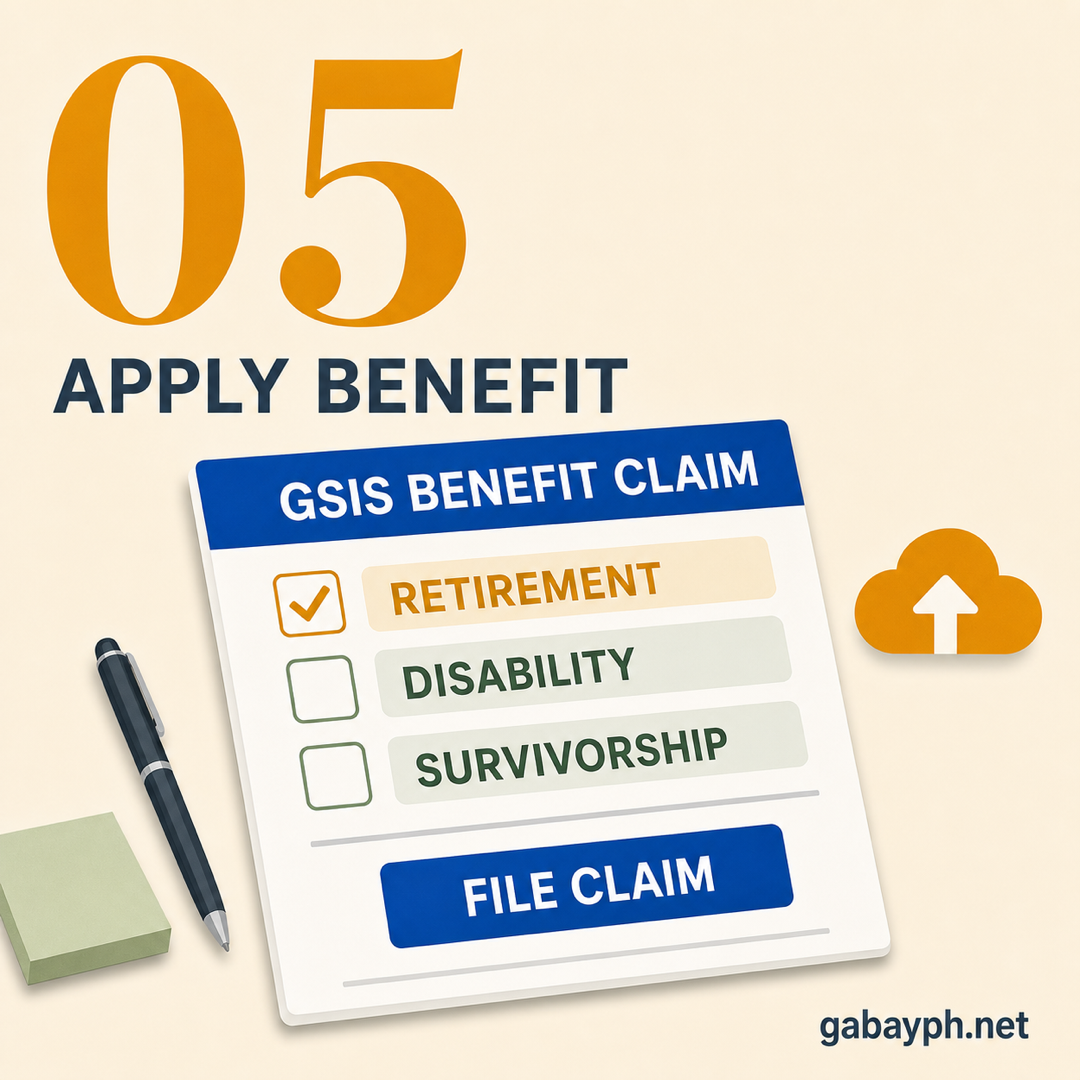
GSIS in five steps.
Quick Summary
Mabilis na Buod
Important Disclaimer
This guide is for informational purposes only. Fees, requirements, contribution tables, and processes may change without notice. Always verify current information on the official GSIS website or visit your nearest GSIS branch. GabayPH is not affiliated with any government agency.
Mahalagang Disclaimer
Ang gabay na ito ay para sa layuning pang-impormasyon lamang. Ang mga bayarin, requirements, contribution tables, at proseso ay maaaring magbago nang walang abiso. Palaging i-verify ang kasalukuyang impormasyon sa opisyal na GSIS website o bumisita sa pinakamalapit na GSIS branch. Ang GabayPH ay hindi kaanib ng kahit anong ahensya ng gobyerno.
- How to Calculate Your GSIS Retirement Pension — Magic 87 rule, AMC/RAMC, BMP formula, worked examples for ₱30k/₱50k/₱80k tiers
- How to File Your GSIS Retirement Claim — eligibility, required documents, eGSIS submission, processing time, common rejection reasons
- GSIS Housing Loan Guide — what GSIS actually offers (MPL, acquired assets) vs Pag-IBIG housing loan
- Paano I-compute ang GSIS Retirement Pension Mo — Magic 87 rule, AMC/RAMC, BMP formula, sample computations sa ₱30k/₱50k/₱80k tiers
- Paano Mag-file ng GSIS Retirement Claim — eligibility, mga dokumento, eGSIS submission, processing time, common rejection reasons
- Gabay sa GSIS Housing Loan — totoong inaalok ng GSIS (MPL, acquired assets) vs Pag-IBIG housing loan
Table of Contents
Talaan ng Nilalaman
What is GSIS?
Ano ang GSIS?
The Government Service Insurance System (GSIS) is the social insurance institution for all government employees in the Philippines, governed by RA 8291. It provides retirement, life insurance, and loan benefits — the government-sector equivalent of SSS.
Ang Government Service Insurance System (GSIS) ang social insurance institution para sa lahat ng government employees sa Pilipinas, sa ilalim ng RA 8291. Nagbibigay ito ng retirement, life insurance, at loan benefits — ang government-sector equivalent ng SSS.
Unlike SSS, GSIS premiums are employer-funded — your government agency pays on your behalf. You're automatically enrolled from day one. GSIS manages two funds: the Social Insurance Fund (SIF) for retirement, separation, disability, and survivorship; and the General Insurance Fund (GIF) for life insurance coverage.
Hindi tulad ng SSS, ang GSIS premiums ay employer-funded — ang government agency mo ang nagbabayad para sa iyo. Automatic kang naka-enroll mula sa unang araw. Pinamamahalaan ng GSIS ang dalawang pondo: ang Social Insurance Fund (SIF) para sa retirement, separation, disability, at survivorship; at ang General Insurance Fund (GIF) para sa life insurance coverage.
Who is Covered by GSIS?
Sino ang Sakop ng GSIS?
GSIS membership is compulsory for all government employees, including:
- National government employees — All agencies, departments, bureaus (DepEd, DOH, DSWD, etc.)
- LGU employees — City hall, municipal, provincial, and barangay staff with regular/permanent appointments
- GOCCs, constitutional commissions, SUCs, AFP, and PNP
Not covered:
- Contractual and job order workers — unless their contract specifically includes GSIS coverage (most don't)
- GOCCs with separate retirement plans (e.g., BSP)
Unsure about your status? Check with your agency's HR department to verify your GSIS BP number.
Ang GSIS membership ay compulsory para sa lahat ng government employees, kasama ang:
- National government employees — Lahat ng agencies, departments, bureaus (DepEd, DOH, DSWD, atbp.)
- LGU employees — City hall, munisipyo, probinsya, at barangay staff na may regular/permanent appointment
- GOCCs, constitutional commissions, SUCs, AFP, at PNP
Hindi sakop:
- Contractual at job order workers — maliban kung espesipikong kasama sa kontrata ang GSIS coverage (karamihan ay wala)
- GOCCs na may sariling retirement plan (hal., BSP)
Hindi sigurado sa status mo? I-check sa HR department ng ahensya mo para i-verify ang GSIS BP number mo.
GSIS vs SSS: Key Differences
GSIS vs SSS: Mga Pangunahing Pagkakaiba
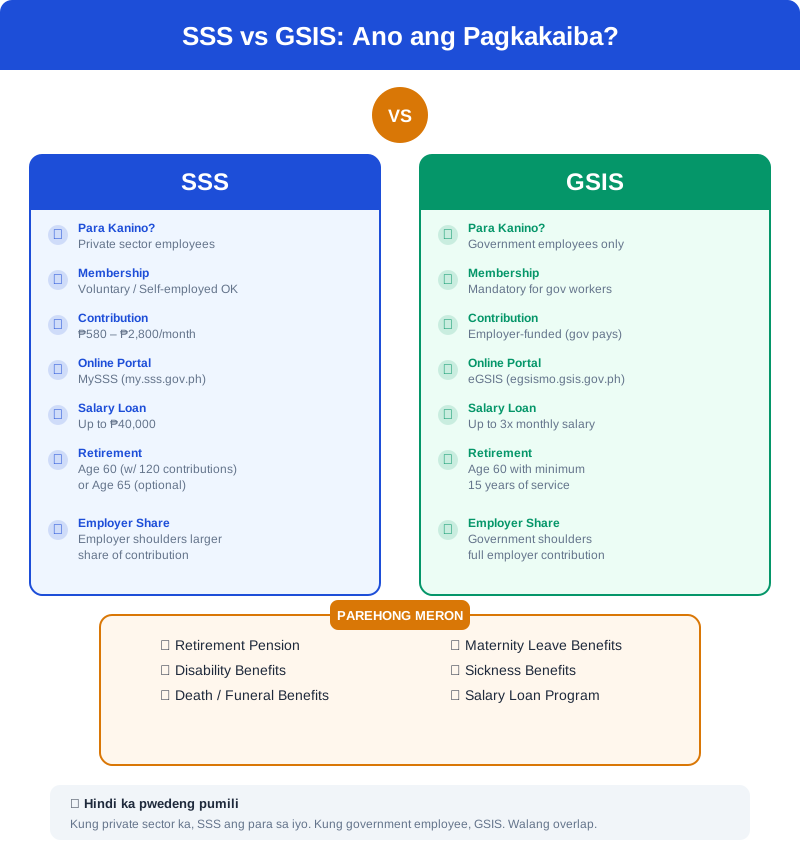
Many Filipinos get confused between GSIS and SSS. Here's a clear breakdown ng pagkakaiba nila:
| Feature | GSIS | SSS |
|---|---|---|
| Who it covers | Government employees only | Private sector, self-employed, OFWs, voluntary |
| Contributions | Employer-funded (government agency pays) | Shared (employee + employer) or self-paid |
| Governing law | RA 8291 (GSIS Act of 1997) | RA 11199 (Social Security Act of 2018) |
| Retirement age | 60 years old (with 15 years service) | 60 (optional) or 65 (mandatory) |
| Salary loan | Up to 3x monthly salary, 6% interest/year | Up to 2 months MSC, 10% interest/year |
| Life insurance | Automatic (compulsory life insurance) | Death benefit only (no life insurance fund) |
| Online portal | eGSIS (egsismo.gsis.gov.ph) | MySSS (member.sss.gov.ph) |
Can you be a member of both? Yes. If you moved from private to government work, your SSS contributions remain credited. You can continue SSS as a voluntary member, but it's not required.
Maraming Pilipino ang nalilito sa pagkakaiba ng GSIS at SSS. Narito ang malinaw na breakdown ng pagkakaiba nila:
| Feature | GSIS | SSS |
|---|---|---|
| Sino ang sakop | Government employees lang | Private sector, self-employed, OFWs, voluntary |
| Contributions | Employer-funded (gobyerno ang nagbabayad) | Shared (employee + employer) o sariling bayad |
| Batas na sumasaklaw | RA 8291 (GSIS Act of 1997) | RA 11199 (Social Security Act of 2018) |
| Retirement age | 60 taong gulang (na may 15 taon na serbisyo) | 60 (opsyonal) o 65 (mandatory) |
| Salary loan | Hanggang 3x buwanang sahod, 6% interest/taon | Hanggang 2 buwan MSC, 10% interest/taon |
| Life insurance | Automatic (compulsory life insurance) | Death benefit lang (walang life insurance fund) |
| Online portal | eGSIS (egsismo.gsis.gov.ph) | MySSS (member.sss.gov.ph) |
Pwede ka bang maging member ng pareho? Oo. Kung lumipat ka mula private sa government work, nananatiling credited ang SSS contributions mo. Pwede mong i-continue ang SSS bilang voluntary member, pero hindi required.
What You Need
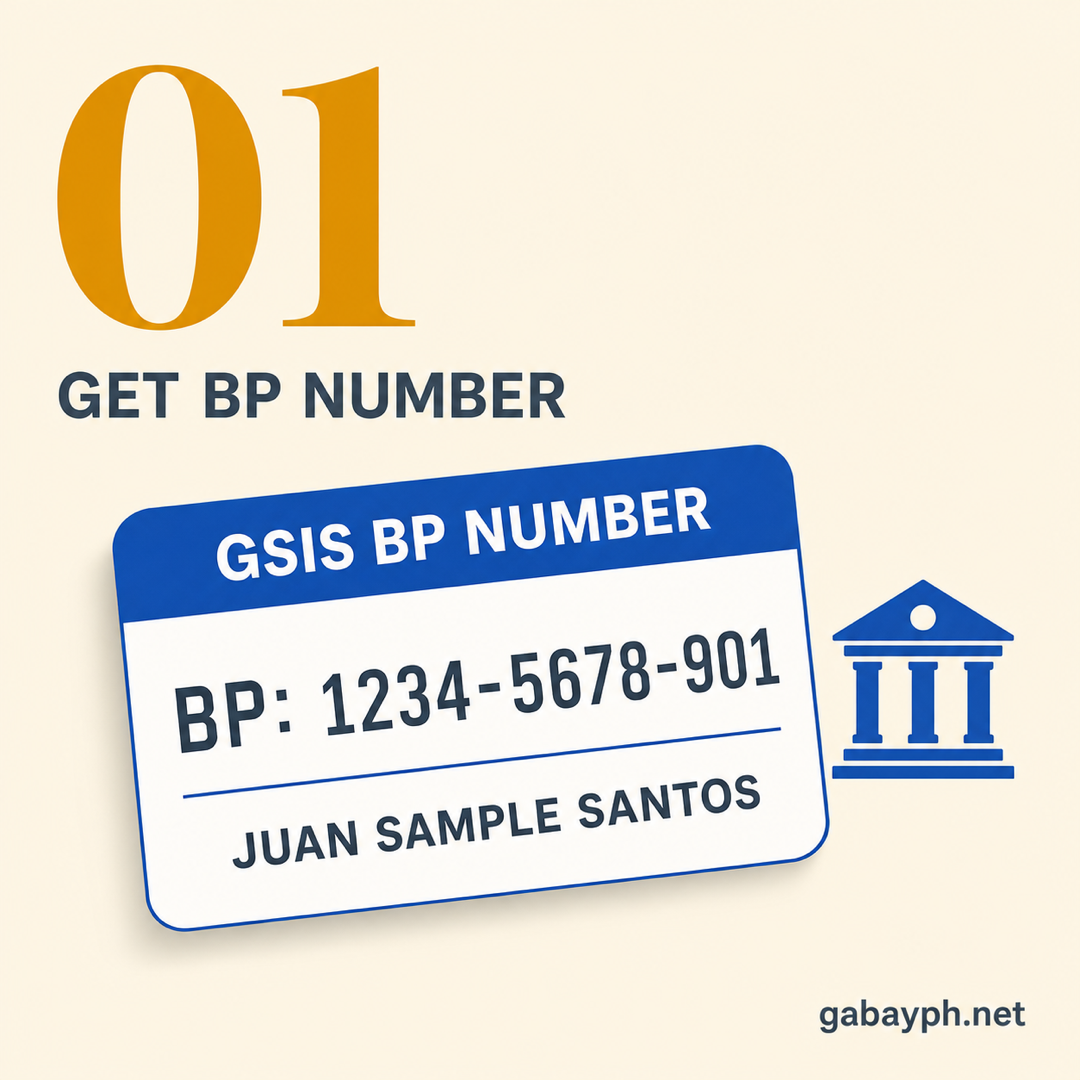
- GSIS BP Number — Your Billing and Premiums number, assigned when your agency enrolls you (check with HR if you don't know yours)
- Valid government-issued ID — UMID card, passport, driver's license, PRC ID, PhilSys National ID, or GSIS eCard
- Active email address — For eGSIS portal registration, OTP verification, and receiving notifications
- Active mobile phone number — For OTP verification and SMS alerts from GSIS
Mga Kakailanganin Mo
- GSIS BP Number — Ang Billing and Premiums number mo, na na-assign noong in-enroll ka ng ahensya mo (i-check sa HR kung hindi mo alam)
- Valid na government-issued ID — UMID card, passport, driver's license, PRC ID, PhilSys National ID, o GSIS eCard
- Active na email address — Para sa eGSIS portal registration, OTP verification, at pagtanggap ng notifications
- Active na mobile phone number — Para sa OTP verification at SMS alerts mula sa GSIS
eGSIS Portal: Registration and Features
eGSIS Portal: Registration at mga Feature
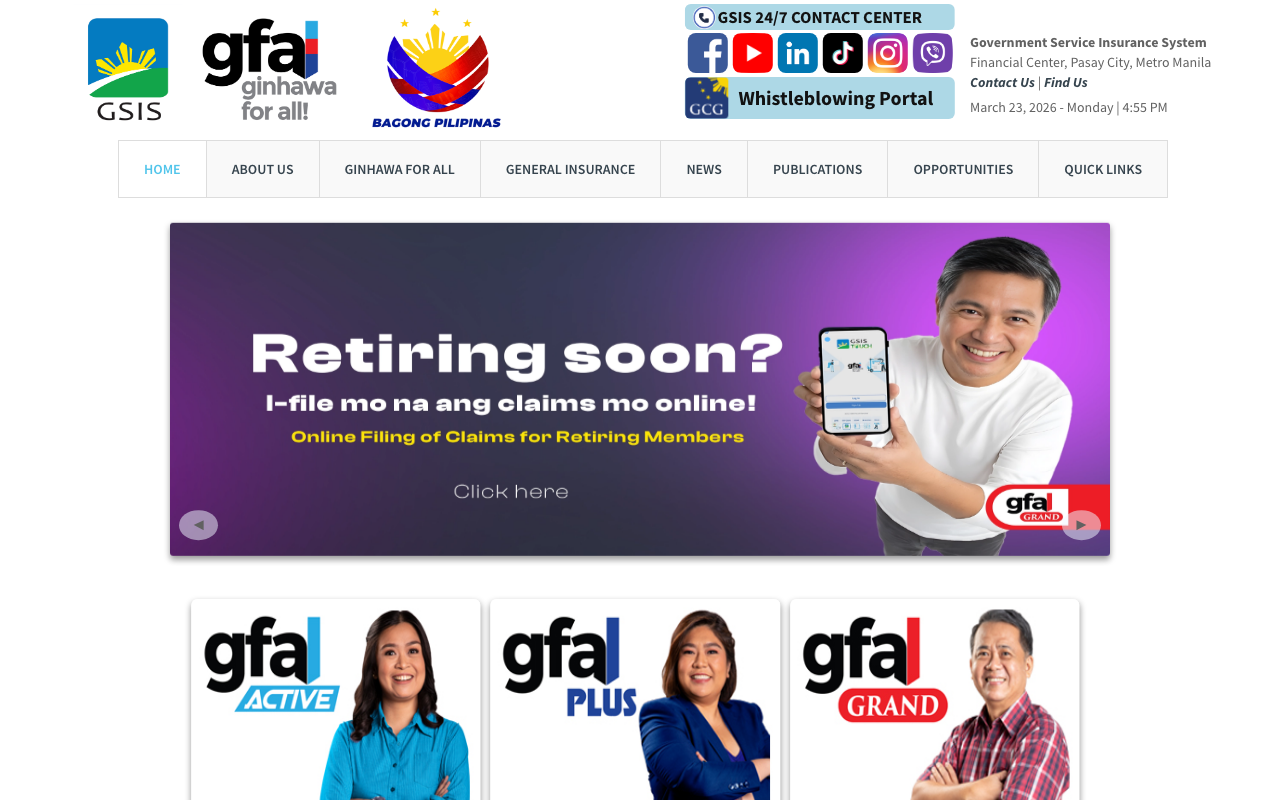
The eGSIS Member Online (eGSISMO) portal at egsismo.gsis.gov.ph is your one-stop digital hub for managing all GSIS services. From checking your service records to filing loan applications, halos lahat ng kailangan mo ay available online na — no more long lines sa GSIS branch.
How to Register for eGSIS
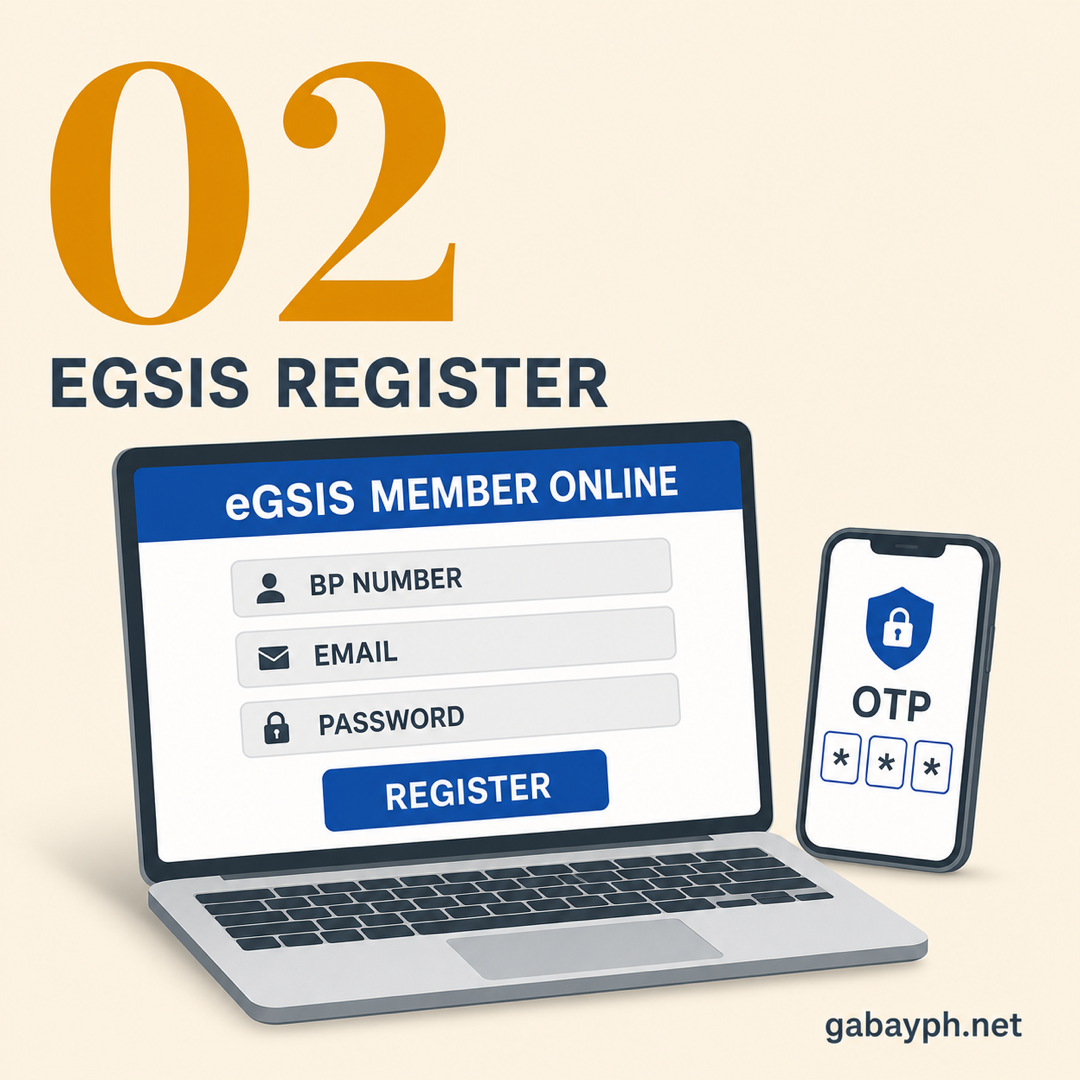
- Go to egsismo.gsis.gov.ph and click "Sign Up"
- Enter your GSIS BP number — this is the number assigned to you when your agency enrolled you. If you don't know it, ask your HR department or check your payslip where GSIS deductions are listed
- Fill in your personal details: full name, date of birth, email address, and mobile number. Make sure these match your GSIS records exactly
- Create a username and password. Use a strong password — at least 8 characters with a mix of uppercase, lowercase, numbers, and symbols
- Verify your account via the OTP sent to your mobile number and the confirmation link sent to your email
- Once verified, log in and complete your profile. You may need to update your photo and digital signature
What You Can Do on eGSIS
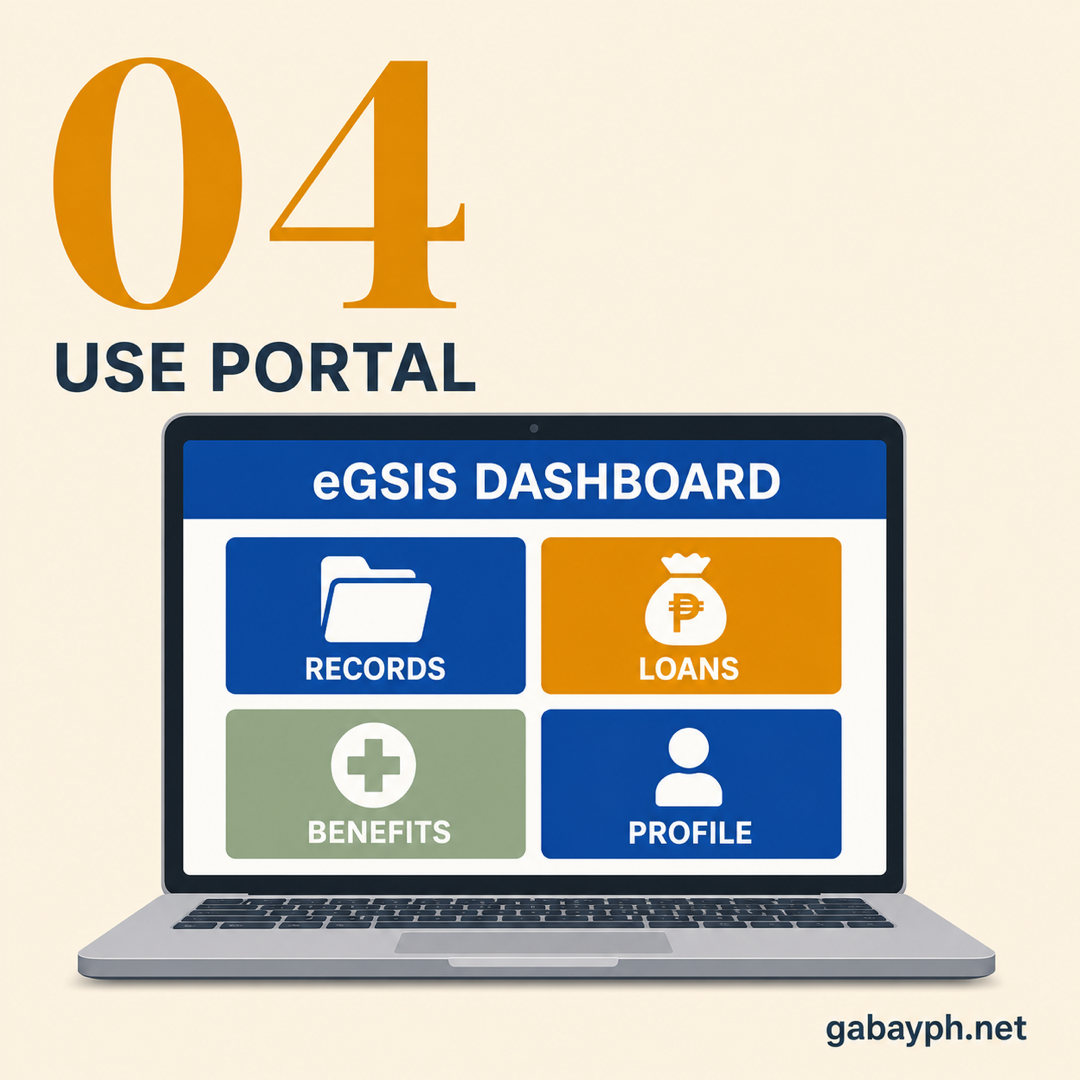
- Check service records — View your complete government service history, years of service credited, and membership status
- View premium contributions — See how much your agency has been paying for your GSIS premiums each month
- Apply for loans online — Salary loan, policy loan, emergency loan, and other loan products. Approve and process without visiting a branch
- File benefit claims — Submit retirement, separation, disability, and survivorship benefit applications
- Check loan balances — Monitor your outstanding loans, remaining balance, and payment schedule
- Update personal information — Change address, contact number, email, and designated beneficiaries
- Download documents — Get your GSIS service record, loan statements, and benefit computation
- Use the GSIS calculator — Estimate your retirement benefit, loan eligibility, and premium amounts
Troubleshooting: If you can't register because your records don't match, visit your nearest GSIS branch with a valid ID to update your information first. Common issues include name discrepancies (especially for married women who changed their surname) and incorrect birthdates. Ang HR department ng agency mo ang pwedeng tumulong mag-coordinate with GSIS to fix these records.
Ang eGSIS Member Online (eGSISMO) portal sa egsismo.gsis.gov.ph ang one-stop digital hub mo para sa pamamahala ng lahat ng GSIS services. Mula sa pag-check ng service records mo hanggang sa pag-file ng loan applications, halos lahat ng kailangan mo ay available online na — no more long lines sa GSIS branch.
Paano Mag-register sa eGSIS
- Pumunta sa egsismo.gsis.gov.ph at i-click ang "Sign Up"
- Ilagay ang iyong GSIS BP number — ito ang numerong na-assign sa iyo noong in-enroll ka ng ahensya mo. Kung hindi mo alam, itanong sa HR department mo o i-check ang payslip mo kung saan nakalista ang GSIS deductions
- Sagutan ang iyong personal details: buong pangalan, petsa ng kapanganakan, email address, at mobile number. Siguraduhing eksaktong tugma ito sa GSIS records mo
- Gumawa ng username at password. Gumamit ng strong password — kahit 8 characters na may halong uppercase, lowercase, numero, at symbols
- I-verify ang account mo sa pamamagitan ng OTP na ipapadala sa mobile number mo at confirmation link na ipapadala sa email mo
- Kapag na-verify na, mag-log in at kumpletuhin ang profile mo. Maaaring kailanganin mong i-update ang photo at digital signature mo
Ano ang Magagawa Mo sa eGSIS
- I-check ang service records — Tingnan ang kumpletong government service history mo, mga taon ng serbisyong na-credit, at membership status
- Tingnan ang premium contributions — Makita kung magkano ang binabayaran ng ahensya mo para sa GSIS premiums mo bawat buwan
- Mag-apply ng loans online — Salary loan, policy loan, emergency loan, at iba pang loan products. Approve at process nang hindi pumupunta sa branch
- Mag-file ng benefit claims — Isumite ang retirement, separation, disability, at survivorship benefit applications
- I-check ang loan balances — I-monitor ang outstanding loans mo, natitirang balanse, at schedule ng bayad
- I-update ang personal information — Palitan ang address, contact number, email, at mga itinalagang beneficiaries
- Mag-download ng documents — Kunin ang GSIS service record mo, loan statements, at benefit computation
- Gamitin ang GSIS calculator — I-estimate ang retirement benefit mo, loan eligibility, at halaga ng premium
Troubleshooting: Kung hindi ka makapag-register dahil hindi tugma ang records mo, bumisita sa pinakamalapit na GSIS branch na may dalang valid ID para i-update muna ang impormasyon mo. Ang mga karaniwang isyu ay name discrepancies (lalo na sa mga babaeng nagpalit ng apelyido dahil sa kasal) at maling petsa ng kapanganakan. Ang HR department ng ahensya mo ang pwedeng tumulong mag-coordinate sa GSIS para ayusin ang mga records na ito.
GSIS Salary Loan
GSIS Salary Loan
The GSIS Salary Loan is one of the most popular benefits for government employees — and for good reason. It offers lower interest rates than most banks and lending apps, making it the go-to source of emergency or planned financing para sa mga kawani ng gobyerno.
Loan Details
- Loanable amount: Up to 3 times your monthly basic salary, depending on your net take-home pay and existing loan obligations
- Interest rate: 6% simple interest per annum — significantly lower than SSS (10%) and commercial banks (12-24%)
- Repayment period: 24 months (2 years), deducted directly from your monthly salary
- Service fee: A one-time service fee is deducted from the loan proceeds
Requirements for GSIS Salary Loan
- Must be an active GSIS member (currently employed in government)
- Must have at least 1 year of continuous service at your current agency
- Must have no outstanding overdue GSIS loan (or your previous loan must be at least 50% paid)
- Your net take-home pay after loan deduction must be at least ₱5,000 or 50% of your basic monthly salary, whichever is higher
- Agency must be updated on GSIS premium remittances (this is your employer's responsibility, not yours)
How to Apply (Step-by-Step)
- Log in to eGSISMO at egsismo.gsis.gov.ph
- Go to "Loans" section and select "Salary Loan"
- The system will show your maximum loanable amount based on your salary and existing obligations. Choose the amount you want to borrow
- Review the loan computation — check the interest charges, service fee, and net proceeds. The system shows exactly how much you'll receive and how much will be deducted from your salary monthly
- Click "Submit Application". Your application goes to your agency's authorized GSIS liaison officer for endorsement
- Wait for agency endorsement — your HR or admin office verifies that you meet the eligibility requirements and endorses your application
- Once endorsed, GSIS processes the loan. Proceeds are credited to your GSIS UMID eCard or designated bank account within 3-5 working days
Example computation: If your monthly basic salary is ₱25,000, your maximum loan amount is approximately ₱75,000 (3x salary). At 6% annual interest over 24 months, your monthly amortization would be around ₱3,437. After deducting the service fee, your net loan proceeds would be approximately ₱70,500.
Ang GSIS Salary Loan ay isa sa pinakapopular na benepisyo para sa mga government employees — at may magandang dahilan. Nag-aalok ito ng mas mababang interest rates kaysa sa karamihan ng mga bangko at lending apps, kaya ito ang go-to source ng emergency o planned financing para sa mga kawani ng gobyerno.
Mga Detalye ng Loan
- Halagang pwedeng utangin: Hanggang 3 beses ng buwanang basic salary mo, depende sa net take-home pay mo at mga existing loan obligations
- Interest rate: 6% simple interest kada taon — mas mababa kaysa sa SSS (10%) at mga commercial banks (12-24%)
- Palugit sa pagbabayad: 24 buwan (2 taon), direktang kaltas sa buwanang sahod mo
- Service fee: Isang one-time na service fee ang kakaltas sa loan proceeds
Mga Kailangan para sa GSIS Salary Loan
- Dapat ay active GSIS member ka (kasalukuyang empleyado sa gobyerno)
- Dapat may kahit 1 taon na tuloy-tuloy na serbisyo sa kasalukuyan mong ahensya
- Dapat walang outstanding na overdue GSIS loan (o ang dating loan mo ay kahit 50% na ang nabayaran)
- Ang net take-home pay mo pagkatapos ng loan deduction ay dapat kahit ₱5,000 o 50% ng basic monthly salary mo, alinman ang mas mataas
- Ang ahensya ay dapat updated sa GSIS premium remittances (responsibilidad ito ng employer mo, hindi sa iyo)
Paano Mag-apply (Hakbang-Hakbang)
- Mag-log in sa eGSISMO sa egsismo.gsis.gov.ph
- Pumunta sa "Loans" section at piliin ang "Salary Loan"
- Ipapakita ng system ang iyong maximum loanable amount batay sa sahod mo at mga existing obligations. Piliin ang halaga na gusto mong utangin
- I-review ang loan computation — i-check ang interest charges, service fee, at net proceeds. Ipapakita ng system kung eksaktong magkano ang matatanggap mo at magkano ang kakaltas sa sahod mo bawat buwan
- I-click ang "Submit Application". Mapupunta ang application mo sa authorized GSIS liaison officer ng ahensya mo para sa endorsement
- Hintayin ang agency endorsement — ive-verify ng HR o admin office mo na natutugunan mo ang eligibility requirements at ie-endorse ang application mo
- Kapag na-endorse na, ipoproseso ng GSIS ang loan. Ang proceeds ay iki-credit sa GSIS UMID eCard o designated bank account mo sa loob ng 3-5 working days
Halimbawang computation: Kung ang buwanang basic salary mo ay ₱25,000, ang maximum loan amount mo ay humigit-kumulang ₱75,000 (3x salary). Sa 6% annual interest sa loob ng 24 buwan, ang buwanang amortization mo ay magiging humigit-kumulang ₱3,437. Pagkatapos kaltas ng service fee, ang net loan proceeds mo ay humigit-kumulang ₱70,500.
Policy Loan & Emergency Loan
Policy Loan at Emergency Loan
Policy Loan (Pautang sa Polisiya)
The GSIS Policy Loan lets you borrow against your life insurance policy. Since every government employee has compulsory life insurance through GSIS, you can use the policy's accumulated value as collateral for a loan.
- Loanable amount: Up to 90% of the cash surrender value of your life insurance policy
- Interest rate: 8% compounding per annum
- Repayment: Flexible — you can pay anytime, but unpaid balances and interest are deducted from your benefit claims upon retirement or separation
- Eligibility: Must have at least 3 years of creditable service and your insurance policy must have accumulated cash value
The policy loan is useful for members who have already maxed out their salary loan or who need additional funds. Hindi ito kakaltas sa buwanang sahod mo automatically, kaya mas flexible ang repayment — pero be careful, dahil compounding ang interest. If left unpaid for years, the balance can grow significantly.
Emergency Loan (Pautang Pang-emergency)
GSIS offers emergency loans during calamities, national emergencies, or pandemics — similar to SSS's calamity loan. The terms vary depending on the specific emergency program, but typically:
- Loanable amount: Usually 1 month's basic salary (but can be higher for major disasters)
- Interest rate: 6% per annum (same as salary loan) or lower for special emergency programs
- Repayment: 24-36 months, deducted from salary
- Eligibility: Must be an active member residing or working in the declared calamity area
Emergency loans are only available during specific windows declared by the GSIS Board. During typhoons, earthquakes, or pandemics, GSIS announces the availability through their website, social media, and coordinating agencies. Kung may kalamidad sa lugar mo, i-check agad ang GSIS website for announcements.
Policy Loan (Pautang sa Polisiya)
Ang GSIS Policy Loan ay nagbibigay-daan sa iyong umutang laban sa iyong life insurance policy. Dahil ang bawat government employee ay may compulsory life insurance sa GSIS, pwede mong gamitin ang accumulated value ng polisiya bilang collateral para sa loan.
- Halagang pwedeng utangin: Hanggang 90% ng cash surrender value ng life insurance policy mo
- Interest rate: 8% compounding kada taon
- Pagbabayad: Flexible — pwede kang magbayad kahit kailan, pero ang hindi nabayarang balanse at interest ay kakaltas sa benefit claims mo kapag nag-retire ka o naghiwalay sa serbisyo
- Eligibility: Dapat may kahit 3 taon ng creditable service at ang insurance policy mo ay dapat may accumulated cash value
Ang policy loan ay kapaki-pakinabang para sa mga miyembrong naka-max out na ang salary loan nila o kailangan ng karagdagang pondo. Hindi ito kakaltas sa buwanang sahod mo automatically, kaya mas flexible ang repayment — pero mag-ingat, dahil compounding ang interest. Kung hindi binayaran ng matagal, malaki ang pwedeng lumaki ng balanse.
Emergency Loan (Pautang Pang-emergency)
Nag-aalok ang GSIS ng emergency loans kapag may kalamidad, national emergencies, o pandemya — katulad ng calamity loan ng SSS. Ang mga terms ay nag-iiba depende sa partikular na emergency program, pero karaniwan:
- Halagang pwedeng utangin: Karaniwan ay 1 buwanang basic salary (pero pwedeng mas mataas para sa malalaking sakuna)
- Interest rate: 6% kada taon (pareho ng salary loan) o mas mababa para sa mga espesyal na emergency programs
- Pagbabayad: 24-36 buwan, kakaltas sa sahod
- Eligibility: Dapat active member na nakatira o nagtatrabaho sa lugar na idineklara na calamity area
Ang mga emergency loan ay available lang sa mga partikular na panahon na idineklara ng GSIS Board. Habang may mga bagyo, lindol, o pandemya, iniaanunsyo ng GSIS ang availability sa kanilang website, social media, at mga coordinating agencies. Kung may kalamidad sa lugar mo, i-check agad ang GSIS website para sa mga announcements.
Retirement Benefits under RA 8291
Retirement Benefits sa ilalim ng RA 8291
Retirement is probably the most important GSIS benefit — it's what you've been working toward your whole career sa gobyerno. Under Republic Act No. 8291, here's how GSIS retirement works:
Eligibility
- Age requirement: At least 60 years old (this is the compulsory retirement age for most government employees)
- Service requirement: At least 15 years of creditable government service
- Optional retirement: Members who have rendered at least 15 years of service can optionally retire at age 60 even if their position allows a later retirement age
Types of Retirement Benefits
- Monthly pension — If you have at least 15 years of service, you receive a lifetime monthly pension. This is the main benefit and continues for life (and may be transferable to qualified beneficiaries upon your death)
- Cash payment (lump sum) — Upon retirement, you receive an initial lump sum equivalent to 18 months of your basic monthly pension (BMP). After 5 years of receiving pension, you get an additional 18-month lump sum
- Separation benefit — If you leave government service before qualifying for full retirement (less than 15 years of service), you receive a cash benefit based on your total contributions
How is the Monthly Pension Computed?
The Basic Monthly Pension (BMP) under RA 8291 is the highest of these three computation methods:
- Formula A: 37.5% of your Average Monthly Compensation (AMC) for the first 20 years of service, plus 2.5% of AMC for each year of service beyond 20 years
- Formula B: (AMC x years of service) / 55. This formula generally favors members with longer service
- Formula C: A minimum guaranteed pension amount (adjusted periodically by GSIS)
Your Average Monthly Compensation (AMC) is the average of your last 36 months of highest salary before retirement. So kung tumaas ang sahod mo bago mag-retire, it directly increases your pension. This is why many government employees try to get promotions or salary grade increases sa huling taon ng service nila.
Example: A government employee retiring with 30 years of service and an AMC of ₱35,000:
- Formula A: 37.5% + (10 x 2.5%) = 62.5% of ₱35,000 = ₱21,875/month
- Formula B: (₱35,000 x 30) / 55 = ₱19,091/month
- The higher of the two (₱21,875) becomes the BMP
- Initial lump sum: 18 x ₱21,875 = ₱393,750
Ang retirement ay marahil ang pinakamahalagang GSIS benefit — ito ang pinagtrabahuhan mo sa buong career mo sa gobyerno. Sa ilalim ng Republic Act No. 8291, narito kung paano gumagana ang GSIS retirement:
Eligibility
- Kinakailangang edad: Kahit 60 taong gulang (ito ang compulsory retirement age para sa karamihan ng government employees)
- Kinakailangang serbisyo: Kahit 15 taon ng creditable government service
- Optional retirement: Ang mga miyembrong nakapagbigay ng kahit 15 taon ng serbisyo ay pwedeng mag-optional retire sa edad 60 kahit pinapayagan ng posisyon nila ang mas matagal na retirement age
Mga Uri ng Retirement Benefits
- Buwanang pension — Kung may kahit 15 taon kang serbisyo, makakatanggap ka ng lifetime monthly pension. Ito ang pangunahing benepisyo at nagpapatuloy habambuhay (at maaaring i-transfer sa qualified beneficiaries kapag namatay ka)
- Cash payment (lump sum) — Sa retirement, matatanggap mo ang initial lump sum na katumbas ng 18 buwan ng basic monthly pension (BMP) mo. Pagkatapos ng 5 taon na pagtanggap ng pension, makakakuha ka ng karagdagang 18-buwan na lump sum
- Separation benefit — Kung umalis ka sa government service bago mo ma-qualify ang full retirement (wala pang 15 taon ng serbisyo), makakatanggap ka ng cash benefit batay sa kabuuan ng contributions mo
Paano Kinukuwenta ang Buwanang Pension?
Ang Basic Monthly Pension (BMP) sa ilalim ng RA 8291 ay ang pinakamataas sa tatlong paraan ng computation na ito:
- Formula A: 37.5% ng iyong Average Monthly Compensation (AMC) para sa unang 20 taon ng serbisyo, dagdag ang 2.5% ng AMC para sa bawat taon ng serbisyo lampas sa 20 taon
- Formula B: (AMC x taon ng serbisyo) / 55. Ang formula na ito ay karaniwang pabor sa mga miyembrong may mas matagal na serbisyo
- Formula C: Isang minimum guaranteed pension amount (inaayos paminsan-minsan ng GSIS)
Ang iyong Average Monthly Compensation (AMC) ay ang average ng iyong huling 36 buwan ng pinakamataas na sahod bago mag-retire. Kaya kung tumaas ang sahod mo bago mag-retire, direktang tumataas ang pension mo. Kaya naman maraming government employees ang nagsisikap na makakuha ng promotions o salary grade increases sa huling taon ng service nila.
Halimbawa: Isang government employee na magre-retire na may 30 taon ng serbisyo at AMC na ₱35,000:
- Formula A: 37.5% + (10 x 2.5%) = 62.5% ng ₱35,000 = ₱21,875/buwan
- Formula B: (₱35,000 x 30) / 55 = ₱19,091/buwan
- Ang mas mataas sa dalawa (₱21,875) ang magiging BMP
- Initial lump sum: 18 x ₱21,875 = ₱393,750
Life Insurance & Disability Benefits
Life Insurance at Disability Benefits
Compulsory Life Insurance
Every GSIS member is automatically covered by compulsory life insurance from the day of appointment. This means your designated beneficiaries are protected in case something happens to you while you're in active government service. Walang extra premium na kailangang bayaran — it's part of your GSIS membership package.
- Coverage amount: Based on your salary grade and years of service. The higher your salary grade and the longer your service, the greater the coverage. Your life insurance face value is shown in your eGSIS account
- Beneficiaries: The death benefit is paid to your designated primary beneficiaries (spouse and children). If none, it goes to secondary beneficiaries (parents), then to your legal heirs
- Funeral benefit: ₱50,000 is paid to cover burial and funeral expenses, on top of the life insurance proceeds
- Survivorship pension: If you qualify for retirement benefits at the time of death, your beneficiaries may receive a survivorship pension — a continuing monthly pension for the surviving spouse and/or minor children
Disability Benefits
If a government employee becomes permanently disabled (either total or partial) while in service, GSIS provides disability benefits:
- Permanent Total Disability (PTD) — Monthly pension for life, plus a cash payment. Examples include total blindness, loss of both hands/feet, or any condition that prevents you from performing any gainful occupation
- Permanent Partial Disability (PPD) — Lump sum cash benefit based on the degree of disability. Examples include loss of one hand, one foot, or one eye
- Temporary Total Disability (TTD) — 75% of your current daily compensation for each day of disability, up to a maximum of 120 days per year. Similar to SSS sickness benefit
To claim disability benefits, you need to file through your agency's HR department with supporting medical documents from a GSIS-accredited physician. The claim is then processed by GSIS, and kung approved, the benefit is released directly to you or your representative.
Compulsory Life Insurance
Ang bawat GSIS member ay automatic na covered ng compulsory life insurance mula sa araw ng appointment. Ibig sabihin nito, protektado ang mga itinalagang beneficiaries mo kung sakaling may mangyari sa iyo habang nasa active government service ka. Walang extra premium na kailangang bayaran — bahagi ito ng GSIS membership package mo.
- Halaga ng coverage: Batay sa iyong salary grade at taon ng serbisyo. Kung mas mataas ang salary grade mo at mas matagal ang serbisyo mo, mas malaki ang coverage. Ang life insurance face value mo ay makikita sa eGSIS account mo
- Mga beneficiaries: Ang death benefit ay ibinabayad sa iyong itinalagang primary beneficiaries (asawa at mga anak). Kung wala, mapupunta sa secondary beneficiaries (mga magulang), pagkatapos sa iyong legal heirs
- Funeral benefit: ₱50,000 ang ibinabayad para sa gastusin sa libing at burol, bukod pa sa life insurance proceeds
- Survivorship pension: Kung kwalipikado ka sa retirement benefits sa oras ng kamatayan, maaaring makatanggap ang mga beneficiaries mo ng survivorship pension — isang patuloy na buwanang pension para sa surviving spouse at/o mga minor na anak
Disability Benefits
Kung ang isang government employee ay maging permanently disabled (either total o partial) habang nasa serbisyo, nagbibigay ang GSIS ng disability benefits:
- Permanent Total Disability (PTD) — Buwanang pension habambuhay, dagdag ang cash payment. Mga halimbawa ay total blindness, pagkawala ng parehong kamay/paa, o anumang kondisyon na pumipigil sa iyong makapagtrabaho sa anumang gainful occupation
- Permanent Partial Disability (PPD) — Lump sum na cash benefit batay sa antas ng disability. Mga halimbawa ay pagkawala ng isang kamay, isang paa, o isang mata
- Temporary Total Disability (TTD) — 75% ng kasalukuyang daily compensation mo para sa bawat araw ng disability, hanggang sa maximum na 120 araw kada taon. Katulad ng SSS sickness benefit
Para mag-claim ng disability benefits, kailangan mong mag-file sa pamamagitan ng HR department ng ahensya mo na may kasamang supporting medical documents mula sa GSIS-accredited physician. Ang claim ay ipoproseso ng GSIS, at kung ma-approve, ang benepisyo ay ire-release nang direkta sa iyo o sa representative mo.
Pro Tips
Mga Payo
- Register for eGSIS immediately — Don't wait until you need a loan or benefit claim. Set up your account early para ready ka na when you need it. Maraming government employees ang nag-panic register lang kapag kailangan na, tapos may error sa records nila.
- Check your service records regularly — Log in to eGSIS at least once a year to verify that your years of service are correctly credited. Mistakes happen, lalo na kung nag-transfer ka from one agency to another. Mas madaling i-correct ang errors habang active ka pa.
- Know your loan capacity before applying — Use the GSIS loan calculator on eGSIS before applying for a salary loan. This way, alam mo na kung magkano ang ma-approve at magkano ang kakaltas sa sahod mo. No surprises.
- Always update your beneficiaries — After marriage, birth of children, or death of a beneficiary, update your GSIS records immediately. Outdated beneficiary information can cause major delays in benefit claims. Hindi mo gusto na delayed ang claims ng pamilya mo dahil sa technicality.
- Understand your retirement computation early — Don't wait until you're about to retire to learn how your pension is computed. Understanding Formulas A and B early gives you time to plan — like pursuing a promotion that would increase your AMC and pension amount.
- Coordinate with your HR department — Your agency's HR office is your primary liaison with GSIS. They handle premium remittances, endorse loan applications, and process benefit claims. Build a good relationship with them — they're your GSIS lifeline.
- Mag-register sa eGSIS agad — Huwag hintayin na kailangan mo na ng loan o benefit claim. I-set up ang account mo nang maaga para ready ka na kapag kailangan. Maraming government employees ang nag-panic register lang kapag kailangan na, tapos may error sa records nila.
- I-check ang service records mo nang regular — Mag-log in sa eGSIS kahit isang beses sa isang taon para i-verify na tama ang na-credit na taon ng serbisyo mo. Nagkakaroon ng mga pagkakamali, lalo na kung nag-transfer ka mula sa isang ahensya patungo sa iba. Mas madaling i-correct ang mga error habang active ka pa.
- Alamin ang loan capacity mo bago mag-apply — Gamitin ang GSIS loan calculator sa eGSIS bago mag-apply ng salary loan. Sa ganitong paraan, alam mo na kung magkano ang ma-approve at magkano ang kakaltas sa sahod mo. Walang sorpresa.
- Palaging i-update ang beneficiaries mo — Pagkatapos ng kasal, kapanganakan ng mga anak, o pagkamatay ng beneficiary, i-update kaagad ang GSIS records mo. Ang luma nang beneficiary information ay pwedeng magdulot ng malaking pagkaantala sa benefit claims. Hindi mo gusto na ma-delay ang claims ng pamilya mo dahil sa technicality.
- Unawain ang retirement computation mo nang maaga — Huwag hintayin na malapit ka nang mag-retire bago alamin kung paano kinukuwenta ang pension mo. Ang pag-unawa sa Formulas A at B nang maaga ay nagbibigay sa iyo ng oras na magplano — tulad ng pag-pursue ng promotion na magpapataas ng AMC at pension amount mo.
- Makipag-coordinate sa HR department mo — Ang HR office ng ahensya mo ang primary liaison mo sa GSIS. Sila ang humahawak ng premium remittances, nag-e-endorse ng loan applications, at nagpo-proseso ng benefit claims. Bumuo ng magandang relasyon sa kanila — sila ang GSIS lifeline mo.
Frequently Asked Questions
Mga Madalas Itanong
How do I check my GSIS contributions and service records?
Log in at egsismo.gsis.gov.ph (fastest), use the GSIS Mobile App, or visit any GSIS branch with a valid ID. You can also call (02) 8847-4747. Check at least once a year — errors in service records can affect retirement and loan eligibility.
Paano ko i-check ang GSIS contributions at service records ko?
Mag-log in sa egsismo.gsis.gov.ph (pinakamabilis), gamitin ang GSIS Mobile App, o bumisita sa GSIS branch na may valid ID. Pwede ring tumawag sa (02) 8847-4747. I-check kahit isang beses sa isang taon — ang mga error sa service records ay makakaapekto sa retirement at loan eligibility.
What are the requirements for a GSIS salary loan?
To qualify for a GSIS salary loan, you need to meet these requirements:
- Active GSIS membership — You must be currently employed in government service
- At least 1 year of continuous service at your current government agency
- No overdue GSIS loans — Any existing loan must be at least 50% paid or fully settled
- Net take-home pay of at least ₱5,000 or 50% of your basic monthly salary (whichever is higher) after all loan deductions
- Agency must be current on GSIS premium remittances — your employer must be up-to-date on paying your premiums to GSIS
The maximum loanable amount is up to 3 times your monthly basic salary at 6% annual interest, payable over 24 months. You can apply online through the eGSIS portal — no need to visit a branch. Processing typically takes 3-5 working days after your agency endorses the application.
Ano ang mga requirements para sa GSIS salary loan?
Para maging kwalipikado sa GSIS salary loan, kailangan mong matugunan ang mga requirements na ito:
- Active GSIS membership — Dapat kasalukuyan kang empleyado sa government service
- Kahit 1 taon ng tuloy-tuloy na serbisyo sa kasalukuyan mong government agency
- Walang overdue na GSIS loans — Anumang existing loan ay dapat kahit 50% na ang nabayaran o fully settled
- Net take-home pay na kahit ₱5,000 o 50% ng basic monthly salary mo (alinman ang mas mataas) pagkatapos ng lahat ng loan deductions
- Ang ahensya ay dapat updated sa GSIS premium remittances — ang employer mo ay dapat updated sa pagbabayad ng premiums mo sa GSIS
Ang maximum loanable amount ay hanggang 3 beses ng buwanang basic salary mo sa 6% annual interest, mababayaran sa loob ng 24 buwan. Pwede kang mag-apply online sa eGSIS portal — hindi na kailangang pumunta sa branch. Ang processing ay karaniwang tumatagal ng 3-5 working days pagkatapos ma-endorse ng ahensya mo ang application.
How is GSIS retirement pension computed?
Your GSIS retirement pension (Basic Monthly Pension or BMP) is computed using the highest result from these formulas:
- Formula A: 37.5% of AMC (first 20 years) + 2.5% of AMC for each year beyond 20 years
- Formula B: (AMC x total years of service) divided by 55
AMC (Average Monthly Compensation) is the average of your highest 36 months of basic salary. For example, with an AMC of ₱30,000 and 25 years of service:
- Formula A: 37.5% + (5 x 2.5%) = 50% x ₱30,000 = ₱15,000/month
- Formula B: (₱30,000 x 25) / 55 = ₱13,636/month
- BMP = ₱15,000 (the higher amount)
Upon retirement, you also receive an initial lump sum of 18 months' BMP, and after 5 years of pension, another 18-month lump sum. The pension is for life and may transfer to qualified beneficiaries upon death.
Paano kinukuwenta ang GSIS retirement pension?
Ang GSIS retirement pension mo (Basic Monthly Pension o BMP) ay kinukuwenta gamit ang pinakamataas na resulta mula sa mga formula na ito:
- Formula A: 37.5% ng AMC (unang 20 taon) + 2.5% ng AMC para sa bawat taon lampas sa 20 taon
- Formula B: (AMC x kabuuang taon ng serbisyo) hinati sa 55
AMC (Average Monthly Compensation) ay ang average ng pinakamataas mong 36 buwan na basic salary. Halimbawa, na may AMC na ₱30,000 at 25 taon ng serbisyo:
- Formula A: 37.5% + (5 x 2.5%) = 50% x ₱30,000 = ₱15,000/buwan
- Formula B: (₱30,000 x 25) / 55 = ₱13,636/buwan
- BMP = ₱15,000 (ang mas mataas na halaga)
Sa retirement, matatanggap mo rin ang initial lump sum na 18 buwan ng BMP, at pagkatapos ng 5 taon na pagtanggap ng pension, isa pang 18-buwan na lump sum. Ang pension ay habambuhay at maaaring i-transfer sa qualified beneficiaries kapag namatay ka.
What is the difference between GSIS and SSS?
GSIS is for government employees, SSS is for private sector workers. GSIS premiums are employer-funded; SSS contributions are shared. See the full comparison table above for details on loans, retirement, and insurance differences.
Ano ang pagkakaiba ng GSIS at SSS?
Ang GSIS ay para sa government employees, ang SSS ay para sa mga manggagawa sa private sector. Ang GSIS premiums ay employer-funded; ang SSS contributions ay shared. Tingnan ang buong comparison table sa itaas para sa mga detalye ng loans, retirement, at insurance.
How do I update my GSIS beneficiaries?
Log in to egsismo.gsis.gov.ph > "Member Info" to update online, or visit any GSIS branch with a valid ID and fill out the Beneficiary Designation Form. Primary beneficiaries are your legal spouse and dependent children; secondary are parents.
Update immediately after marriage, birth of a child, or annulment — outdated records can delay benefits by months.
Paano ko i-update ang GSIS beneficiaries ko?
Mag-log in sa egsismo.gsis.gov.ph > "Member Info" para i-update online, o bumisita sa GSIS branch na may valid ID at sagutan ang Beneficiary Designation Form. Ang primary beneficiaries ay ang iyong legal na asawa at mga dependent na anak; secondary ay mga magulang.
I-update kaagad pagkatapos ng kasal, kapanganakan ng anak, o annulment — ang hindi updated na records ay pwedeng mag-delay ng benefits ng ilang buwan.
How do I register for eGSIS?
Follow these steps to create your eGSIS account:
- Go to egsismo.gsis.gov.ph and click "Sign Up"
- Enter your GSIS BP (Billing and Premiums) number. If you don't know it, ask your HR department or check your payslip
- Fill in your personal details: full name, date of birth, email, and mobile number. These must match your GSIS records exactly
- Create your username and password
- Verify via OTP (text message) and email confirmation link
- Log in and complete your profile
Can't register? The most common issue is mismatched information — your name, birthday, or other details in the system don't match what you entered. This often happens if you changed your name (marriage) or if there was a data entry error when your agency enrolled you. Visit your nearest GSIS branch with a valid ID to correct your records first, then try registering again.
You can also use the GSIS Mobile App (available on Android and iOS) which offers the same features as the web portal.
Paano mag-register sa eGSIS?
Sundin ang mga hakbang na ito para gumawa ng eGSIS account:
- Pumunta sa egsismo.gsis.gov.ph at i-click ang "Sign Up"
- Ilagay ang iyong GSIS BP (Billing and Premiums) number. Kung hindi mo alam, itanong sa HR department mo o i-check ang payslip mo
- Sagutan ang iyong personal details: buong pangalan, petsa ng kapanganakan, email, at mobile number. Dapat eksaktong tugma ang mga ito sa GSIS records mo
- Gumawa ng iyong username at password
- I-verify sa pamamagitan ng OTP (text message) at email confirmation link
- Mag-log in at kumpletuhin ang profile mo
Hindi makapag-register? Ang pinakakaraniwang isyu ay mismatched information — ang pangalan, birthday, o iba pang detalye mo sa system ay hindi tugma sa inilagay mo. Madalas itong mangyari kung nagpalit ka ng pangalan (kasal) o kung may data entry error noong in-enroll ka ng ahensya mo. Bumisita sa pinakamalapit na GSIS branch na may dalang valid ID para i-correct muna ang records mo, pagkatapos subukang mag-register ulit.
Pwede ka ring gumamit ng GSIS Mobile App (available sa Android at iOS) na nag-aalok ng parehong features gaya ng web portal.