

How to Use Maya (PayMaya): Complete Guide for Beginners (2026)
Paano Gamitin ang Maya (PayMaya): Kumpletong Gabay para sa mga Baguhan (2026)
The 5-Step Walkthrough
Maya setup in five steps.
Quick Summary
Mabilis na Buod
Table of Contents
Talaan ng Nilalaman
What is Maya?
Ano ang Maya?
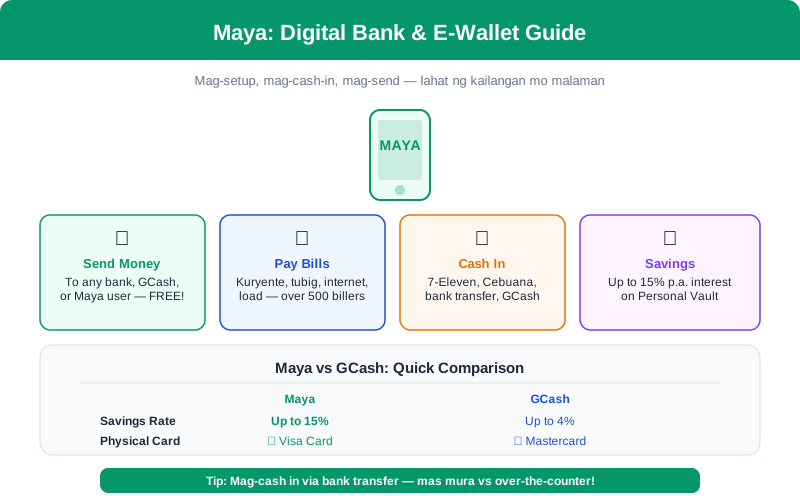
Maya (formerly PayMaya) is the second most popular e-wallet in the Philippines, now a BSP-licensed digital bank offering savings accounts, a Visa card, and full payment features.
Key features that set Maya apart:
- Maya Savings — A digital savings account with promotional intro rates that have ranged up to 15% p.a. for the first 3 months. Promotional and standard rates change frequently — verify the current offer on the Maya app or maya.ph before opening.
- Maya Card — A virtual and physical Visa card linked to your wallet, usable anywhere Visa is accepted worldwide
- Maya Center — Physical partner locations (sari-sari stores, shops) where you can cash in and cash out in person
- QR Payments — Scan-to-pay at merchants that accept Maya QR, QR Ph, or any interoperable QR code
- Send Money — Free transfers to other Maya users, and affordable transfers to bank accounts and other e-wallets
- Pay Bills & Buy Load — Hundreds of billers and all mobile networks supported
Ang Maya (dating PayMaya) ang pangalawang pinakapopular na e-wallet sa Pilipinas, ngayon ay isang BSP-licensed digital bank na nag-o-offer ng savings accounts, Visa card, at buong payment features.
Mga pangunahing features na nagpapaiba sa Maya:
- Maya Savings — Isang digital savings account na may promotional intro rates na umabot hanggang 15% p.a. para sa unang 3 buwan. Madalas magbago ang promotional at standard rates — verify ang current offer sa Maya app o maya.ph bago mag-open.
- Maya Card — Isang virtual at physical na Visa card na naka-link sa wallet mo, magagamit kahit saan tinatanggap ang Visa sa buong mundo
- Maya Center — Physical partner locations (sari-sari stores, tindahan) kung saan pwede kang mag-cash in at cash out nang personal
- QR Payments — Scan-to-pay sa mga merchant na tumatanggap ng Maya QR, QR Ph, o anumang interoperable QR code
- Pagpapadala ng Pera — Libreng transfers sa ibang Maya users, at abot-kayang transfers sa bank accounts at iba pang e-wallets
- Pagbabayad ng Bills at Pagbili ng Load — Daan-daang billers at lahat ng mobile networks ang sinusuportahan
What You Need Before Starting
- Smartphone — Android (6.0+) or iPhone (iOS 14+) with internet connection
- Active Philippine mobile number — Any network (Smart, Globe, DITO, etc.) — this will be your Maya account number
- Valid government ID — For full verification. Accepted IDs include: Philippine National ID, passport, driver's license, UMID, SSS ID, voter's ID, PhilHealth ID, postal ID, PRC ID
- Email address — For account recovery and transaction receipts
Mga Kakailanganin Mo Bago Magsimula
- Smartphone — Android (6.0+) o iPhone (iOS 14+) na may internet connection
- Active na Philippine mobile number — Kahit anong network (Smart, Globe, DITO, atbp.) — ito ang magiging Maya account number mo
- Valid na government ID — Para sa full verification. Mga tinatanggap na ID: Philippine National ID, passport, driver's license, UMID, SSS ID, voter's ID, PhilHealth ID, postal ID, PRC ID
- Email address — Para sa account recovery at transaction receipts
Step-by-Step Instructions
Mga Hakbang-Hakbang na Instruksyon
-
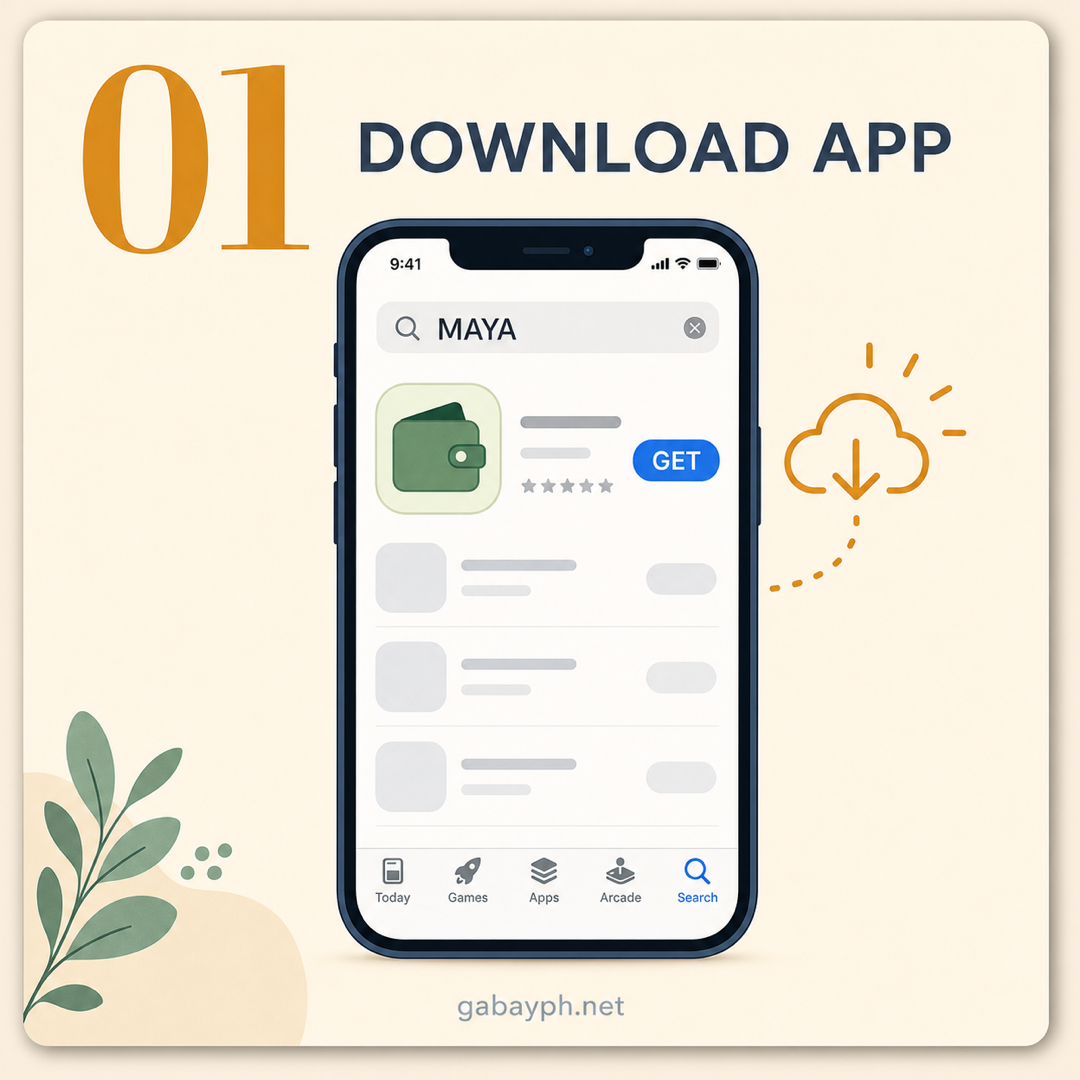
Download the Maya App
Go to the Google Play Store (Android) or Apple App Store (iPhone) and search for "Maya". Download the official app published by "Maya Philippines, Inc." The app is free and takes approximately 80-120MB of storage. Make sure you're downloading the correct app — look for the green Maya logo.
Note: If you previously had the old "PayMaya" app installed, it should have automatically updated to "Maya." If not, uninstall the old app and install the new Maya app fresh.
-
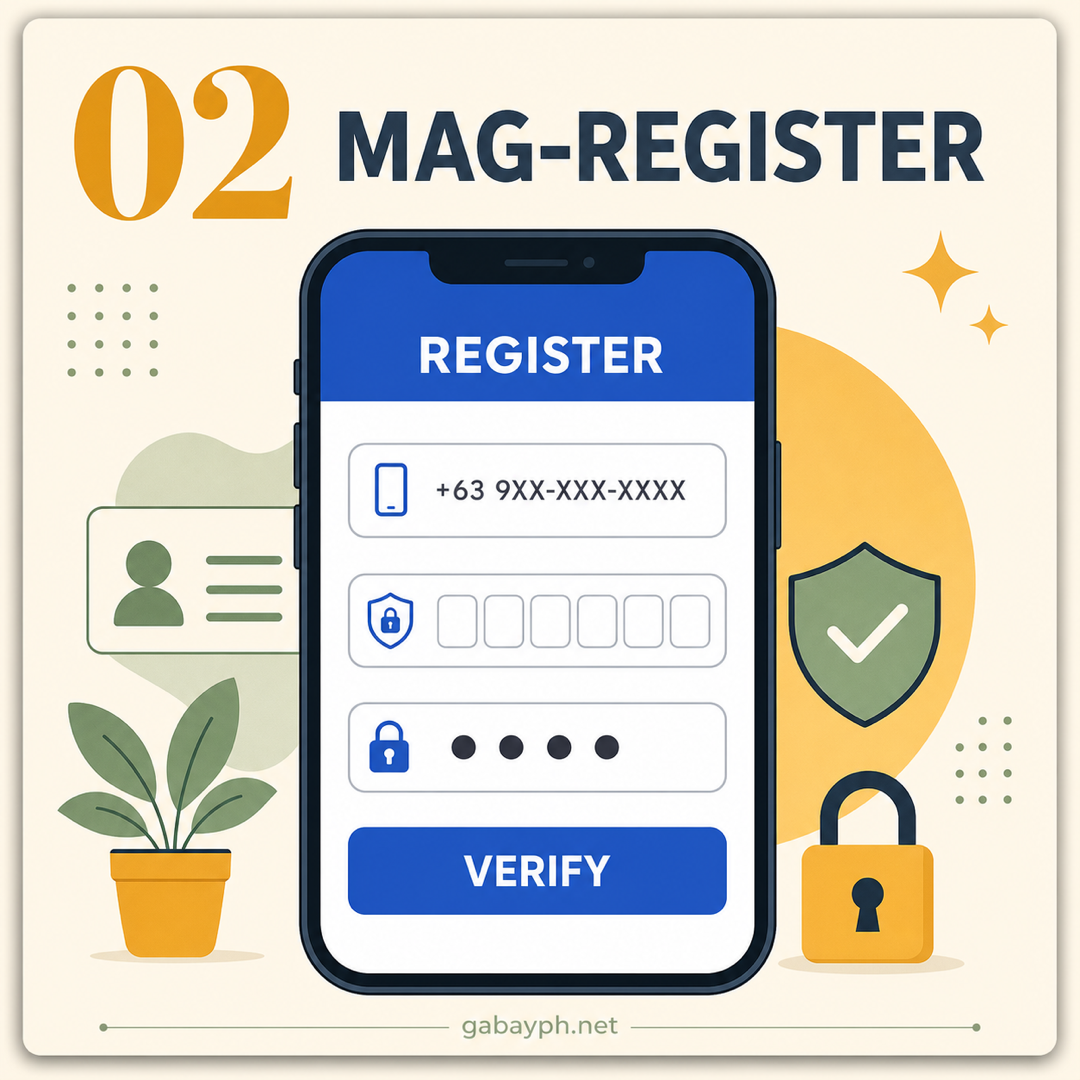
Register and Verify Your Account
Open the Maya app and tap "Create Account". The registration process has two stages:
Stage 1 — Basic Registration:
- Enter your mobile number (any Philippine network)
- Receive and enter the OTP (One-Time Password) sent via SMS
- Set your passcode (6-digit PIN) for app login
- Enter your full name, birthdate, and email address
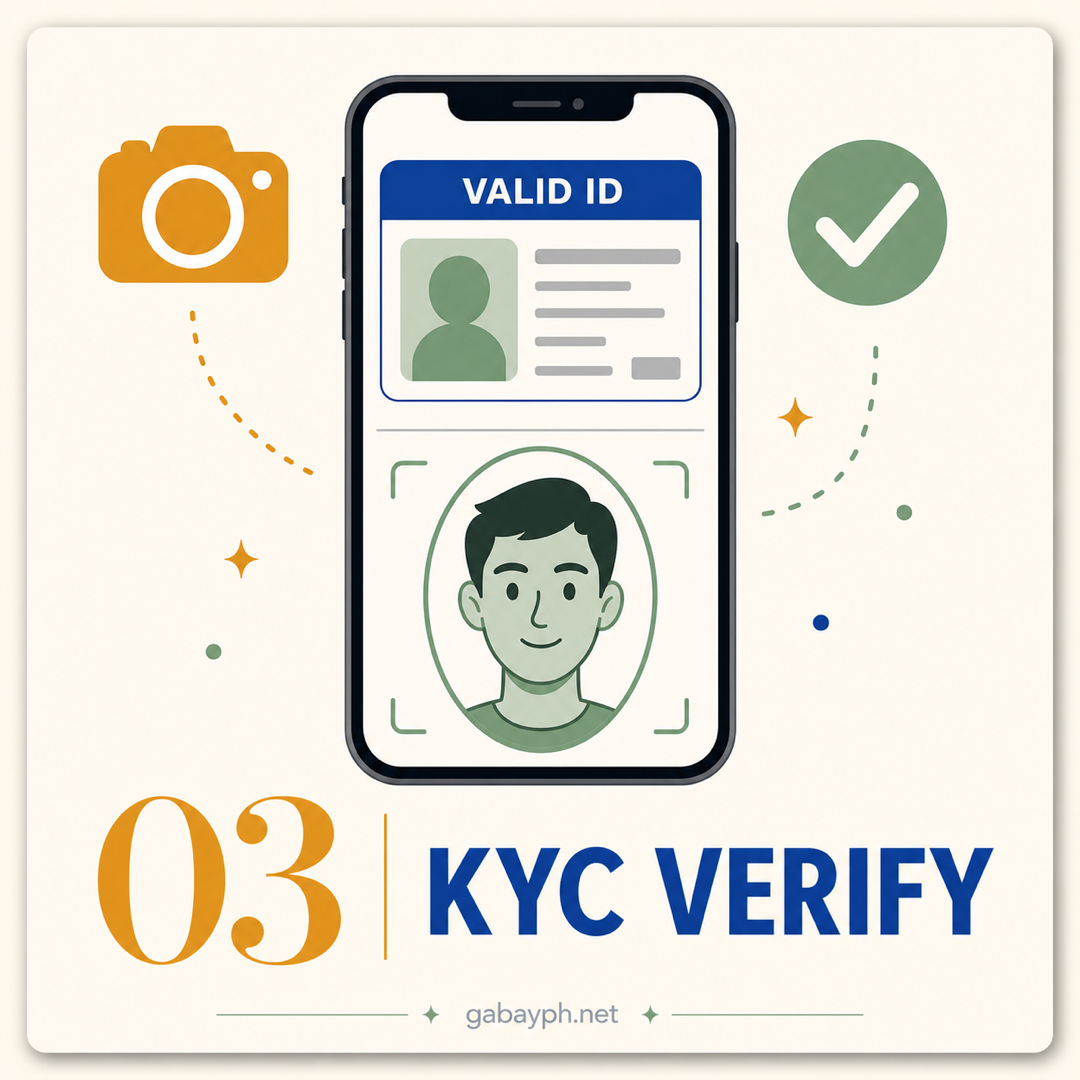
Stage 2 — Full Verification (KYC):
- Go to your Profile and tap "Upgrade Account"
- Take a clear photo of your valid government ID (front and back)
- Take a selfie for face matching and liveness detection
- Enter your complete address and source of income
Verification typically takes 24-48 hours. Once verified, your wallet limit increases from ₱50,000 to ₱500,000, and you gain access to Maya Savings and the Maya Card.
-
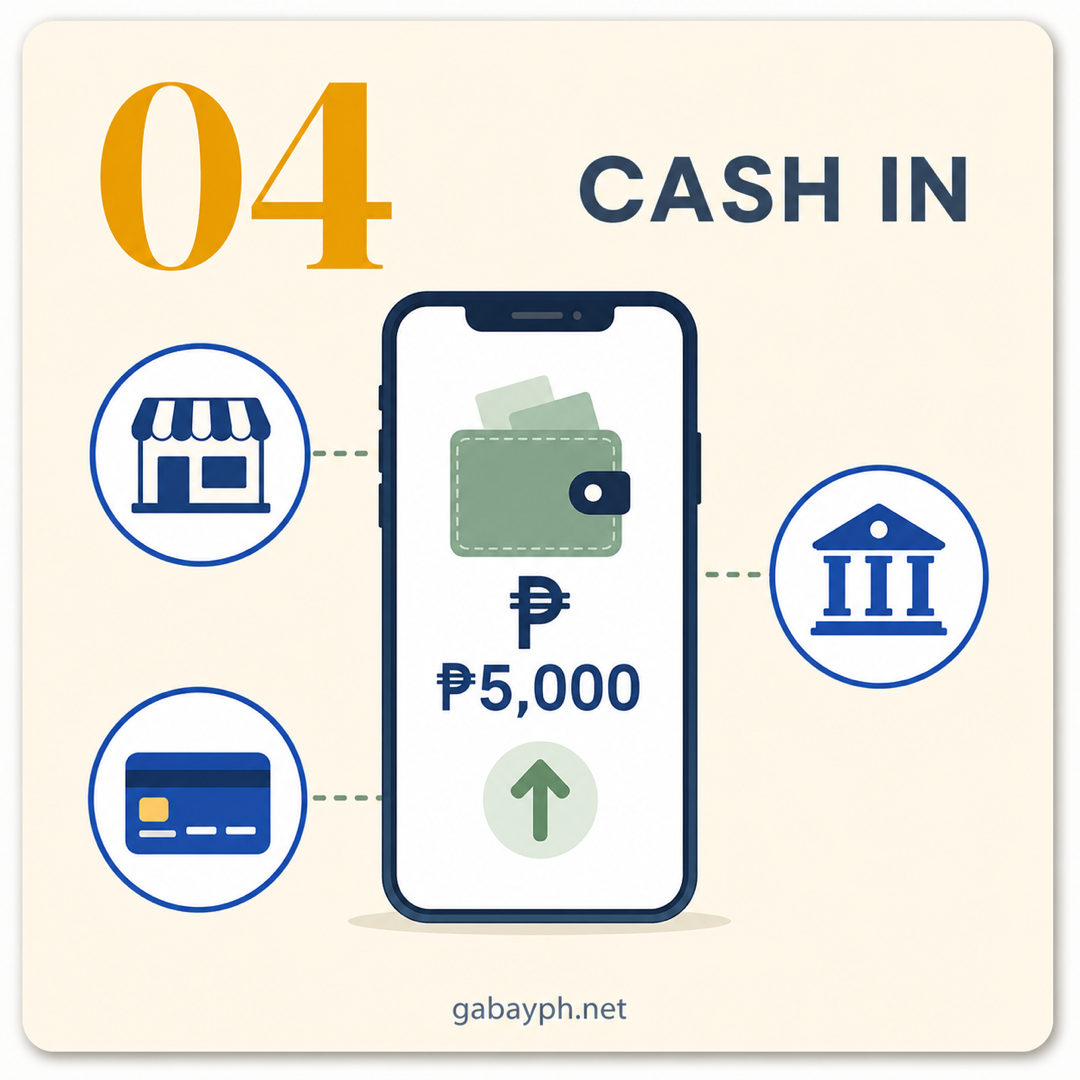
Cash In (Add Money to Your Maya Wallet)
Tap "Cash In" on the home screen and choose your preferred method:
Free methods:
- Bank transfer — Link your bank account (BPI, BDO, UnionBank, Metrobank, etc.) and transfer instantly via InstaPay. Most banks don't charge a fee for transfers to Maya.
- 7-Eleven / Ministop / SM Business Center — Tell the cashier you want to cash in to Maya. Give your registered number and the amount. Instant and free.
- Maya Center — Visit any of the thousands of Maya Center partner stores (sari-sari stores, pharmacies, pawnshops) across the Philippines. Free cash-in, nationwide coverage.
- GCash to Maya — In GCash, choose "Send Money" > "To Other E-Wallets" > "Maya" and enter your Maya number. Fee may apply from GCash's side.
Other methods:
- Debit/credit card — Link a card in the app for instant cash-in (fees may apply depending on the card issuer)
- Online banking — Transfer from your bank's app using Maya's account details
- Bayad Center, Cebuana Lhuillier — Over-the-counter cash-in at partner remittance centers
-
I-download ang Maya App
Pumunta sa Google Play Store (Android) o Apple App Store (iPhone) at hanapin ang "Maya". I-download ang opisyal na app na inilathala ng "Maya Philippines, Inc." Ang app ay libre at mga 80-120MB ang kinakailangang storage. Siguraduhing tama ang dina-download mong app — hanapin ang berdeng Maya logo.
Tandaan: Kung dati mong naka-install ang lumang "PayMaya" app, dapat ay awtomatiko itong nag-update sa "Maya." Kung hindi, i-uninstall ang lumang app at i-install ang bagong Maya app.
-
Mag-register at I-verify ang Account Mo
Buksan ang Maya app at i-tap ang "Create Account". Ang proseso ng registration ay may dalawang yugto:
Yugto 1 — Basic Registration:
- Ilagay ang iyong mobile number (kahit anong Philippine network)
- Tanggapin at ilagay ang OTP (One-Time Password) na ipinadala sa SMS
- Mag-set ng passcode (6-digit PIN) para sa app login
- Ilagay ang iyong buong pangalan, birthday, at email address
Yugto 2 — Full Verification (KYC):
- Pumunta sa iyong Profile at i-tap ang "Upgrade Account"
- Kumuha ng malinaw na litrato ng valid government ID mo (harap at likod)
- Kumuha ng selfie para sa face matching at liveness detection
- Ilagay ang iyong kumpletong address at source of income
Ang verification ay karaniwang tumatagal ng 24-48 oras. Kapag na-verify ka na, tataas ang wallet limit mo mula ₱50,000 patungo sa ₱500,000, at magkakaroon ka ng access sa Maya Savings at sa Maya Card.
-
Mag-Cash In (Magdagdag ng Pera sa Maya Wallet Mo)
I-tap ang "Cash In" sa home screen at piliin ang gusto mong paraan:
Mga libreng paraan:
- Bank transfer — I-link ang bank account mo (BPI, BDO, UnionBank, Metrobank, atbp.) at mag-transfer kaagad via InstaPay. Karamihan ng mga bangko ay hindi nagcha-charge ng bayarin para sa transfers sa Maya.
- 7-Eleven / Ministop / SM Business Center — Sabihin sa cashier na gusto mong mag-cash in sa Maya. Ibigay ang registered number at halaga mo. Instant at libre.
- Maya Center — Bisitahin ang alinman sa libu-libong Maya Center partner stores (sari-sari stores, pharmacies, pawnshops) sa buong Pilipinas. Libreng cash-in, nationwide coverage.
- GCash to Maya — Sa GCash, piliin ang "Send Money" > "To Other E-Wallets" > "Maya" at ilagay ang Maya number mo. Maaaring may bayarin mula sa panig ng GCash.
Iba pang paraan:
- Debit/credit card — I-link ang card sa app para sa instant cash-in (maaaring may bayarin depende sa card issuer)
- Online banking — Mag-transfer mula sa app ng bangko mo gamit ang account details ng Maya
- Bayad Center, Cebuana Lhuillier — Over-the-counter cash-in sa mga partner remittance centers
-
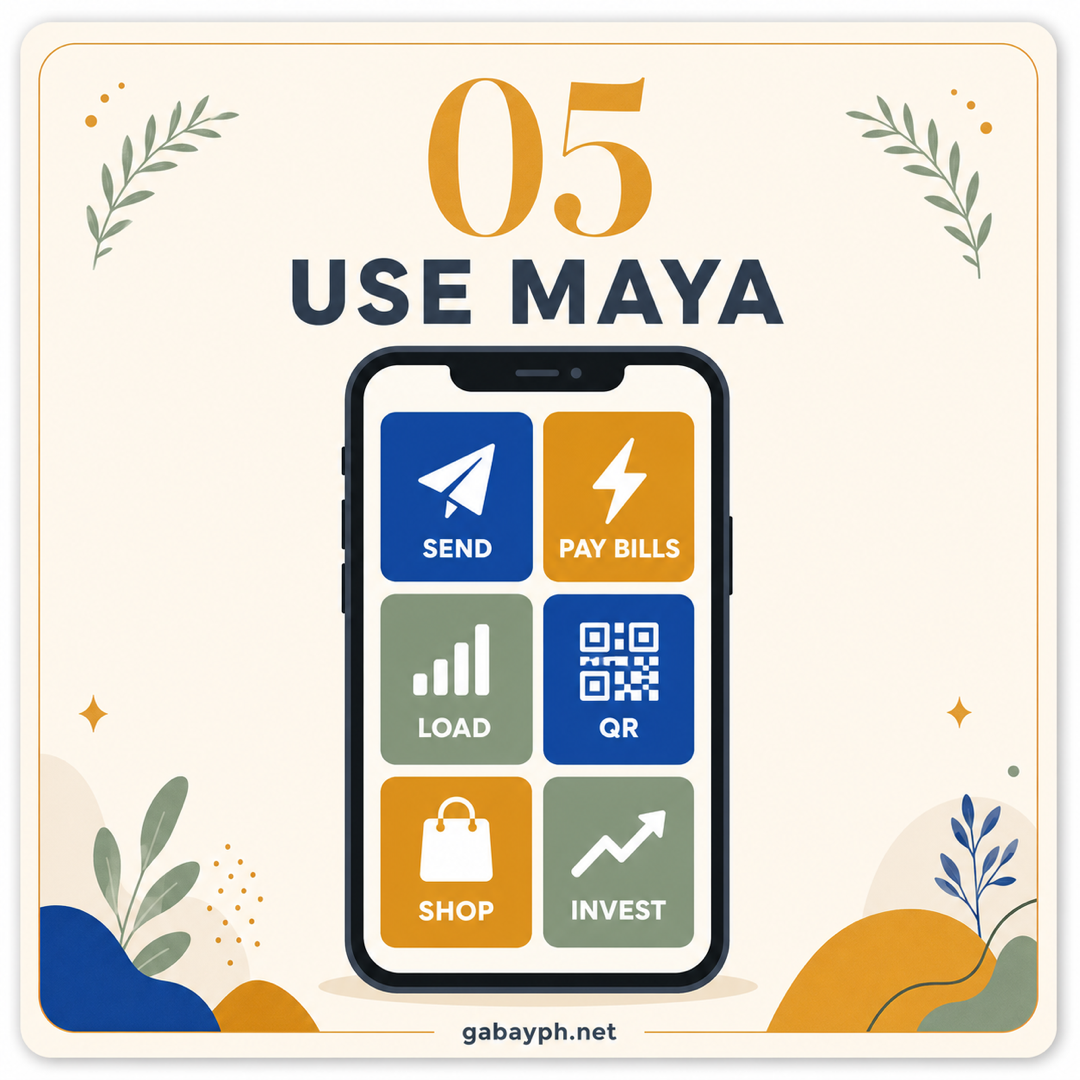
Send Money or Pay Bills
Maya makes payments quick and convenient. Here are the core payment features:
Send Money:
- Tap "Send Money" on the home screen
- To Maya users: Enter their mobile number — transfers are free and instant
- To bank accounts: Enter the bank name, account number, and amount. Fee is typically ₱15 via InstaPay (instant) or free via PESONet (next business day)
- To GCash: Send via "Other E-Wallets" option — fee varies
Pay Bills:
- Tap "Pay Bills" and search for your biller (electric, water, internet, credit card, insurance, government agencies, schools, and more)
- Enter your account number and amount
- Confirm and authenticate with your passcode
- Payment is usually posted within 1-3 business days
QR Payments:
- Tap "Scan QR" and point your camera at the merchant's QR code
- Works with Maya QR, QR Ph (interoperable), and many other QR systems
- No fee for the buyer — merchants pay the processing fee
-
Set Up Maya Savings
This is Maya's standout feature. Maya Savings is a BSP-regulated digital savings account that offers one of the highest interest rates of any Philippine bank:
- Rate (verify in app): Maya cycles promotional intro rates (historically up to 15% p.a. for the first 3 months on balances up to ₱100,000) and a lower standard rate after. Both promo and standard rates change — confirm the live offer in the Maya app or maya.ph/savings before transferring funds.
- Interest is computed daily and credited monthly
- No minimum balance required and no maintaining balance
- Insured by PDIC up to ₱1,000,000 — your money is protected
How to activate:
- Open the Maya app and look for "Maya Savings" on the home screen
- Tap "Open Savings Account"
- Review and accept the terms and conditions
- Your savings account is created instantly — no paperwork, no branch visit
- Transfer money from your Maya wallet to your savings account to start earning interest
Tip: Keep your emergency fund in Maya Savings to earn passive interest. You can withdraw anytime — there's no lock-in period. Your money moves back to your Maya wallet instantly when you need it.
-
Get Your Maya Card
The Maya Card is a Visa card linked to your wallet. The virtual card (free, instant) works for online purchases and can be added to Google Pay/Apple Pay. The physical card (₱200-₱300, delivered in 7-14 days) works at POS terminals and ATMs. Useful for online shopping where sellers don't accept e-wallets directly.
-
Magpadala ng Pera o Magbayad ng Bills
Ginagawang mabilis at madali ng Maya ang mga payments. Narito ang mga pangunahing payment features:
Magpadala ng Pera:
- I-tap ang "Send Money" sa home screen
- Sa Maya users: Ilagay ang mobile number nila — ang transfers ay libre at instant
- Sa bank accounts: Ilagay ang pangalan ng bangko, account number, at halaga. Ang bayarin ay karaniwang ₱15 via InstaPay (instant) o libre via PESONet (susunod na business day)
- Sa GCash: Magpadala sa "Other E-Wallets" option — iba-iba ang bayarin
Magbayad ng Bills:
- I-tap ang "Pay Bills" at hanapin ang biller mo (kuryente, tubig, internet, credit card, insurance, government agencies, schools, at marami pa)
- Ilagay ang account number at halaga mo
- I-confirm at mag-authenticate gamit ang passcode mo
- Ang bayad ay karaniwang napo-post sa loob ng 1-3 business days
QR Payments:
- I-tap ang "Scan QR" at itutok ang camera mo sa QR code ng merchant
- Gumagana sa Maya QR, QR Ph (interoperable), at maraming ibang QR systems
- Walang bayarin para sa buyer — ang merchant ang nagbabayad ng processing fee
-
I-set Up ang Maya Savings
Ito ang standout feature ng Maya. Ang Maya Savings ay isang BSP-regulated digital savings account na nag-o-offer ng isa sa pinakamataas na interest rates ng kahit anong Philippine bank:
- Rate (verify sa app): Nag-aalternate ang Maya ng promotional intro rates (historically hanggang 15% p.a. sa unang 3 buwan, sa balances hanggang ₱100,000) at mas mababang standard rate pagkatapos. Madalas magbago ang promo at standard rates — i-confirm ang live offer sa Maya app o maya.ph/savings bago maglipat ng pera.
- Kino-compute ang interest araw-araw at kini-credit buwan-buwan
- Walang minimum balance na kinakailangan at walang maintaining balance
- Insured ng PDIC hanggang ₱1,000,000 — protektado ang pera mo
Paano i-activate:
- Buksan ang Maya app at hanapin ang "Maya Savings" sa home screen
- I-tap ang "Open Savings Account"
- I-review at tanggapin ang terms and conditions
- Na-create kaagad ang savings account mo — walang paperwork, walang pagpunta sa branch
- Mag-transfer ng pera mula sa Maya wallet mo patungo sa savings account mo para magsimulang kumita ng interest
Tip: Ilagay ang emergency fund mo sa Maya Savings para kumita ng passive interest. Pwede kang mag-withdraw anumang oras — walang lock-in period. Bumabalik kaagad ang pera mo sa Maya wallet mo kapag kailangan mo.
-
Kunin ang Iyong Maya Card
Ang Maya Card ay isang Visa card na naka-link sa wallet mo. Ang virtual card (libre, instant) ay para sa online purchases at pwedeng idagdag sa Google Pay/Apple Pay. Ang physical card (₱200-₱300, idedeliver sa 7-14 araw) ay para sa POS terminals at ATMs. Kapaki-pakinabang para sa online shopping kung saan hindi tumatanggap ang mga seller ng e-wallets nang direkta.
Maya vs. GCash: Which Should You Use?
Maya vs. GCash: Alin ang Dapat Mong Gamitin?
Both Maya and GCash are excellent e-wallets, and most Filipinos actually use both. Here's how they compare:
- Savings interest: Maya wins — up to 15% promo rate (6% regular) vs. GCash's GSave at around 4-5%. If you want to earn on your idle money, Maya Savings is the clear choice.
- User base: GCash wins — 90+ million users vs. Maya's 50+ million. More merchants accept GCash, more people can receive your GCash transfers. If you need the widest coverage, GCash has the edge.
- Card: Maya wins — Maya's Visa card works internationally and at more online merchants than GCash's Mastercard. The virtual card is free and instant.
- Cash-in locations: Roughly equal — both have extensive networks at 7-Eleven, SM, Bayad Center, and partner stores. Maya has additional "Maya Center" locations.
- Bill payments: Roughly equal — both support 500+ billers.
- App experience: Subjective, but Maya's app is generally considered cleaner and less cluttered than GCash's.
Our recommendation: Download and use both. Use GCash for everyday payments (wider acceptance), and Maya Savings for growing your money. Transfer between them as needed — it's free or very cheap.
Parehong magaling na e-wallets ang Maya at GCash, at karamihan ng mga Pilipino ay gumagamit ng dalawa. Ganito sila magkumpara:
- Savings interest: Panalo ang Maya — hanggang 15% promo rate (6% regular) kumpara sa GSave ng GCash na mga 4-5%. Kung gusto mong kumita sa idle money mo, ang Maya Savings ang malinaw na pagpipilian.
- User base: Panalo ang GCash — 90+ milyong users kumpara sa 50+ milyon ng Maya. Mas maraming merchant ang tumatanggap ng GCash, mas maraming tao ang pwedeng tumanggap ng GCash transfers mo. Kung kailangan mo ang pinakamalawak na coverage, may advantage ang GCash.
- Card: Panalo ang Maya — ang Visa card ng Maya ay gumagana internationally at sa mas maraming online merchants kaysa sa Mastercard ng GCash. Ang virtual card ay libre at instant.
- Cash-in locations: Halos pantay — pareho silang may malawak na networks sa 7-Eleven, SM, Bayad Center, at partner stores. May dagdag na "Maya Center" locations ang Maya.
- Bill payments: Halos pantay — parehong sumusuporta ng 500+ billers.
- App experience: Subjective, pero ang app ng Maya ay karaniwang itinuturing na mas malinis at hindi gaanong cluttered kaysa sa GCash.
Ang rekomendasyon namin: I-download at gamitin pareho. Gamitin ang GCash para sa pang-araw-araw na payments (mas malawak na tinatanggap), at ang Maya Savings para palakihin ang pera mo. Mag-transfer sa pagitan nila kung kinakailangan — libre o napakamura lang.
Pro Tips
Mga Payo
- Maximize the 15% promo rate — as soon as you open Maya Savings, deposit up to ₱100,000 to earn the maximum promotional interest for 3 months. Even after the promo period, 6% is excellent.
- Use the virtual Maya Card for online subscriptions — Netflix, Spotify, YouTube Premium, etc. It's more secure than using your debit card since your Maya Card has a separate balance.
- Set up biometric login (fingerprint or face) for faster and more secure access to the app.
- Check Maya's "Deals" section regularly — there are often cashback promos for bill payments, load purchases, and QR payments at partner merchants.
- Use Maya + GCash together — keep your spending money in GCash (wider acceptance) and your savings in Maya Savings (higher interest). Transfer between them as needed.
- Never share your passcode or OTP with anyone. Maya will never ask for these via call, text, or email. Report suspicious activity immediately through the Maya app's Help Center.
- I-maximize ang 15% promo rate — sa sandaling buksan mo ang Maya Savings, mag-deposit ng hanggang ₱100,000 para kumita ng maximum promotional interest sa loob ng 3 buwan. Kahit pagkatapos ng promo period, excellent pa rin ang 6%.
- Gamitin ang virtual Maya Card para sa online subscriptions — Netflix, Spotify, YouTube Premium, atbp. Mas secure ito kaysa gamitin ang debit card mo dahil may hiwalay na balance ang Maya Card mo.
- I-set up ang biometric login (fingerprint o face) para mas mabilis at mas secure na access sa app.
- Regular na i-check ang "Deals" section ng Maya — madalas may cashback promos para sa bill payments, pagbili ng load, at QR payments sa mga partner merchants.
- Gamitin ang Maya + GCash nang magkasama — itago ang spending money mo sa GCash (mas malawak ang tinatanggap) at ang savings mo sa Maya Savings (mas mataas na interest). Mag-transfer sa pagitan nila kung kinakailangan.
- Huwag ibahagi ang passcode o OTP mo sa kahit sino. Hindi kailanman hihingin ng Maya ang mga ito sa call, text, o email. Mag-report ng kahina-hinalang aktibidad kaagad sa Maya app's Help Center.
Frequently Asked Questions
Mga Madalas Itanong
Is Maya the same as PayMaya?
Yes and no. Maya is the rebranded version of PayMaya. In 2022, PayMaya Philippines rebranded to Maya Philippines and significantly expanded its services beyond just being an e-wallet. While the core e-wallet functionality remains the same, Maya now includes digital banking services (Maya Savings with PDIC insurance), an improved Visa card, and enhanced features. If you had a PayMaya account, it was automatically migrated to Maya — your balance, transaction history, and account details carried over.
Pareho ba ang Maya at PayMaya?
Oo at hindi. Ang Maya ay ang rebranded version ng PayMaya. Noong 2022, nag-rebrand ang PayMaya Philippines sa Maya Philippines at malaki ang pinalawak ng mga serbisyo nito higit pa sa pagiging e-wallet lang. Bagamat nananatili ang pangunahing e-wallet functionality, kasama na ngayon sa Maya ang digital banking services (Maya Savings na may PDIC insurance), pinahusay na Visa card, at mas maraming features. Kung may PayMaya account ka, awtomatiko itong na-migrate sa Maya — dala ang balance, transaction history, at account details mo.
How is Maya different from GCash?
Both are e-wallets, but they differ in key areas:
- Maya has a digital banking license from BSP, while GCash operates primarily as an e-money issuer. This means Maya Savings is PDIC-insured, while GCash wallet funds are not directly PDIC-insured (though GSave through CIMB may be).
- Maya Savings offers higher interest rates (up to 15% promo, 6% regular) compared to GCash's GSave (around 4-5%).
- Maya's card is Visa while GCash's is Mastercard — both are widely accepted, but Visa has slightly broader international acceptance.
- GCash has a larger user base (90M+ vs. 50M+), so more people and merchants accept GCash.
Most savvy Filipinos use both — GCash for daily payments (wider acceptance) and Maya for savings (higher interest).
Paano naiiba ang Maya sa GCash?
Pareho silang e-wallets, pero magkaiba sila sa mga pangunahing aspeto:
- May digital banking license ang Maya mula sa BSP, habang ang GCash ay pangunahing umo-operate bilang e-money issuer. Ibig sabihin, ang Maya Savings ay PDIC-insured, habang ang GCash wallet funds ay hindi direktang PDIC-insured (bagamat ang GSave sa CIMB ay maaaring saklaw).
- Nag-o-offer ang Maya Savings ng mas mataas na interest rates (hanggang 15% promo, 6% regular) kumpara sa GSave ng GCash (mga 4-5%).
- Visa ang card ng Maya habang Mastercard ang sa GCash — parehong malawak ang tinatanggap, pero may bahagyang mas malawak na international acceptance ang Visa.
- Mas malaki ang user base ng GCash (90M+ vs. 50M+), kaya mas maraming tao at merchants ang tumatanggap ng GCash.
Karamihan ng matalinong Pilipino ay gumagamit ng pareho — GCash para sa pang-araw-araw na payments (mas malawak na tinatanggap) at Maya para sa savings (mas mataas na interest).
What's the Maya Savings interest rate?
As of March 2026, Maya Savings offers:
- Promotional rate: Up to 15% per annum for the first 3 months on balances up to ₱100,000. This is one of the highest savings rates in the Philippines.
- Regular rate: Around 6% per annum after the promo period. This is still 6-24 times higher than most traditional bank savings accounts (which typically offer 0.25-1% p.a.).
Interest is computed daily based on your end-of-day balance and credited monthly. There's no minimum balance, no maintaining balance, and no lock-in period. Your savings are PDIC-insured up to ₱1,000,000.
Note: Interest rates are subject to change. Check the Maya app for the most current rates before opening an account.
Ano ang interest rate ng Maya Savings?
Noong Marso 2026, nag-o-offer ang Maya Savings ng:
- Promotional rate: Hanggang 15% per annum para sa unang 3 buwan sa balances hanggang ₱100,000. Isa ito sa pinakamataas na savings rates sa Pilipinas.
- Regular rate: Mga 6% per annum pagkatapos ng promo period. Mas mataas pa rin ito ng 6-24 beses kaysa sa karamihan ng tradisyunal na bank savings accounts (na karaniwang nag-o-offer ng 0.25-1% p.a.).
Ang interest ay kino-compute araw-araw batay sa end-of-day balance mo at kini-credit buwan-buwan. Walang minimum balance, walang maintaining balance, at walang lock-in period. Ang savings mo ay PDIC-insured hanggang ₱1,000,000.
Tandaan: Ang interest rates ay maaaring magbago. I-check ang Maya app para sa pinakabagong rates bago mag-bukas ng account.
Can I transfer from GCash to Maya?
Yes! There are two main ways to transfer money from GCash to Maya:
- Direct e-wallet transfer: In GCash, go to "Send Money" > "To Other E-Wallets" > select "Maya" (or "PayMaya") > enter the Maya-registered mobile number and amount. A small fee may apply (usually ₱15).
- Bank transfer route: In GCash, go to "Transfer to Bank" > select "Maya" as the destination bank > enter your Maya number (11 digits) as the account number. Fee is typically ₱15 via InstaPay, but the transfer is instant.
You can also transfer from Maya to GCash using the same methods in reverse. Having both wallets allows you to easily move money between them depending on where you need it.
Pwede ba akong mag-transfer mula GCash patungo sa Maya?
Oo! Dalawang pangunahing paraan para mag-transfer ng pera mula GCash patungo sa Maya:
- Direktang e-wallet transfer: Sa GCash, pumunta sa "Send Money" > "To Other E-Wallets" > piliin ang "Maya" (o "PayMaya") > ilagay ang Maya-registered mobile number at halaga. Maaaring may maliit na bayarin (karaniwang ₱15).
- Bank transfer route: Sa GCash, pumunta sa "Transfer to Bank" > piliin ang "Maya" bilang destination bank > ilagay ang Maya number mo (11 digits) bilang account number. Ang bayarin ay karaniwang ₱15 via InstaPay, pero instant ang transfer.
Pwede ka ring mag-transfer mula Maya patungo sa GCash gamit ang parehong mga paraan sa baliktad. Ang pagkakaroon ng parehong wallets ay nagbibigay-daan sa iyo na madaling ilipat ang pera sa pagitan nila depende kung saan mo kailangan.