

How to Use GCash: Complete Guide for Beginners (2026)
Paano Gamitin ang GCash: Kumpletong Gabay para sa Baguhan (2026)
The 5-Step Walkthrough
GCash setup in five steps.
Quick Summary
Mabilis na Buod
Important Disclaimer
This guide is for educational purposes only and does not constitute financial advice. Individual circumstances vary. Consult a licensed financial advisor for personalized guidance.
Mahalagang Disclaimer
Ang gabay na ito ay para sa layuning pang-edukasyon lamang at hindi bumubuo ng financial advice. Iba-iba ang sitwasyon ng bawat tao. Kumonsulta sa isang lisensyadong financial advisor para sa personalized na gabay.
Table of Contents
Talaan ng Nilalaman
What is GCash?
Ano ang GCash?
GCash is the most widely used e-wallet in the Philippines, with over 90 million registered users as of 2026. Operated by Mynt (a Globe Fintech company), it lets you send money, pay bills, buy load, shop online, invest, and even take out small loans — all from your phone. Whether you're paying at a sari-sari store or sending money to your family sa probinsya, GCash makes it fast and convenient.
Ang GCash ang pinakamalawak na ginagamit na e-wallet sa Pilipinas, na may mahigit 90 milyong registered users noong 2026. Pinapatakbo ito ng Mynt (isang Globe Fintech company), at nagbibigay-daan sa iyo na magpadala ng pera, magbayad ng bills, bumili ng load, mag-shop online, mag-invest, at kahit kumuha ng maliliit na utang — lahat mula sa phone mo. Kung magbabayad ka sa sari-sari store o magpapadala ng pera sa pamilya mo sa probinsya, ginagawang mabilis at madali ito ng GCash.
What You Need Before Starting
- Smartphone — Android (5.0+) or iPhone (iOS 13+) with internet connection
- Active Globe or TM SIM card — Required for registration (but you can use GCash on any network after setup)
- Valid government ID — For full verification (passport, driver's license, PhilSys ID, postal ID, voter's ID, UMID, or SSS ID)
Mga Kakailanganin Mo Bago Magsimula
- Smartphone — Android (5.0+) o iPhone (iOS 13+) na may internet connection
- Active na Globe o TM SIM card — Kailangan para sa registration (pero pwede mo nang gamitin ang GCash sa kahit anong network pagkatapos mag-setup)
- Valid na government ID — Para sa full verification (passport, driver's license, PhilSys ID, postal ID, voter's ID, UMID, o SSS ID)
Step-by-Step Instructions
Mga Hakbang-Hakbang na Instruksyon
-
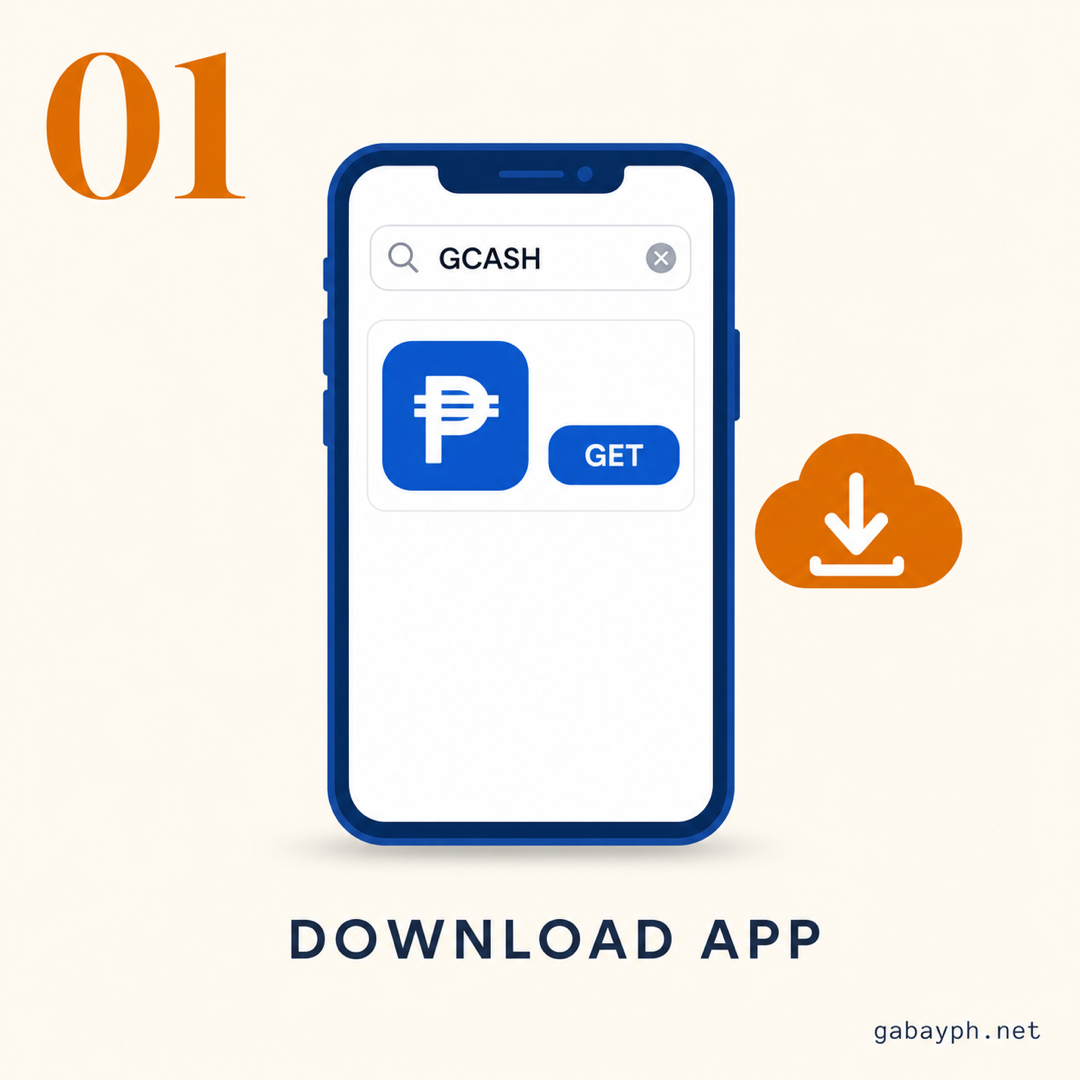
Download the GCash App
Search "GCash" on Google Play Store (Android) or Apple App Store (iPhone). Download the official app by "Mynt - Globe Fintech Innovations" to avoid fake apps. Free, about 50-100MB.
-
Register Your Account
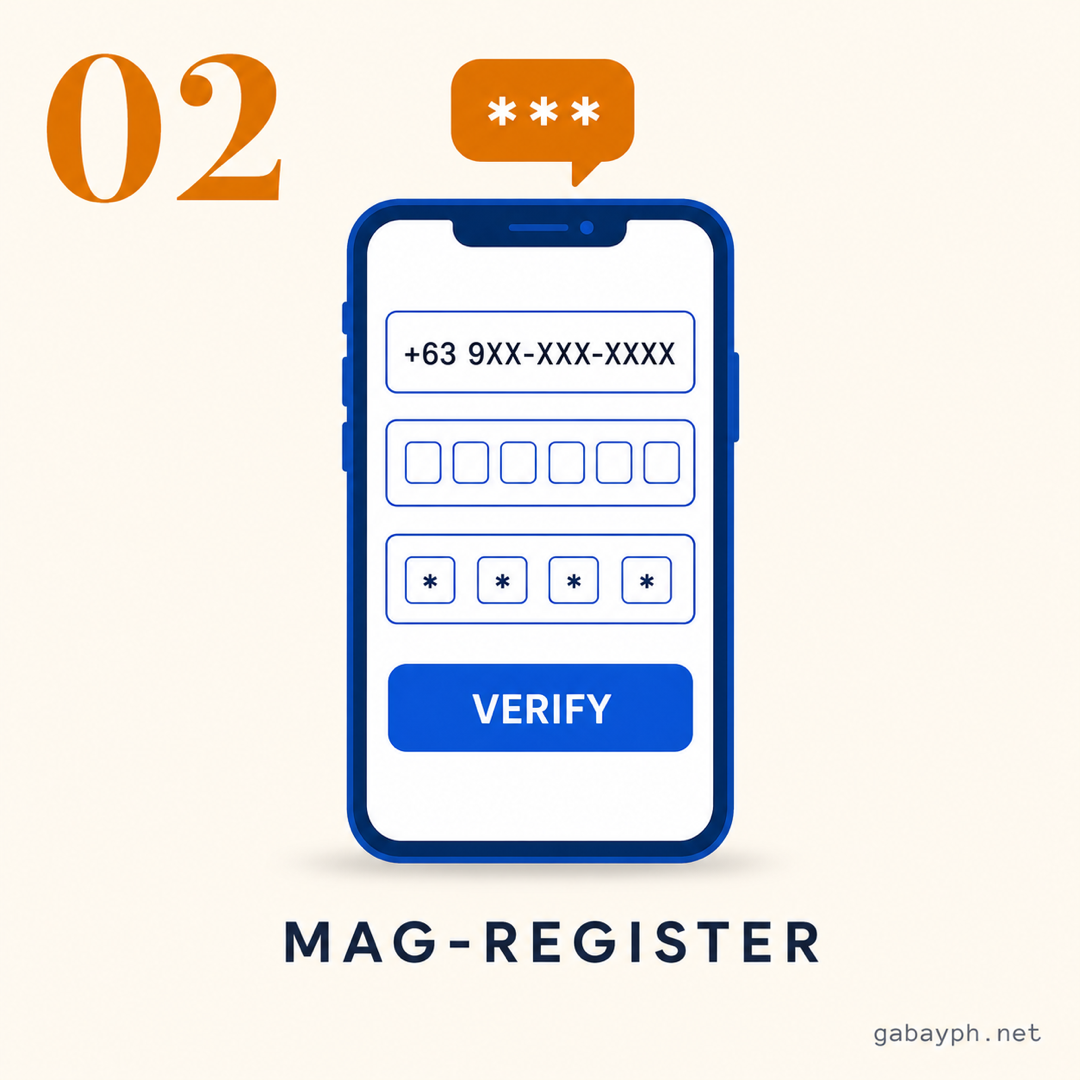
Open the GCash app and tap "Register". Enter your Globe or TM mobile number — this will be your GCash number. You'll receive a 6-digit OTP (One-Time Password) via SMS. Enter the code to verify your number.
Next, create your account details:
- Set a 4-digit MPIN (Mobile PIN) — this is your login code, so choose something you can remember but hindi madaling hulaan
- Enter your full name (must match your government ID exactly)
- Enter your birthdate and email address
Important: Your name on GCash must match your valid ID exactly. Kahit middle name or suffix, dapat tama. Mismatches will cause problems during verification.
-
Verify Your Identity (KYC)
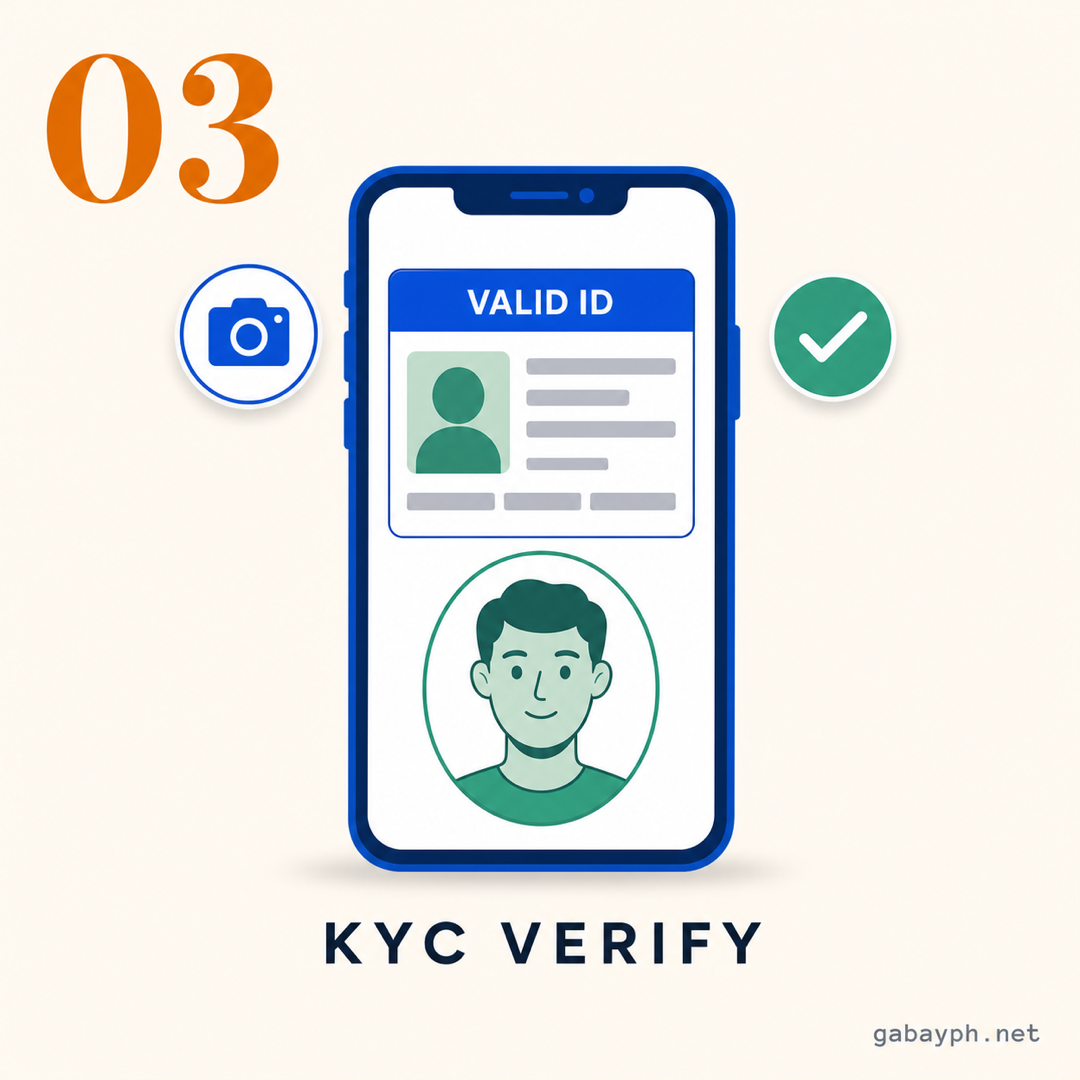
After basic registration, you'll have a Basic account with limited features. To unlock the full power of GCash, you need to complete full verification (Know Your Customer or KYC).
Go to your Profile > "Get Fully Verified" and follow the steps:
- Take a photo of your valid government ID — make sure the photo is clear, well-lit, and walang natatakpan na text
- Take a selfie — the app will ask you to position your face in an oval frame and may ask you to blink or smile for liveness detection
- Confirm your personal info — address, source of income, etc.
Verification is usually processed within 24-72 hours, but sometimes it can take up to a week during peak periods. Once verified, your transaction limits increase significantly:
- Basic account: ₱50,000 wallet limit, ₱50,000 monthly incoming
- Fully verified account: ₱500,000 wallet limit, ₱500,000 monthly incoming
-
I-download ang GCash App
Hanapin ang "GCash" sa Google Play Store (Android) o Apple App Store (iPhone). I-download ang opisyal na app gawa ng "Mynt - Globe Fintech Innovations" para maiwasan ang mga pekeng app. Libre, mga 50-100MB.
-
I-register ang Account Mo
Buksan ang GCash app at i-tap ang "Register". Ilagay ang iyong Globe o TM mobile number — ito ang magiging GCash number mo. Makakatanggap ka ng 6-digit OTP (One-Time Password) sa SMS. Ilagay ang code para ma-verify ang number mo.
Sunod, gawin ang mga detalye ng account mo:
- Mag-set ng 4-digit MPIN (Mobile PIN) — ito ang login code mo, kaya pumili ng madali mong matandaan pero hindi madaling hulaan
- Ilagay ang iyong buong pangalan (dapat eksaktong tugma sa government ID mo)
- Ilagay ang iyong birthday at email address
Mahalaga: Ang pangalan mo sa GCash ay dapat eksaktong tugma sa valid ID mo. Kahit middle name o suffix, dapat tama. Ang mga hindi pagkakatugma ay magdudulot ng problema sa verification.
-
I-verify ang Identity Mo (KYC)
Pagkatapos ng basic registration, magkakaroon ka ng Basic account na may limitadong features. Para ma-unlock ang buong kapangyarihan ng GCash, kailangan mong kumpletuhin ang full verification (Know Your Customer o KYC).
Pumunta sa iyong Profile > "Get Fully Verified" at sundin ang mga hakbang:
- Kumuha ng litrato ng valid government ID mo — siguraduhing malinaw ang litrato, maliwanag, at walang natatakpan na text
- Kumuha ng selfie — hihilingin ng app na ilagay ang mukha mo sa oval frame at posibleng hihilingin kang mag-blink o ngumiti para sa liveness detection
- I-confirm ang personal info mo — address, source of income, atbp.
Ang verification ay karaniwang napoproseso sa loob ng 24-72 oras, pero minsan umabot ng isang linggo kapag peak period. Kapag na-verify ka na, malaki ang tataas ng transaction limits mo:
- Basic account: ₱50,000 wallet limit, ₱50,000 buwanang incoming
- Fully verified account: ₱500,000 wallet limit, ₱500,000 buwanang incoming
-
Cash In (Add Money to Your GCash)
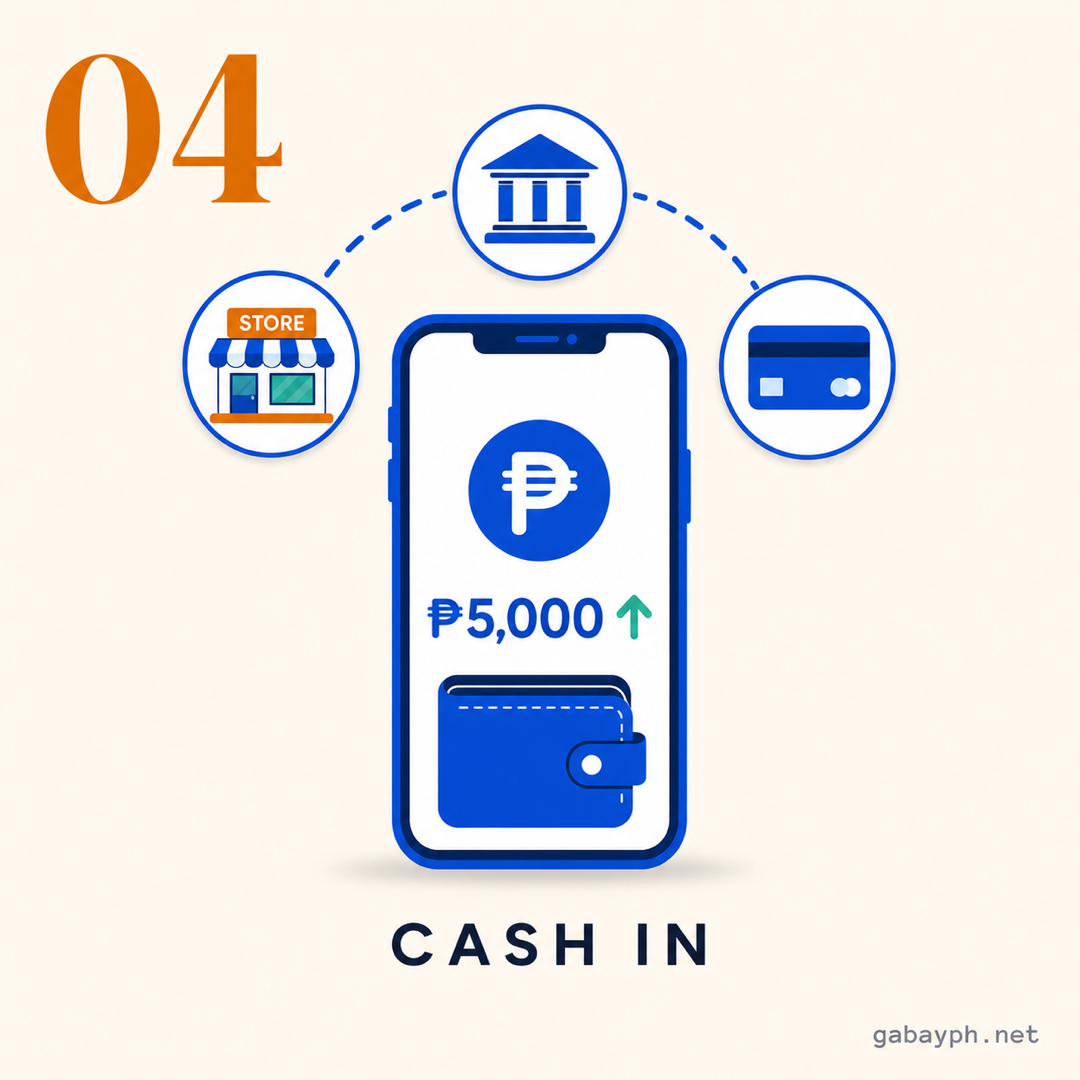
Now na may account ka na, you need to add money. GCash offers multiple cash-in methods — choose the one most convenient for you:
In the app: Tap "Cash In" on the home screen, then pick your preferred method. Each method has different processing times and fees.
See the detailed breakdown of cash-in methods in the section below. The most popular options are over-the-counter at 7-Eleven (instant, but fees may apply after a monthly threshold), bank transfer via InstaPay (instant, free or ₱25 fee depending on the bank), and online banking (usually free and instant).
-
Start Using GCash
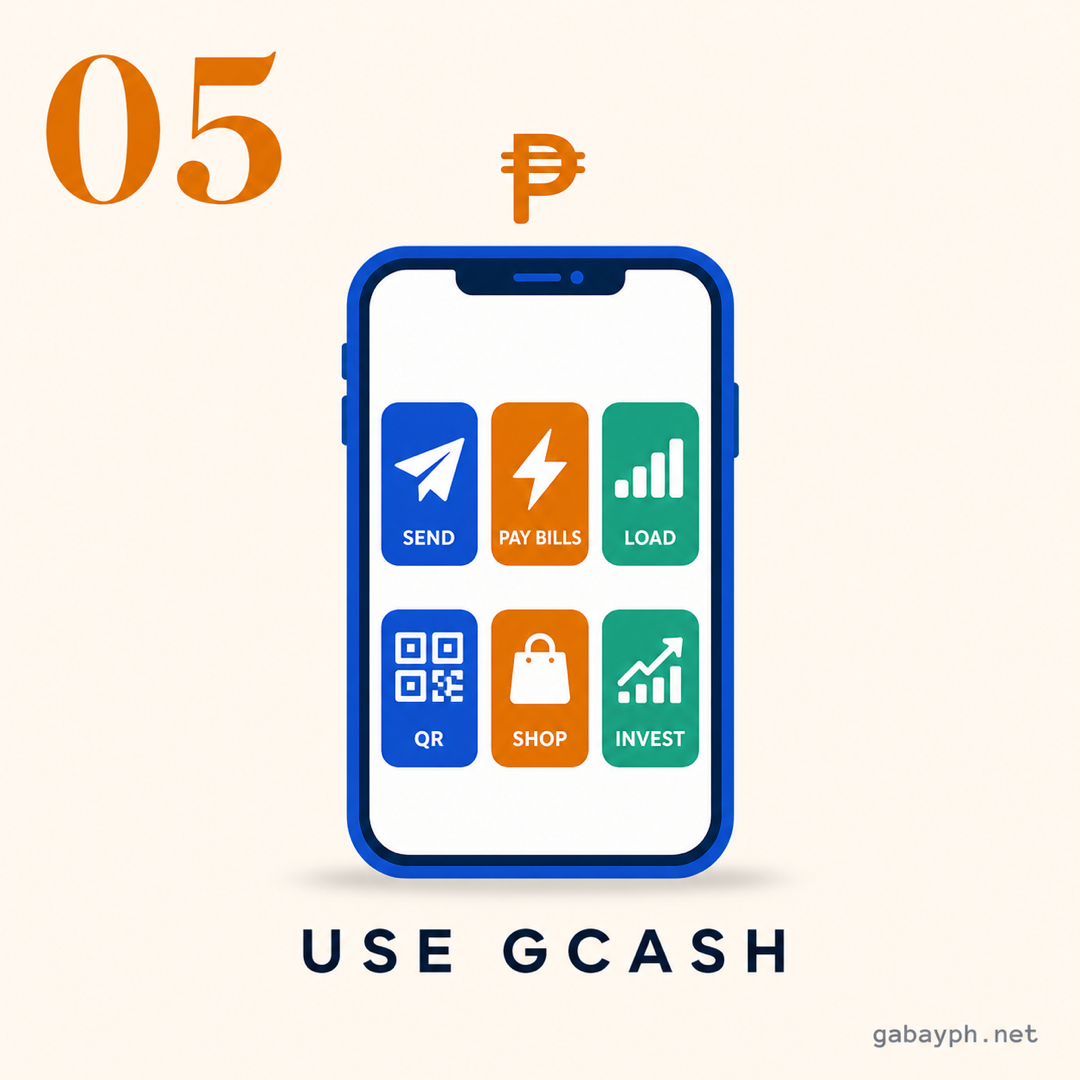
Once you have money in your wallet, you're ready to go! Here are the most common things Filipinos use GCash for:
- Send Money — Transfer to other GCash users for free, or to bank accounts for ₱15-₱25
- Pay Bills — Electric, water, internet, cable, credit card, insurance, and more
- Buy Load — All networks (Globe, Smart, TNT, DITO, etc.)
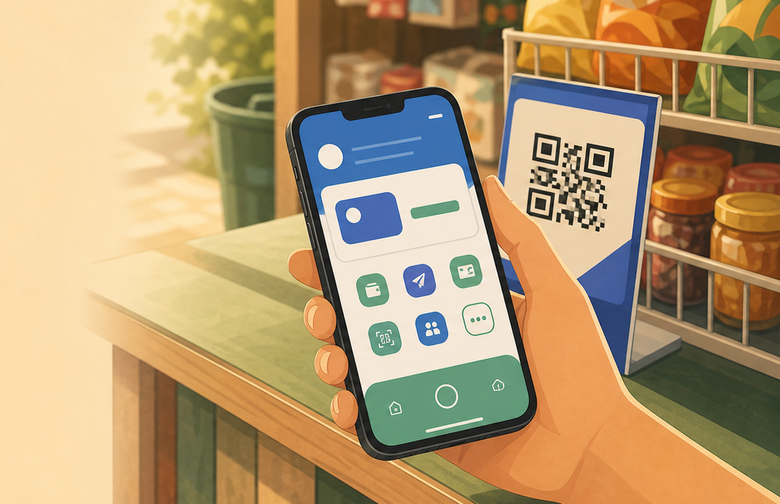
- QR Payments — Scan to pay at stores, restaurants, and even tricycles and sari-sari stores
- Online Shopping — Pay on Shopee, Lazada, and other platforms using GCash
Each feature is accessible from the GCash home screen. Tap the icon, follow the prompts, and confirm with your MPIN or biometrics. Para sa mga first-timers, start with a small transaction para maging comfortable ka.
-
Mag-Cash In (Magdagdag ng Pera sa GCash Mo)
Ngayong may account ka na, kailangan mong magdagdag ng pera. Nag-o-offer ang GCash ng maraming paraan ng cash-in — piliin ang pinaka-convenient para sa iyo:
Sa app: I-tap ang "Cash In" sa home screen, tapos piliin ang gusto mong paraan. Iba-iba ang processing time at bayarin ng bawat paraan.
Tingnan ang detalyadong breakdown ng mga cash-in methods sa section sa ibaba. Ang pinakapopular na options ay over-the-counter sa 7-Eleven (instant, pero may bayarin kapag lampas na sa monthly threshold), bank transfer via InstaPay (instant, libre o ₱25 fee depende sa bangko), at online banking (karaniwang libre at instant).
-
Simulan Nang Gamitin ang GCash
Kapag may pera ka na sa wallet mo, handa ka na! Eto ang pinakakaraniwang ginagamitan ng mga Pilipino ng GCash:
- Magpadala ng Pera — Mag-transfer sa ibang GCash users nang libre, o sa bank accounts sa halagang ₱15-₱25
- Magbayad ng Bills — Kuryente, tubig, internet, cable, credit card, insurance, at marami pa
- Bumili ng Load — Lahat ng network (Globe, Smart, TNT, DITO, atbp.)
- QR Payments — Mag-scan para magbayad sa mga tindahan, restaurant, at kahit sa mga tricycle at sari-sari store
- Online Shopping — Magbayad sa Shopee, Lazada, at iba pang platform gamit ang GCash
Ang bawat feature ay accessible mula sa GCash home screen. I-tap ang icon, sundin ang mga prompt, at i-confirm gamit ang MPIN o biometrics mo. Para sa mga baguhan, magsimula sa maliit na transaction para maging komportable ka.
Cash-In Methods Explained
Mga Paraan ng Cash-In
Here are the most popular ways to add money to your GCash wallet:
7-Eleven (Over-the-Counter)
Go to any 7-Eleven store and tell the cashier you want to cash in to GCash. Give your GCash-registered mobile number and the amount. Minimum is ₱1, maximum is ₱20,000 per transaction. Processing is instant. This is one of the easiest methods kasi halos every corner may 7-Eleven.
Note on OTC fees: Over-the-counter cash-in partners (7-Eleven, Ministop, etc.) now charge a convenience fee once you exceed a monthly cash-in threshold. The exact fee varies by partner but is typically 1-2% of the amount. To avoid fees, use bank transfer or online banking instead.
Bank Transfer (InstaPay / PESONet)
In the GCash app, tap Cash In > Banks, then choose your bank (BPI, BDO, UnionBank, Metrobank, etc.). Link your bank account or use InstaPay for instant transfers. Most banks charge ₱0 to ₱25 per transfer. Minimum cash-in is typically ₱100.
Online Banking
If you have online banking set up, you can initiate the transfer from your bank's app or website. Go to fund transfer, select GCash as the recipient bank, and enter your 11-digit GCash number as the account number. Most banks process this instantly via InstaPay.
Other Over-the-Counter Options
- Bayad Center / SM Business Centers — Present your GCash number, pay the amount, usually free
- Cebuana Lhuillier / Palawan Express — Cash-in available at branches nationwide, small service fees may apply
- Puregold, Robinsons, Ministop — Most major retailers now accept GCash cash-in
GCash to Bank Transfer (Cash Out)
Need to move money from GCash to your bank account? Tap "Transfer to Bank" on the home screen. Select your bank, enter the account number and amount. The fee is typically around ₱15 via InstaPay (instant) or via PESONet (next business day). Minimum transfer is around ₱50. GCash transfer fees change occasionally — confirm the current fee in your app's transfer screen before sending large amounts.
Narito ang pinakapopular na paraan para magdagdag ng pera sa GCash wallet mo:
7-Eleven (Over-the-Counter)
Pumunta sa kahit anong 7-Eleven store at sabihin sa cashier na gusto mong mag-cash in sa GCash. Ibigay ang iyong GCash-registered mobile number at ang halaga. Minimum ay ₱1, maximum ay ₱20,000 bawat transaction. Ang processing ay instant. Isa ito sa pinakamadaling paraan kasi halos every corner may 7-Eleven.
Paalala sa OTC fees: Ang mga over-the-counter cash-in partners (7-Eleven, Ministop, atbp.) ay nagcha-charge na ng convenience fee kapag lumampas ka sa monthly cash-in threshold. Ang eksaktong bayarin ay depende sa partner pero karaniwang 1-2% ng halaga. Para maiwasan ang fees, gumamit ng bank transfer o online banking.
Bank Transfer (InstaPay / PESONet)
Sa GCash app, i-tap ang Cash In > Banks, tapos piliin ang bangko mo (BPI, BDO, UnionBank, Metrobank, atbp.). I-link ang bank account mo o gamitin ang InstaPay para sa instant transfers. Karamihan ng mga bangko ay nagcha-charge ng ₱0 hanggang ₱25 bawat transfer. Ang minimum cash-in ay karaniwang ₱100.
Online Banking
Kung may online banking ka na, pwede mong simulan ang transfer mula sa app o website ng bangko mo. Pumunta sa fund transfer, piliin ang GCash bilang recipient bank, at ilagay ang 11-digit GCash number mo bilang account number. Karamihan ng mga bangko ay nagpoproseso nito kaagad via InstaPay.
Iba Pang Over-the-Counter na Options
- Bayad Center / SM Business Centers — Ipakita ang GCash number mo, bayaran ang halaga, karaniwang libre
- Cebuana Lhuillier / Palawan Express — May cash-in sa mga branch nationwide, maaaring may maliit na service fee
- Puregold, Robinsons, Ministop — Karamihan ng malalaking retailer ay tumatanggap na ng GCash cash-in
GCash to Bank Transfer (Cash Out)
Kailangan mong ilipat ang pera mula GCash sa bank account mo? I-tap ang "Transfer to Bank" sa home screen. Piliin ang bangko mo, ilagay ang account number at halaga. Ang bayarin ay ₱15 via InstaPay (instant) o ₱15 via PESONet (susunod na business day). Minimum transfer ay ₱50.
Key GCash Features You Should Know
Mga Pangunahing Feature ng GCash na Dapat Mong Malaman
Send Money
Tap "Send Money" to transfer funds to another GCash user. Enter their mobile number or choose from your contacts. Sending to other GCash users is free. The recipient gets the money instantly. You can also send to bank accounts for a ₱15-₱25 fee.
Pay Bills
Go to "Pay Bills" and browse by category — utilities, telecommunications, government, loans, insurance, credit cards, and more. Over 600 billers are available. Enter your account number, the amount, and confirm. Most payments are posted within 1-3 business days. Tip: Set up scheduled payments para hindi ka makalimot sa due dates.
Buy Load
Tap "Buy Load", enter the mobile number, select the network and promo or load amount, and confirm. Available for Globe, Smart, TNT, DITO, and other networks. Load is delivered instantly. You can even buy data promos and WiFi vouchers.
QR Payments
When you see a GCash QR code at a store, restaurant, or stall, tap "Scan QR" on your home screen, point your camera at the code, enter the amount, and confirm. It's faster than cash and there's no fee for the buyer. Dami ng establishments na tumatanggap ng GCash — from malls to palengke.
GCash Mastercard
You can order a physical or virtual GCash Mastercard that links to your wallet. Use it anywhere Mastercard is accepted — online stores, POS terminals, even international purchases. The virtual card is free and available instantly in the app.
Magpadala ng Pera
I-tap ang "Send Money" para mag-transfer ng pera sa ibang GCash user. Ilagay ang mobile number nila o pumili mula sa contacts mo. Libreng magpadala sa ibang GCash users. Natatanggap kaagad ng tatanggap ang pera. Pwede ka ring magpadala sa bank accounts sa halagang ₱15-₱25 na bayarin.
Magbayad ng Bills
Pumunta sa "Pay Bills" at mag-browse ayon sa kategorya — utilities, telecommunications, government, loans, insurance, credit cards, at marami pa. Mahigit 600 billers ang available. Ilagay ang account number mo, ang halaga, at i-confirm. Karamihan ng mga bayad ay napo-post sa loob ng 1-3 business days. Tip: Mag-set up ng scheduled payments para hindi ka makalimot sa due dates.
Bumili ng Load
I-tap ang "Buy Load", ilagay ang mobile number, piliin ang network at promo o halaga ng load, at i-confirm. Available para sa Globe, Smart, TNT, DITO, at iba pang network. Na-deliver ang load kaagad. Pwede ka ring bumili ng data promos at WiFi vouchers.
QR Payments
Kapag nakakita ka ng GCash QR code sa tindahan, restaurant, o stall, i-tap ang "Scan QR" sa home screen mo, itutok ang camera mo sa code, ilagay ang halaga, at i-confirm. Mas mabilis ito kaysa cash at walang bayarin para sa buyer. Dami ng establishments na tumatanggap ng GCash — mula sa malls hanggang palengke.
GCash Mastercard
Pwede kang mag-order ng physical o virtual na GCash Mastercard na naka-link sa wallet mo. Gamitin ito kahit saan na tinatanggap ang Mastercard — online stores, POS terminals, kahit international purchases. Ang virtual card ay libre at available kaagad sa app.
GCredit Basics
GCredit is GCash's built-in credit line that lets you "buy now, pay later." It's offered in partnership with CIMB Bank. If you're eligible, you'll see a GCredit option in your app.
- Credit limit: Starts at ₱1,000 and can go up to ₱30,000 depending on your GCash usage and credit score
- Interest rate (verify in app): Historically around 5% per month on outstanding balance; GCredit terms are set by the CIMB Bank partnership and can change. Check the current effective rate in your GCash app before drawing.
- Billing cycle: Monthly, with a due date shown in the app
- How to use: Choose "GCredit" as your payment method when paying bills, buying load, or shopping online through GCash
Warning: GCredit is convenient, but the monthly interest adds up fast (a ~5% monthly rate is roughly 60% per year effective). Only use it for emergencies or if you can pay the full balance before the due date. Hindi siya libreng pera — it's a loan.
Ang GCredit ay ang built-in na credit line ng GCash na nagbibigay-daan sa iyo na "bumili ngayon, magbayad mamaya." Iniaalok ito sa partnership ng CIMB Bank. Kung eligible ka, makikita mo ang GCredit option sa app mo.
- Credit limit: Nagsisimula sa ₱1,000 at pwedeng umabot ng ₱30,000 depende sa GCash usage at credit score mo
- Interest rate: 5% bawat buwan sa outstanding balance
- Billing cycle: Buwanan, na may due date na makikita sa app
- Paano gamitin: Piliin ang "GCredit" bilang payment method kapag nagbabayad ng bills, bumibili ng load, o nag-o-online shopping sa GCash
Babala: Convenient ang GCredit, pero ang 5% monthly interest ay mabilis dumami. Gamitin lang ito para sa emergencies o kung kaya mong bayaran ang buong balance bago ang due date. Hindi siya libreng pera — utang ito.
Pro Tips
Mga Payo
- Enable biometric login (fingerprint or face) for faster and more secure access — no need to type your MPIN every time.
- Save frequently used billers so you can pay bills in just a few taps next time.
- Check the GCash "Promos" section regularly for cashback offers, discounts, and vouchers from partner merchants.
- Use GCash for savings — GSave (powered by CIMB Bank) offers higher interest rates than traditional savings accounts — check the current rate in the GCash app.
- Screenshot your transaction receipts — if something goes wrong, you'll have proof of payment. GCash also saves transaction history in the app, but screenshots are good backup.
- Never share your MPIN or OTP with anyone — GCash will never ask for these via call, text, or email. If someone asks, it's a scam.
- I-enable ang biometric login (fingerprint o face) para mas mabilis at mas secure na access — hindi na kailangang mag-type ng MPIN mo sa tuwina.
- I-save ang mga madalas na billers para makabayad ka ng bills sa ilang tap lang sa susunod.
- Regular na i-check ang "Promos" section ng GCash para sa cashback offers, discounts, at vouchers mula sa mga partner merchants.
- Gamitin ang GCash para sa savings — ang GSave (powered by CIMB Bank) ay nag-o-offer ng mas mataas na interest rates kaysa sa tradisyunal na savings accounts — i-check ang kasalukuyang rate sa GCash app.
- I-screenshot ang mga transaction receipts mo — kung may mali, may proof of payment ka. Nag-s-save din ang GCash ng transaction history sa app, pero magandang backup ang screenshots.
- Huwag ibahagi ang MPIN o OTP mo sa kahit sino — hindi kailanman hihingin ng GCash ang mga ito sa call, text, o email. Kung may humihingi, scam iyon.
Frequently Asked Questions
Mga Madalas Itanong
Is GCash safe?
Yes, GCash is regulated by the Bangko Sentral ng Pilipinas (BSP) and uses bank-level security including encryption, MPIN protection, and biometric authentication. GCash is a BSP-regulated e-money issuer. While your GCash wallet funds are held in trust accounts, they are not directly covered by PDIC deposit insurance. However, funds placed in GCash banking products (like GSave through CIMB Bank) may be covered by PDIC up to P1,000,000. For details, check GCash's official terms. To stay safe, never share your MPIN or OTP, avoid clicking suspicious links, and enable biometric login. If you notice unauthorized transactions, report to GCash immediately through the app's Help Center or call 2882.
Ligtas ba ang GCash?
Oo, ang GCash ay regulated ng Bangko Sentral ng Pilipinas (BSP) at gumagamit ng bank-level security kasama ang encryption, MPIN protection, at biometric authentication. Ang GCash ay isang BSP-regulated e-money issuer. Bagamat ang pera sa GCash wallet mo ay nasa trust accounts, hindi ito direktang saklaw ng PDIC deposit insurance. Gayunpaman, ang pera sa mga banking products ng GCash (tulad ng GSave sa CIMB Bank) ay posibleng saklaw ng PDIC hanggang P1,000,000. Para sa mga detalye, tingnan ang opisyal na terms ng GCash. Para manatiling ligtas, huwag ibahagi ang MPIN o OTP mo, iwasan ang pag-click sa mga kahina-hinalang links, at i-enable ang biometric login. Kung may napansin kang unauthorized transactions, mag-report kaagad sa GCash sa pamamagitan ng Help Center sa app o tumawag sa 2882.
What's the maximum GCash balance?
For basic (unverified) accounts, the maximum wallet balance is around ₱50,000 with a monthly incoming limit at the same level. For fully verified accounts, the wallet limit increases to around ₱500,000 with matching monthly incoming. The outgoing transaction limit is typically around ₱100,000 per transaction. GCash wallet limits are BSP-regulated and have changed multiple times — verify the current limits in your app's "Account Limits" screen if you're approaching them.
Ano ang maximum na GCash balance?
Para sa basic (unverified) accounts, ang maximum na wallet balance ay mga ₱50,000 na may buwanang incoming limit sa parehong level. Para sa fully verified accounts, tumataas ang wallet limit sa mga ₱500,000. Ang outgoing transaction limit ay karaniwang mga ₱100,000 bawat transaction. Ang GCash wallet limits ay BSP-regulated at nagbago na ng ilang beses — verify ang kasalukuyang limits sa "Account Limits" screen ng iyong app kung papalapit ka na.
How to cash out GCash?
There are several ways to cash out (withdraw) from GCash:
- Transfer to bank account: ₱15 fee via InstaPay (instant) or PESONet (next business day)
- Over-the-counter: Visit partner outlets like 7-Eleven, SM Business Center, Cebuana Lhuillier, or Palawan Express. Present your GCash number and valid ID.
- ATM withdrawal: If you have a GCash Mastercard, you can withdraw at any Mastercard-supported ATM
- Bank-to-GCash-to-Bank agents: Some GCash agents in malls and stores offer cash-out services
The fastest way is bank transfer via InstaPay — it takes less than a minute to process.
Paano mag-cash out sa GCash?
Maraming paraan para mag-cash out (mag-withdraw) mula sa GCash:
- Transfer sa bank account: ₱15 na bayarin via InstaPay (instant) o PESONet (susunod na business day)
- Over-the-counter: Pumunta sa mga partner outlets tulad ng 7-Eleven, SM Business Center, Cebuana Lhuillier, o Palawan Express. Ipakita ang GCash number at valid ID mo.
- ATM withdrawal: Kung may GCash Mastercard ka, pwede kang mag-withdraw sa kahit anong Mastercard-supported ATM
- Bank-to-GCash-to-Bank agents: Ang ibang GCash agents sa malls at stores ay nag-o-offer ng cash-out services
Ang pinakamabilis na paraan ay bank transfer via InstaPay — wala pang isang minuto ang proseso.
What if my GCash account is locked?
Your account may get locked if you enter the wrong MPIN 5 times consecutively, if suspicious activity is detected, or if your account is flagged during verification. Here's what to do:
- Wrong MPIN lock: Wait 24 hours for the automatic unlock, or tap "Forgot MPIN" to reset via OTP
- Account under review: Contact GCash support through the in-app Help Center, call 2882 (Globe/TM), or email help@gcash.com
- Verification issues: Submit a clear photo of your valid ID and a selfie again through the app
For faster resolution, have your registered mobile number, full name, and a valid ID ready when contacting support. Avoid contacting unofficial "GCash support" accounts on social media — use only the official channels.
Paano kung na-lock ang GCash account ko?
Maaaring ma-lock ang account mo kung naglagay ka ng maling MPIN ng 5 beses sunud-sunod, kung may na-detect na kahina-hinalang aktibidad, o kung na-flag ang account mo sa verification. Eto ang gagawin:
- Na-lock dahil sa maling MPIN: Maghintay ng 24 oras para sa automatic unlock, o i-tap ang "Forgot MPIN" para mag-reset via OTP
- Account under review: Makipag-ugnayan sa GCash support sa in-app Help Center, tumawag sa 2882 (Globe/TM), o mag-email sa help@gcash.com
- Verification issues: Mag-submit ulit ng malinaw na litrato ng valid ID at selfie sa app
Para mas mabilis ang resolution, ihanda ang registered mobile number mo, buong pangalan, at valid ID kapag kinakausap ang support. Iwasan ang pakikipag-ugnayan sa mga hindi opisyal na "GCash support" accounts sa social media — gamitin lang ang mga opisyal na channels.
 Quick Check: Try the Deal Stack Calculator to maximize your GCash + credit card savings.
Quick Check: Subukan ang Deal Stack Calculator para ma-maximize ang GCash + credit card savings mo.
Quick Check: Try the Deal Stack Calculator to maximize your GCash + credit card savings.
Quick Check: Subukan ang Deal Stack Calculator para ma-maximize ang GCash + credit card savings mo.