

How to File and Pay Taxes in the Philippines (2026 Complete Guide)
Paano Mag-file at Magbayad ng Buwis sa Pilipinas (2026 Kumpletong Gabay)
The 5-Step Walkthrough
File your taxes in five steps.
Quick Summary
Mabilis na Buod
Important Disclaimer
This guide is for educational and informational purposes only and does not constitute tax advice, legal advice, or professional accounting services. GabayPH is not a licensed tax consultant, certified public accountant (CPA), or tax attorney. Tax situations vary by individual — what applies to one taxpayer may not apply to another. Consult a licensed tax professional or CPA for advice specific to your situation. GabayPH is not liable for any errors, penalties, or losses resulting from reliance on this guide.
Mahalagang Disclaimer
Ang gabay na ito ay para sa layuning pang-edukasyon at pang-impormasyon lamang at hindi bumubuo ng tax advice, legal advice, o propesyonal na serbisyong accounting. Ang GabayPH ay hindi lisensyadong tax consultant, certified public accountant (CPA), o tax attorney. Iba-iba ang sitwasyon sa buwis ng bawat tao — ang naaangkop sa isang taxpayer ay maaaring hindi naaangkop sa iba. Kumonsulta sa isang lisensyadong tax professional o CPA para sa payo na partikular sa iyong sitwasyon. Ang GabayPH ay hindi mananagot para sa anumang pagkakamali, multa, o pagkalugi na resulta ng pag-asa sa gabay na ito.
Table of Contents
Talaan ng Nilalaman
Who Needs to File Taxes in the Philippines?
Sino ang Kailangang Mag-file ng Buwis sa Pilipinas?
In the Philippines, income tax is based on a "pay-as-you-earn" system administered by the Bureau of Internal Revenue (BIR). But not everyone needs to personally file an income tax return. Here is who needs to file and who does not:
Sa Pilipinas, ang income tax ay batay sa "pay-as-you-earn" system na pinangangasiwaan ng Bureau of Internal Revenue (BIR). Pero hindi lahat ay kailangang mag-file ng personal na income tax return. Narito kung sino ang kailangang mag-file at sino ang hindi:
You NEED to file if you are:
KAILANGAN mong mag-file kung ikaw ay:
- Self-employed — Freelancers, sole proprietors, independent contractors, professionals (doctors, lawyers, accountants, etc.)
- Mixed-income earner — You earn both employment income AND business/freelance income
- Business owner — Registered sole proprietor, partnership, or corporation
- Employee with two or more employers during the taxable year
- Employee whose employer did not withhold correctly — If you owe additional taxes beyond what was withheld
- Self-employed — Mga freelancer, sole proprietor, independent contractor, propesyonal (doktor, abogado, accountant, atbp.)
- Mixed-income earner — Kumikita ka mula sa employment income AT negosyo/freelance income
- May-ari ng negosyo — Registered sole proprietor, partnership, o corporation
- Empleyadong may dalawa o higit pang employer sa loob ng taxable year
- Empleyadong hindi tama ang withholding ng employer — Kung may dagdag kang buwis na kailangang bayaran na higit sa na-withhold
You may NOT need to file if:
Maaaring HINDI mo kailangang mag-file kung:
- Purely compensation earner with only one employer — Your employer handles the withholding and filing through BIR Form 2316 (Certificate of Compensation Payment/Tax Withheld). As long as your only income source is your salary from one employer, you are generally exempt from filing your own return.
- Minimum wage earner — Minimum wage earners are exempt from income tax under the TRAIN Law.
- Annual taxable income does not exceed ₱250,000 — Under the TRAIN Law, the first ₱250,000 of taxable income is tax-exempt.
- Purong compensation earner na may isang employer lang — Ang employer mo ang nag-aasikaso ng withholding at filing sa pamamagitan ng BIR Form 2316 (Certificate of Compensation Payment/Tax Withheld). Basta ang tanging pinagkukunan ng kita mo ay ang sahod mo mula sa isang employer, karaniwang exempt ka sa pag-file ng sarili mong return.
- Minimum wage earner — Ang mga minimum wage earners ay exempt sa income tax sa ilalim ng TRAIN Law.
- Taunang taxable income na hindi hihigit sa ₱250,000 — Sa ilalim ng TRAIN Law, ang unang ₱250,000 ng taxable income ay tax-exempt.
Even if you are not required to file, it is a good practice to review your BIR Form 2316 from your employer every year. This is your proof that your taxes were properly withheld. Keep it — you never know when you might need it for a loan application, visa processing, or other financial transactions. Huwag mong itapon ang 2316 mo.
Kahit hindi ka required mag-file, magandang practice na i-review ang iyong BIR Form 2316 mula sa employer mo bawat taon. Ito ang patunay mo na tama ang na-withhold na buwis mo. Itabi ito — hindi mo alam kung kailan mo ito kakailanganin para sa loan application, visa processing, o ibang financial transactions. Huwag mong itapon ang 2316 mo.
Understanding BIR Tax Forms
Pag-unawa sa mga BIR Tax Forms
Use the quick guide below to find your form. For reference: 1700 = compensation earners with 2+ employers, 1701 = self-employed/mixed income using itemized deductions, 1701A = self-employed/mixed income using 8% flat tax or OSD (recommended for most freelancers), 2551Q = quarterly percentage tax (3%) for gross sales under ₱3M.
Gamitin ang mabilis na gabay sa ibaba para mahanap ang form mo. Para sa reference: 1700 = compensation earners na may 2+ employers, 1701 = self-employed/mixed income na gumagamit ng itemized deductions, 1701A = self-employed/mixed income na gumagamit ng 8% flat tax o OSD (recommended para sa karamihan ng freelancers), 2551Q = quarterly percentage tax (3%) para sa gross sales na below ₱3M.
Quick Decision Guide: Which Form Do I Use?
Mabilis na Gabay sa Desisyon: Aling Form ang Gagamitin Ko?
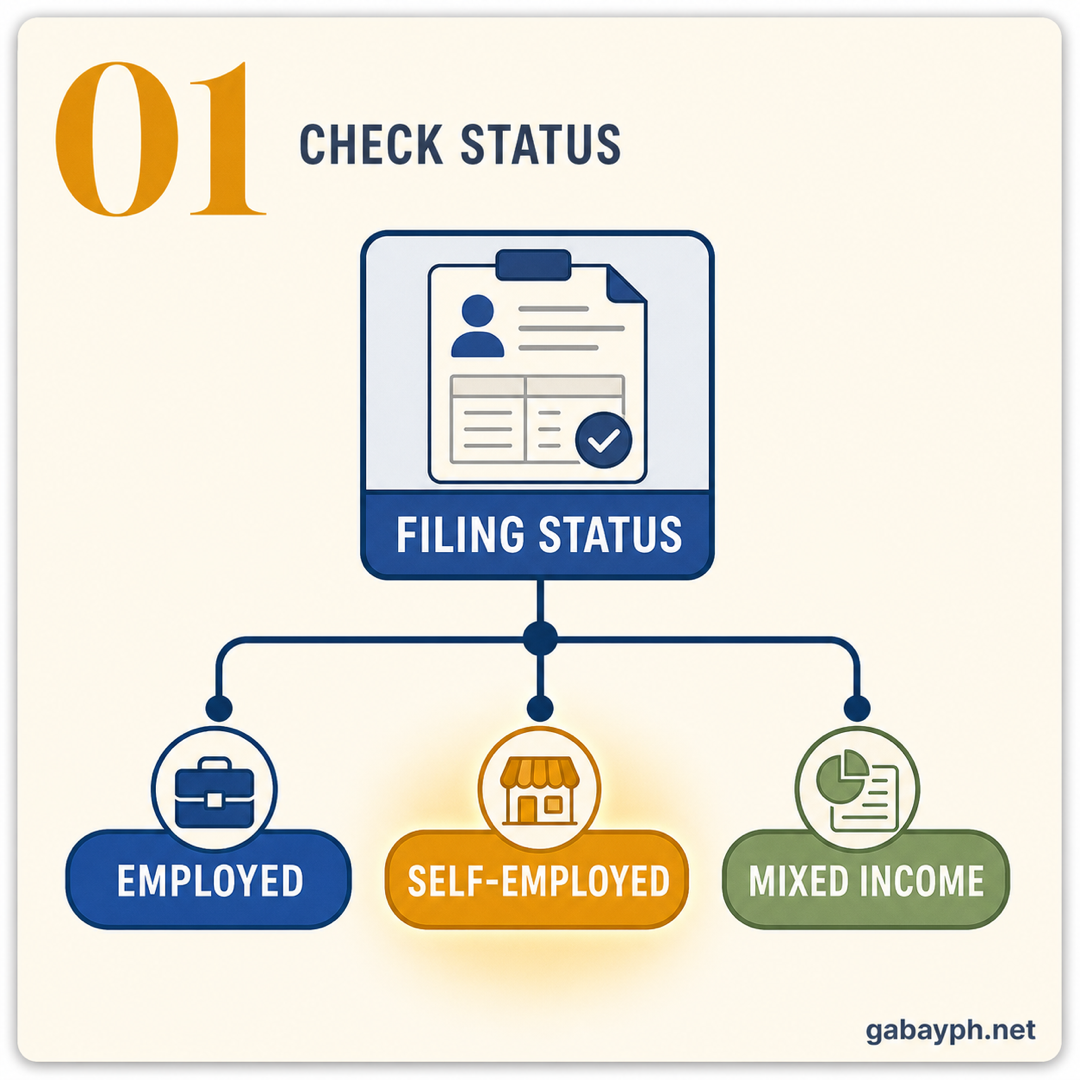
- One employer, no other income? → Your employer files for you (BIR Form 2316). You do not need to file separately.
- Two or more employers? → BIR Form 1700
- Freelancer/self-employed, chose 8% flat tax or OSD? → BIR Form 1701A
- Freelancer/self-employed, chose itemized deductions? → BIR Form 1701
- Employee + freelance income, chose 8%/OSD? → BIR Form 1701A
- Employee + freelance income, chose itemized? → BIR Form 1701
- Isang employer, walang ibang kita? → Ang employer mo ang nag-file para sa iyo (BIR Form 2316). Hindi mo na kailangang mag-file nang hiwalay.
- Dalawa o higit pang employer? → BIR Form 1700
- Freelancer/self-employed, pinili ang 8% flat tax o OSD? → BIR Form 1701A
- Freelancer/self-employed, pinili ang itemized deductions? → BIR Form 1701
- Empleyado + freelance income, pinili ang 8%/OSD? → BIR Form 1701A
- Empleyado + freelance income, pinili ang itemized? → BIR Form 1701
Philippine Tax Table (2026 Graduated Income Tax Rates)
Tax Table ng Pilipinas (2026 Graduated Income Tax Rates)
Under the TRAIN Law (Republic Act No. 10963), the following graduated income tax rates apply to individuals earning compensation and/or business income. These rates have been in effect since 2023:
Sa ilalim ng TRAIN Law (Republic Act No. 10963), ang mga sumusunod na graduated income tax rates ay naaangkop sa mga indibidwal na kumikita ng compensation at/o business income. Ang mga rate na ito ay epektibo na mula 2023:
- ₱0 – ₱250,000 → 0% (tax-exempt)
- Over ₱250,000 – ₱400,000 → 15% of the excess over ₱250,000
- Over ₱400,000 – ₱800,000 → ₱22,500 + 20% of the excess over ₱400,000
- Over ₱800,000 – ₱2,000,000 → ₱102,500 + 25% of the excess over ₱800,000
- Over ₱2,000,000 – ₱8,000,000 → ₱402,500 + 30% of the excess over ₱2,000,000
- Over ₱8,000,000 → ₱2,202,500 + 35% of the excess over ₱8,000,000
- ₱0 – ₱250,000 → 0% (tax-exempt)
- Mahigit sa ₱250,000 – ₱400,000 → 15% ng excess na lampas sa ₱250,000
- Mahigit sa ₱400,000 – ₱800,000 → ₱22,500 + 20% ng excess na lampas sa ₱400,000
- Mahigit sa ₱800,000 – ₱2,000,000 → ₱102,500 + 25% ng excess na lampas sa ₱800,000
- Mahigit sa ₱2,000,000 – ₱8,000,000 → ₱402,500 + 30% ng excess na lampas sa ₱2,000,000
- Mahigit sa ₱8,000,000 → ₱2,202,500 + 35% ng excess na lampas sa ₱8,000,000
The 8% Flat Tax Option
Ang 8% Flat Tax Option
Self-employed individuals and professionals whose gross annual sales/receipts do not exceed ₱3,000,000 can opt for a simplified 8% flat income tax on gross sales/receipts in excess of ₱250,000, in lieu of the graduated tax rates AND the 3% percentage tax. This means you pay only one tax — 8% — and you do not need to compute for percentage tax separately. For many freelancers, this is the simpler and sometimes cheaper option. Kung ang gross income mo ay below ₱3M, compute mo both options and compare kung alin ang mas mababa.
Ang mga self-employed individuals at propesyonal na ang gross annual sales/receipts ay hindi hihigit sa ₱3,000,000 ay pwedeng pumili ng simplified na 8% flat income tax sa gross sales/receipts na lampas sa ₱250,000, kapalit ng graduated tax rates AT ang 3% percentage tax. Ibig sabihin nito ay isang buwis lang ang babayaran mo — 8% — at hindi mo na kailangan i-compute ang percentage tax nang hiwalay. Para sa maraming freelancers, ito ang mas simple at minsan mas murang option. Kung ang gross income mo ay below ₱3M, i-compute mo ang parehong option at ihambing kung alin ang mas mababa.
Requirements Checklist for Filing
Checklist ng mga Kailangan para sa Pag-file
- TIN (Tax Identification Number) — Your unique BIR-assigned number. If you do not have one yet, register first at your BIR Revenue District Office (RDO).
- BIR Form 2316 (for employees) — Certificate of Compensation Payment/Tax Withheld, provided by your employer. This shows your total compensation and taxes already withheld.
- BIR Form 2307 (if applicable) — Certificate of Creditable Tax Withheld at Source. Clients or companies who pay you may issue this for taxes they withheld from your payments.
- Books of accounts or records of income and expenses (for self-employed) — Keep receipts, invoices, and financial records organized.
- eBIRForms software or eFPS account — Download the offline eBIRForms package from bir.gov.ph or register for the online Electronic Filing and Payment System (eFPS).
- Payment method — GCash, Maya, online banking, or authorized agent bank (AAB) for tax payment.
- TIN (Tax Identification Number) — Ang unique na BIR-assigned number mo. Kung wala ka pa nito, mag-register muna sa iyong BIR Revenue District Office (RDO).
- BIR Form 2316 (para sa mga empleyado) — Certificate of Compensation Payment/Tax Withheld, ibinibigay ng iyong employer. Ipinapakita nito ang iyong kabuuang compensation at mga buwis na na-withhold na.
- BIR Form 2307 (kung applicable) — Certificate of Creditable Tax Withheld at Source. Ang mga kliyente o kumpanyang nagbabayad sa iyo ay maaaring mag-issue nito para sa mga buwis na na-withhold nila mula sa iyong mga bayad.
- Mga libro ng accounts o records ng income at expenses (para sa self-employed) — Panatilihing organisado ang mga resibo, invoices, at financial records.
- eBIRForms software o eFPS account — I-download ang offline eBIRForms package mula sa bir.gov.ph o mag-register para sa online Electronic Filing and Payment System (eFPS).
- Paraan ng pagbabayad — GCash, Maya, online banking, o authorized agent bank (AAB) para sa pagbabayad ng buwis.
Step-by-Step: How to File and Pay Your Taxes
Hakbang-Hakbang: Paano Mag-file at Magbayad ng Iyong Buwis
-
Determine Your Filing Status
Alamin ang Iyong Filing Status
Use the Quick Decision Guide above to determine which BIR form you need based on your income sources and tax option (8% flat tax, OSD, or itemized).
Gamitin ang Mabilis na Gabay sa Desisyon sa itaas para malaman kung aling BIR form ang kailangan mo batay sa iyong income sources at tax option (8% flat tax, OSD, o itemized).
-
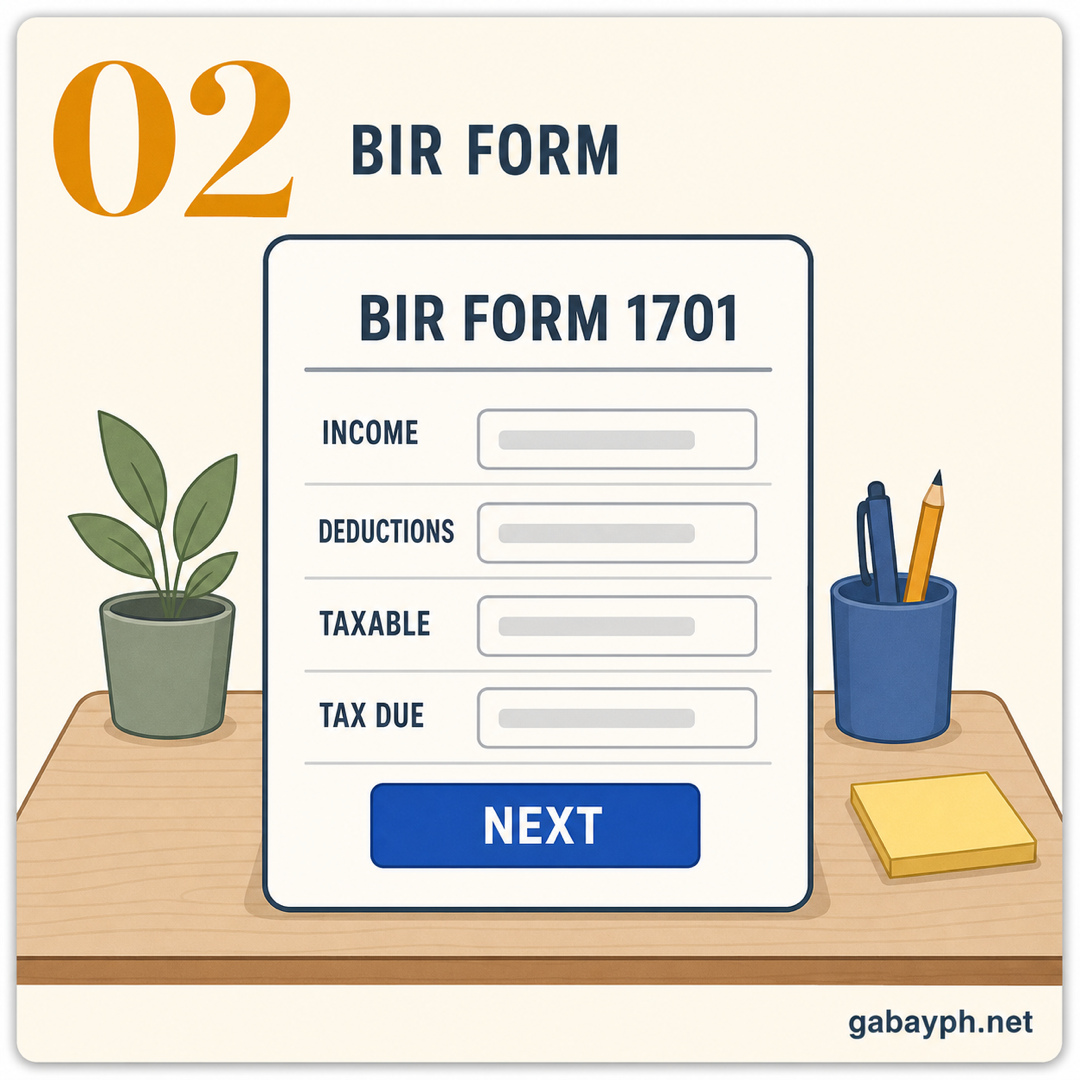
Get the Correct BIR Form
Kunin ang Tamang BIR Form
Based on your filing status, select the right form (see the BIR Forms section above for the detailed guide). You can access BIR forms in two ways:
Batay sa iyong filing status, piliin ang tamang form (tingnan ang seksyon ng BIR Forms sa itaas para sa detalyadong gabay). Pwede mong ma-access ang mga BIR forms sa dalawang paraan:
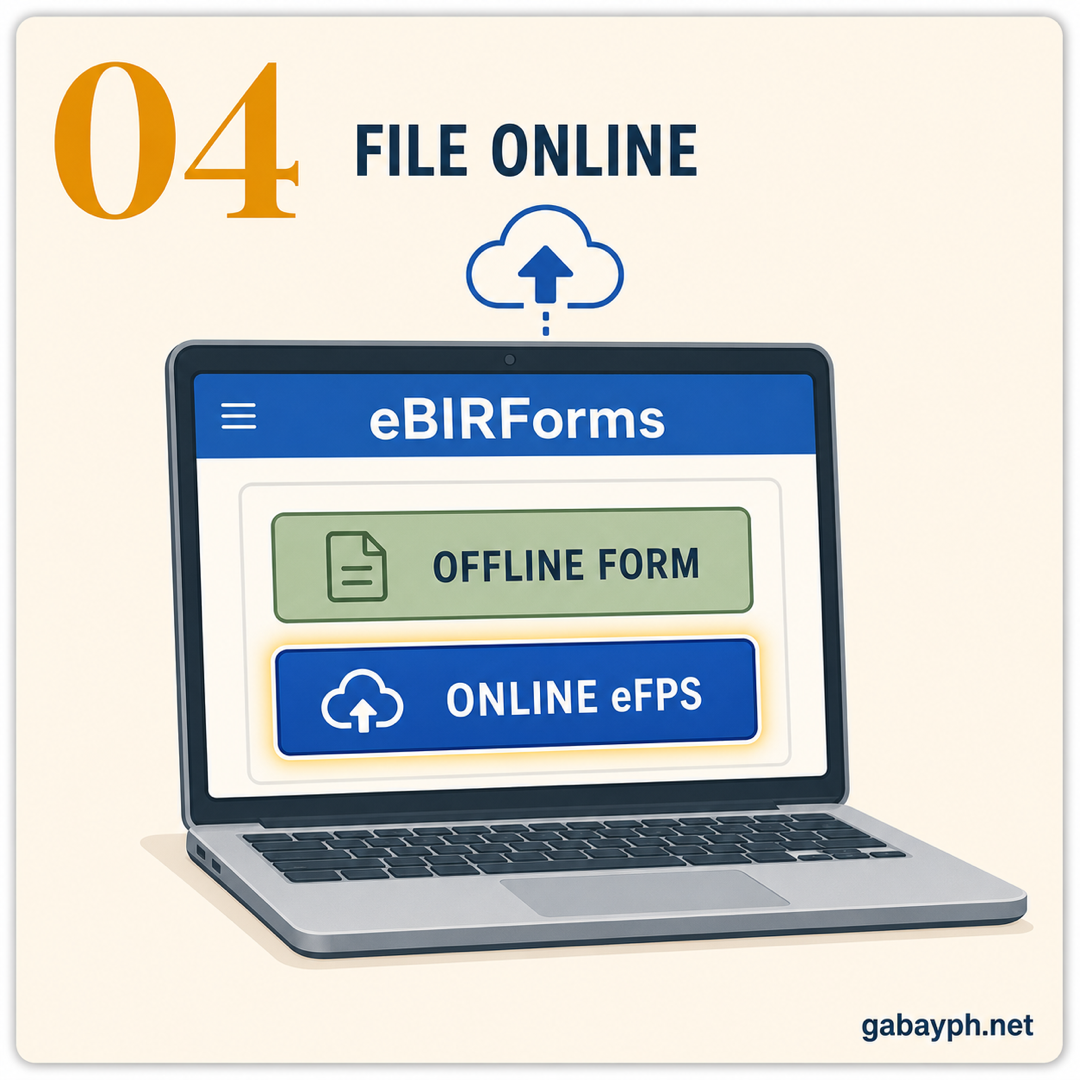
- eBIRForms (offline software): Download the eBIRForms package from bir.gov.ph. Install it on your computer (available for Windows and Mac). Open the program, select your form, and fill it out offline. This is the most popular method for individual filers.
- eFPS (Electronic Filing and Payment System): This is the online filing system at efps.bir.gov.ph. It is mainly required for large taxpayers and VAT-registered businesses, but any taxpayer can use it. You need to register for an eFPS account first.
- eBIRForms (offline software): I-download ang eBIRForms package mula sa bir.gov.ph. I-install ito sa iyong computer (available para sa Windows at Mac). Buksan ang program, piliin ang iyong form, at sagutan ito offline. Ito ang pinakapopular na paraan para sa mga individual filers.
- eFPS (Electronic Filing and Payment System): Ito ang online filing system sa efps.bir.gov.ph. Ito ay pangunahing kinakailangan para sa mga large taxpayers at VAT-registered businesses, pero pwedeng gamitin ng kahit sinong taxpayer. Kailangan mong mag-register muna para sa eFPS account.
Tip: for most freelancers and self-employed individuals, the eBIRForms offline software is the easiest and most reliable option. I-download mo lang, fill up, then submit online — hindi na kailangan pumila sa BIR office.
Payo: para sa karamihan ng mga freelancer at self-employed individuals, ang eBIRForms offline software ang pinaka-madali at pinaka-reliable na option. I-download mo lang, fill up, tapos i-submit online — hindi na kailangan pumila sa BIR office.
-
Compute Your Tax
I-compute ang Iyong Buwis
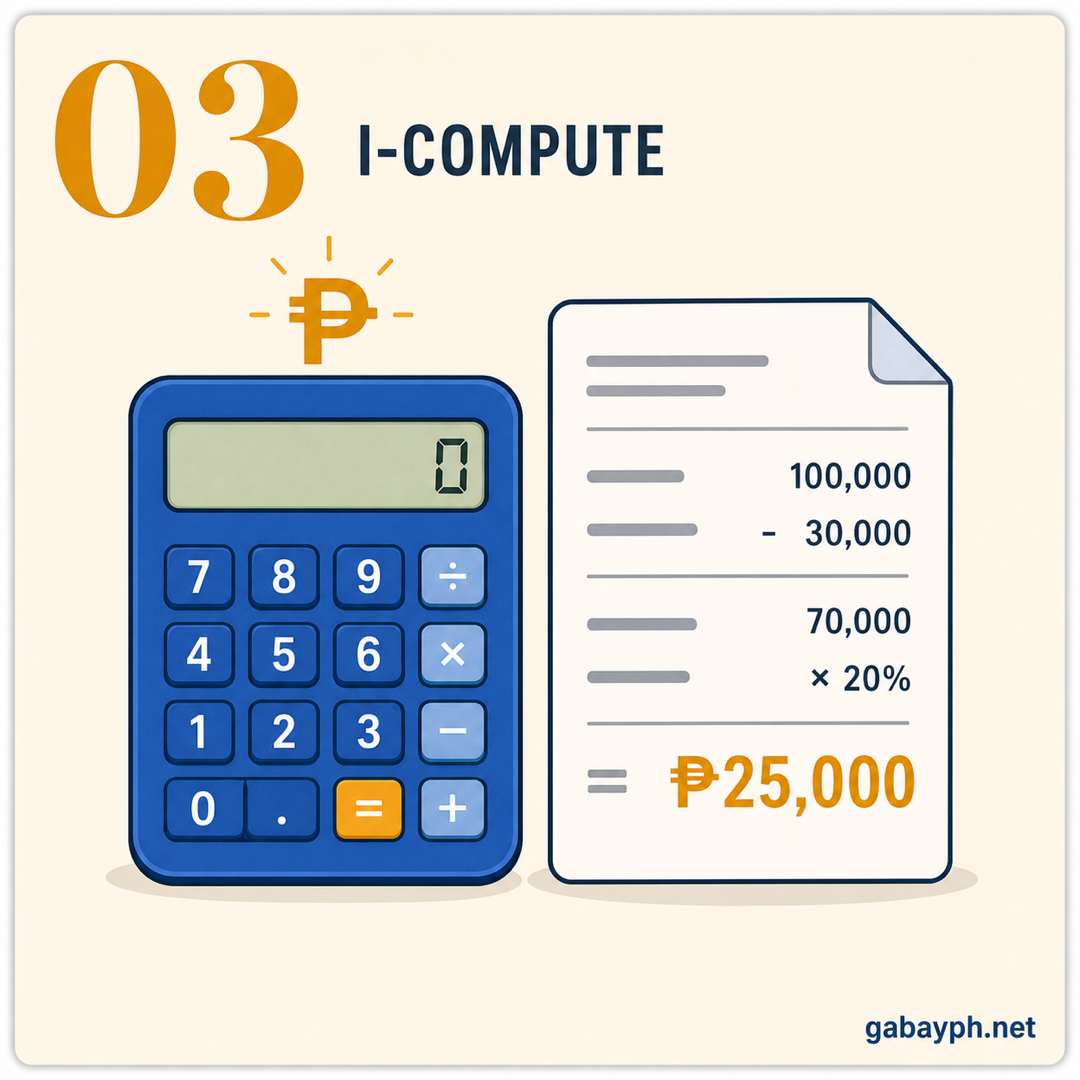
Now comes the math. How you compute depends on the tax option you chose:
Ngayon ang bahagi ng pagkukuwenta. Kung paano mo i-compute ay depende sa tax option na pinili mo:
If you chose the 8% flat tax:
Kung pinili mo ang 8% flat tax:
The computation is straightforward. Take your gross receipts/sales for the year, subtract ₱250,000 (the tax-exempt threshold), and multiply the result by 8%.
Ang pagkukuwenta ay diretso lang. Kunin ang iyong gross receipts/sales para sa taon, ibawas ang ₱250,000 (ang tax-exempt threshold), at i-multiply ang resulta sa 8%.
Example: If your gross receipts for 2025 were ₱800,000 → ₱800,000 – ₱250,000 = ₱550,000 → ₱550,000 x 8% = ₱44,000 tax due.
Halimbawa: Kung ang gross receipts mo para sa 2025 ay ₱800,000 → ₱800,000 – ₱250,000 = ₱550,000 → ₱550,000 x 8% = ₱44,000 na buwis na dapat bayaran.
If you chose the graduated tax rates (with OSD or itemized deductions):
Kung pinili mo ang graduated tax rates (may OSD o itemized deductions):
Calculate your taxable income by subtracting allowable deductions from your gross income. If using OSD, deduct 40% of gross sales/receipts. If using itemized deductions, total up all legitimate business expenses. Then apply the graduated tax table above to your taxable income.
I-calculate ang iyong taxable income sa pamamagitan ng pagbabawas ng allowable deductions mula sa iyong gross income. Kung ginagamit ang OSD, ibawas ang 40% ng gross sales/receipts. Kung ginagamit ang itemized deductions, pagsamahin ang lahat ng lehitimong business expenses. Pagkatapos ay ilapat ang graduated tax table sa itaas sa iyong taxable income.
Example with OSD: Gross receipts = ₱800,000 → OSD (40%) = ₱320,000 → Taxable income = ₱480,000 → Tax = ₱22,500 + 20% of (₱480,000 – ₱400,000) = ₱22,500 + ₱16,000 = ₱38,500 tax due.
Halimbawa gamit ang OSD: Gross receipts = ₱800,000 → OSD (40%) = ₱320,000 → Taxable income = ₱480,000 → Buwis = ₱22,500 + 20% ng (₱480,000 – ₱400,000) = ₱22,500 + ₱16,000 = ₱38,500 na buwis na dapat bayaran.
In this example, the graduated rate with OSD (₱38,500) is actually cheaper than the 8% flat tax (₱44,000). That is why it is important to compute both options before choosing. Ask your accountant or use a tax calculator tool to compare. Kung hindi ka sure, it is best to consult a CPA.
Sa halimbawang ito, ang graduated rate na may OSD (₱38,500) ay talagang mas mura kaysa sa 8% flat tax (₱44,000). Kaya naman mahalagang i-compute ang parehong options bago pumili. Tanungin ang iyong accountant o gumamit ng tax calculator tool para mag-compare. Kung hindi ka sure, pinaka-mabuti na kumonsulta sa CPA.
-
File Online via eBIRForms or eFPS
Mag-file Online sa pamamagitan ng eBIRForms o eFPS
Once your form is filled out and your tax is computed, file your return electronically. Here is how to do it using eBIRForms (the most common method for individual filers):
Kapag nasagutan na ang iyong form at na-compute ang iyong buwis, i-file ang iyong return nang elektroniko. Narito kung paano ito gawin gamit ang eBIRForms (ang pinakakaraniwang paraan para sa mga individual filers):
- Open eBIRForms on your computer
- Select your form (1701A, 1701, or 1700)
- Fill in all required fields — TIN, name, RDO code, income details, deductions, and tax due
- Click "Validate" to check for errors
- Click "Submit" — this sends your return electronically to the BIR
- You will receive an email confirmation with a tax return reference number. Save this email as your proof of filing.
- Buksan ang eBIRForms sa iyong computer
- Piliin ang iyong form (1701A, 1701, o 1700)
- Sagutan ang lahat ng kinakailangang fields — TIN, pangalan, RDO code, income details, deductions, at tax due
- I-click ang "Validate" para i-check kung may mga error
- I-click ang "Submit" — ito ang nagpapadala ng iyong return nang elektroniko sa BIR
- Makakatanggap ka ng email confirmation na may tax return reference number. I-save ang email na ito bilang patunay ng iyong pag-file.
Important: filing your return and paying your tax are two separate steps. Submitting your form does not automatically pay your tax. You need to pay separately (next step). Also, always file before the deadline of April 15. Kung mag-file ka on April 15 itself, be prepared for possible system slowdowns as thousands of filers rush to submit last minute. Huwag mong hintayin ang last day — ang server ng BIR ay notoriously mabagal pag deadline.
Mahalaga: ang pag-file ng iyong return at pagbabayad ng iyong buwis ay dalawang magkahiwalay na hakbang. Ang pag-submit ng iyong form ay hindi automatic na nagbabayad ng iyong buwis. Kailangan mong magbayad nang hiwalay (susunod na hakbang). At laging mag-file bago ang deadline na Abril 15. Kung mag-file ka sa mismong Abril 15, maghanda para sa posibleng mabagal na sistema dahil libo-libong filers ang nagmamadaling mag-submit sa last minute. Huwag mong hintayin ang last day — ang server ng BIR ay notoriously mabagal pag deadline.
-
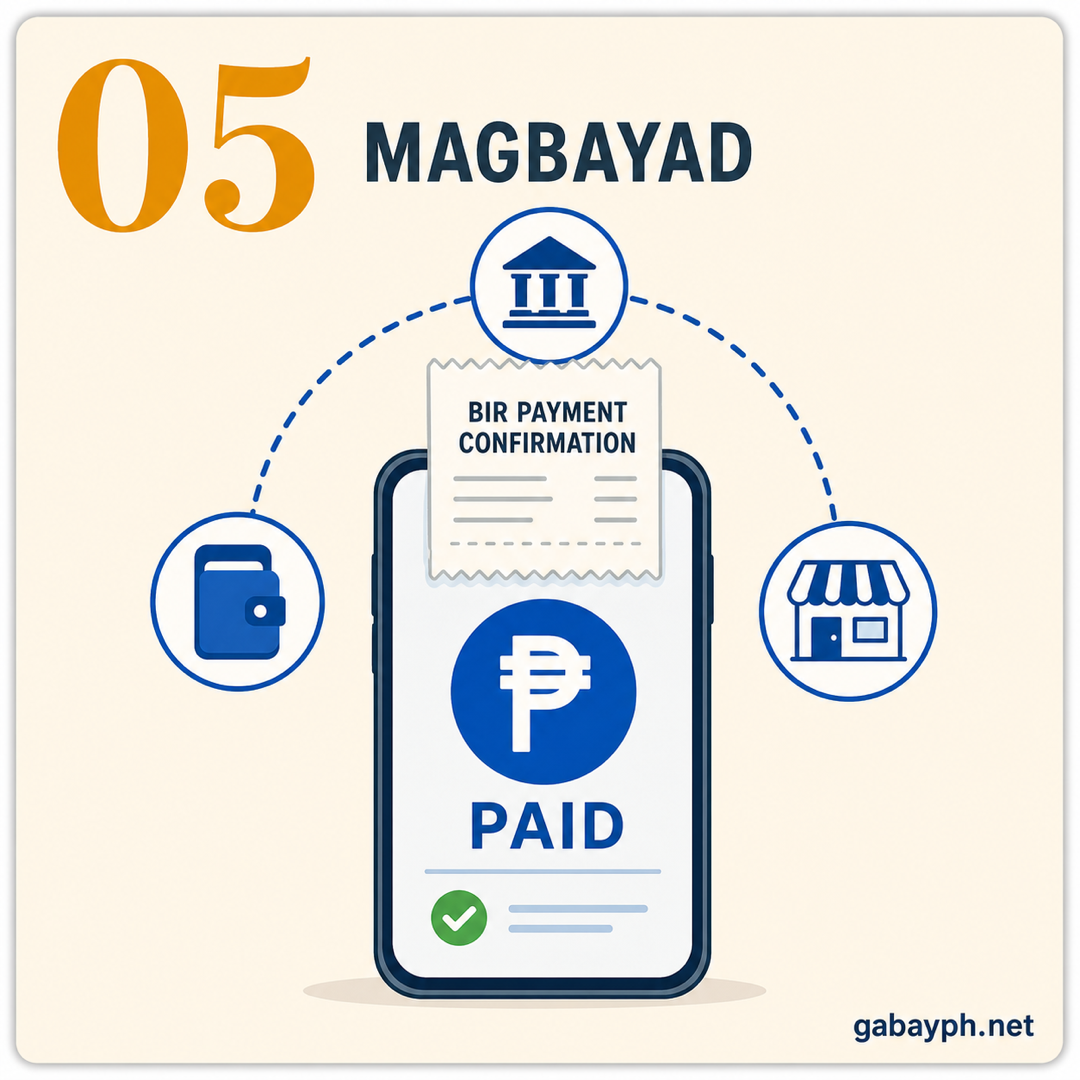
Pay Your Tax
Bayaran ang Iyong Buwis
After successfully filing your return, you need to pay the tax due. There are multiple payment channels available as of 2026:
Pagkatapos matagumpay na i-file ang iyong return, kailangan mong bayaran ang buwis na dapat bayaran. Maraming payment channels ang available simula 2026:
- GCash — Go to the GCash app → Pay Bills → Government → BIR. Enter your TIN, form type, tax amount, and period. Instant confirmation. Very convenient for amounts under ₱100,000.
- Maya (PayMaya) — Similar to GCash. Go to Pay Bills → Government → BIR and follow the prompts.
- Online banking — Most major banks (BDO, BPI, Metrobank, Landbank, UnionBank) allow tax payments through their online banking platforms. Look for the "Bills Payment" or "Government Payment" section.
- Authorized Agent Banks (AABs) — Visit any BIR-accredited bank branch (BDO, BPI, Metrobank, Landbank, RCBC, etc.) and pay over the counter with the printed copy of your filed tax return.
- Revenue Collection Officers (RCOs) — If there is no AAB in your municipality, you can pay directly at your BIR RDO office.
- GCash — Pumunta sa GCash app → Pay Bills → Government → BIR. Ilagay ang iyong TIN, form type, halaga ng buwis, at period. Instant confirmation. Napaka-convenient para sa mga halagang below ₱100,000.
- Maya (PayMaya) — Katulad ng GCash. Pumunta sa Pay Bills → Government → BIR at sundin ang mga prompt.
- Online banking — Karamihan ng mga pangunahing bangko (BDO, BPI, Metrobank, Landbank, UnionBank) ay nagpapahintulot ng tax payments sa pamamagitan ng kanilang online banking platforms. Hanapin ang "Bills Payment" o "Government Payment" na seksyon.
- Authorized Agent Banks (AABs) — Bumisita sa anumang BIR-accredited bank branch (BDO, BPI, Metrobank, Landbank, RCBC, atbp.) at magbayad sa counter kasama ang printed copy ng iyong filed tax return.
- Revenue Collection Officers (RCOs) — Kung walang AAB sa iyong munisipalidad, pwede kang magbayad diretso sa iyong BIR RDO office.
After payment, you will receive a confirmation receipt or reference number. Keep this — it is your official proof of tax payment. If paying through GCash or online banking, take a screenshot of the confirmation page for your records.
Pagkatapos magbayad, makakatanggap ka ng confirmation receipt o reference number. Itago ito — ito ang iyong opisyal na patunay ng pagbabayad ng buwis. Kung magbabayad sa pamamagitan ng GCash o online banking, mag-screenshot ng confirmation page para sa iyong records.
-
Keep Your Records
Itago ang Iyong mga Record
Keep all tax-related documents (filed returns, payment confirmations, 2316/2307 forms, receipts) for at least 10 years — BIR can audit that far back. Create a dedicated folder per year, physical or digital (Google Drive backup recommended).
Itago ang lahat ng tax-related documents (filed returns, payment confirmations, 2316/2307 forms, mga resibo) sa loob ng hindi bababa sa 10 taon — kaya ng BIR mag-audit ng ganoon kalayo. Gumawa ng dedicated folder kada taon, pisikal o digital (inirerekomenda ang Google Drive backup).
Ease of Paying Taxes Act: What Changed?
Ease of Paying Taxes Act: Ano ang Nagbago?
The Ease of Paying Taxes (EOPT) Act (RA 11976 (EOPT Act)), effective January 22, 2024, introduced several reforms to make tax compliance simpler and less burdensome for Filipino taxpayers. Here are the key changes that affect you:
Ang Ease of Paying Taxes (EOPT) Act (RA 11976 (EOPT Act)), na nilagdaan bilang batas noong Enero 2024, ay nagpakilala ng ilang mga reporma para gawing mas simple at hindi gaanong pabigat ang tax compliance para sa mga Pilipinong taxpayer. Narito ang mga pangunahing pagbabago na makakaapekto sa iyo:
- Classification of taxpayers: Taxpayers are now classified as Micro (gross sales up to ₱3M), Small (₱3M–₱20M), Medium (₱20M–₱1B), and Large (over ₱1B). Micro and small taxpayers enjoy simplified requirements.
- Simplified filing for micro taxpayers: Those with gross sales under ₱3M have fewer filing requirements and simpler forms.
- No more annual registration fee: The ₱500 annual registration fee (previously paid via BIR Form 0605 every January 31) has been abolished for most taxpayers.
- Expanded payment channels: More digital payment options are now officially supported, including GCash, Maya, and various online banking platforms.
- Automatic RDO transfer: Taxpayers can now file returns at any BIR office regardless of their registered RDO, reducing the hassle of transferring when you move.
- Streamlined refund process: Tax refunds should now be processed faster, though in practice, the timeline is still improving.
- Klasipikasyon ng mga taxpayer: Ang mga taxpayer ay naka-classify na ngayon bilang Micro (gross sales hanggang ₱3M), Small (₱3M–₱20M), Medium (₱20M–₱1B), at Large (higit sa ₱1B). Ang micro at small taxpayers ay may simplified requirements.
- Simplified filing para sa micro taxpayers: Ang mga may gross sales na below ₱3M ay may mas kaunting filing requirements at mas simpleng forms.
- Wala nang annual registration fee: Ang ₱500 na annual registration fee (dating binabayaran sa pamamagitan ng BIR Form 0605 tuwing Enero 31) ay abolished na para sa karamihan ng mga taxpayer.
- Pinalawak na payment channels: Mas maraming digital payment options ang opisyal nang sinusuportahan, kasama ang GCash, Maya, at iba't ibang online banking platforms.
- Automatic RDO transfer: Ang mga taxpayer ay pwede nang mag-file ng returns sa anumang BIR office anuman ang kanilang registered RDO, na binabawasan ang abala ng pag-transfer kapag lumipat ka.
- Streamlined refund process: Ang mga tax refund ay dapat nang mas mabilis na i-process, bagama't sa practice, umuunlad pa rin ang timeline.
Not all implementing rules are finalized yet — check bir.gov.ph for the latest advisories.
Hindi pa lahat ng implementing rules ay finalized — tingnan ang bir.gov.ph para sa pinakabagong advisories.
Pro Tips for Tax Filing
Mga Payo para sa Pag-file ng Buwis
- File early — do not wait for April 15. The eBIRForms system becomes extremely slow on the deadline day. File at least a week early to avoid technical issues. Seryoso, nag-crash na ang system before dahil sa dami ng nag-file sa last minute.
- Compare the 8% flat tax vs. graduated + OSD before choosing. What is cheaper depends on your income level and deductible expenses. For many freelancers earning under ₱1M, the 8% flat tax is simpler but not always cheaper. Do the math or ask a CPA.
- Collect all your 2307 forms from clients early. Do not wait until March to ask clients for your creditable withholding tax certificates. Start collecting them in January so you have everything ready come filing time.
- Keep digital copies of everything. Scan your receipts, invoices, and tax documents. Physical copies can be lost, damaged, or faded. A Google Drive or cloud backup gives you peace of mind for the full 10-year retention period.
- Pay via GCash for convenience. No need to go to a bank. Just make sure the amount is within your GCash transaction limits and that you screenshot the confirmation for your records.
- Mag-file nang maaga — huwag hintayin ang Abril 15. Ang eBIRForms system ay nagiging sobrang bagal sa araw ng deadline. Mag-file nang hindi bababa sa isang linggo nang maaga para maiwasan ang mga technical issues. Seryoso, nag-crash na ang system dati dahil sa dami ng nag-file sa last minute.
- Ihambing ang 8% flat tax vs. graduated + OSD bago pumili. Kung alin ang mas mura ay depende sa iyong income level at deductible expenses. Para sa maraming freelancer na kumikita ng below ₱1M, ang 8% flat tax ay mas simple pero hindi laging mas mura. Gawin ang math o magtanong sa CPA.
- Kolektahin ang lahat ng 2307 forms mo mula sa mga kliyente nang maaga. Huwag hintayin ang Marso para humingi sa mga kliyente ng iyong creditable withholding tax certificates. Simulan ang pag-kolekta sa Enero para handa na ang lahat pagdating ng filing time.
- Mag-keep ng digital copies ng lahat. I-scan ang iyong mga resibo, invoices, at tax documents. Ang mga pisikal na kopya ay pwedeng mawala, masira, o kumupas. Ang Google Drive o cloud backup ay nagbibigay ng peace of mind para sa buong 10-taong retention period.
- Magbayad sa pamamagitan ng GCash para sa kaginhawahan. Hindi na kailangan pumunta sa bangko. Siguraduhin lang na ang halaga ay nasa loob ng iyong GCash transaction limits at i-screenshot ang confirmation para sa iyong records.
Frequently Asked Questions
Mga Madalas Itanong
Do I need to file if my employer handles my taxes?
If you are a purely compensation earner with only one employer, and your employer properly withholds your taxes and files the annual BIR Form 2316 on your behalf, then no, you do not need to file a separate tax return. Your employer's year-end tax adjustment (through the annualization process) serves as your final tax for the year. However, make sure to get a copy of your BIR Form 2316 from your HR department — this is your certificate of tax withholding and is needed for loan applications, visa processing, and other financial transactions. If you had two or more employers during the year, you will need to file BIR Form 1700 on your own.
Kailangan ko bang mag-file kung ang employer ko ang nag-aasikaso ng buwis ko?
Kung ikaw ay purong compensation earner na may isang employer lang, at maayos na nag-withhold ng iyong mga buwis ang employer mo at nag-file ng taunang BIR Form 2316 para sa iyo, hindi, hindi mo na kailangang mag-file ng hiwalay na tax return. Ang year-end tax adjustment ng iyong employer (sa pamamagitan ng annualization process) ang nagsisilbing final tax mo para sa taon. Gayunpaman, siguraduhing kumuha ng kopya ng iyong BIR Form 2316 mula sa iyong HR department — ito ang iyong certificate of tax withholding at kailangan para sa loan applications, visa processing, at iba pang financial transactions. Kung nagkaroon ka ng dalawa o higit pang employer sa loob ng taon, kailangan mong mag-file ng BIR Form 1700 nang mag-isa.
What is the penalty for late filing?
Filing your tax return late comes with several penalties:
Surcharge: 25% of the tax due if filed late but without fraud; 50% if with willful neglect or fraud. Interest: 12% per year (or 1% per month) on the unpaid tax from the deadline until the date of payment. Compromise penalty: A fixed amount based on the BIR's schedule of compromise penalties, depending on the violation. For example, if you owe ₱10,000 in taxes and file one month late, you could pay: ₱10,000 (tax) + ₱2,500 (25% surcharge) + ₱100 (1% monthly interest) = ₱12,600 total. The penalties add up fast, which is why filing on time — even if you cannot pay the full amount — is always better than not filing at all. Kung wala kang pambayad, mag-file ka pa rin on time para maiwasan ang surcharge.
Ano ang multa para sa late filing?
Ang late na pag-file ng iyong tax return ay may kasamang ilang mga multa:
Surcharge: 25% ng buwis na dapat bayaran kung late ang pag-file pero walang fraud; 50% kung may willful neglect o fraud. Interest: 12% bawat taon (o 1% bawat buwan) sa hindi nabayarang buwis mula sa deadline hanggang sa petsa ng pagbabayad. Compromise penalty: Isang nakatakdang halaga batay sa schedule of compromise penalties ng BIR, depende sa paglabag. Halimbawa, kung may utang kang ₱10,000 sa buwis at nag-file ka ng isang buwang late, pwede kang magbayad ng: ₱10,000 (buwis) + ₱2,500 (25% surcharge) + ₱100 (1% monthly interest) = ₱12,600 kabuuan. Mabilis ang pagtaas ng multa, kaya naman ang pag-file on time — kahit hindi mo mabayaran ang buong halaga — ay laging mas mabuti kaysa sa hindi pag-file. Kung wala kang pambayad, mag-file ka pa rin on time para maiwasan ang surcharge.
Can I file and pay taxes through GCash?
You can pay taxes through GCash, but you cannot file through GCash. Filing must be done through eBIRForms (offline software) or eFPS (online filing system). After filing your return through either system, you can then pay the tax due via GCash by going to Pay Bills → Government → BIR and entering your TIN, form type, period, and amount. The payment is processed instantly and you will receive a confirmation in the app. This is one of the most convenient payment methods available. Note: GCash may have transaction limits (usually ₱100,000 per transaction for fully verified accounts), so if your tax due exceeds that limit, you may need to use online banking or visit an AAB instead.
Pwede ba akong mag-file at magbayad ng buwis sa pamamagitan ng GCash?
Pwede kang magbayad ng buwis sa pamamagitan ng GCash, pero hindi ka pwedeng mag-file sa pamamagitan ng GCash. Ang pag-file ay kailangang gawin sa pamamagitan ng eBIRForms (offline software) o eFPS (online filing system). Pagkatapos i-file ang iyong return sa alinman sa dalawang system, pwede mo nang bayaran ang buwis na dapat bayaran sa pamamagitan ng GCash sa pagpunta sa Pay Bills → Government → BIR at pag-enter ng iyong TIN, form type, period, at halaga. Ang pagbabayad ay na-process nang instant at makakatanggap ka ng confirmation sa app. Isa ito sa pinakamaginhawang payment methods na available. Tandaan: ang GCash ay maaaring may transaction limits (karaniwang ₱100,000 bawat transaksyon para sa fully verified accounts), kaya kung ang buwis na dapat bayaran ay lumampas sa limitasyon, maaaring kailangan mong gumamit ng online banking o bumisita sa AAB sa halip.
What deductions can I claim?
The deductions you can claim depend on which deduction method you chose when you registered with the BIR:
Optional Standard Deduction (OSD): A flat 40% of gross sales/receipts is automatically deducted — no need to present receipts or track individual expenses. This is the simplest option for most small businesses and freelancers.
Itemized Deductions: You can deduct actual, legitimate, and properly documented business expenses, including: rent, utilities, office supplies, professional fees, transportation costs, internet and phone bills (business portion), depreciation of business equipment, salaries paid to employees, and other expenses directly related to your business or profession. You must keep official receipts for all expenses. This option gives a larger deduction if your actual expenses exceed 40% of your gross income — pero mas maraming paperwork.
8% Flat Tax: If you chose this option, you do not claim any deductions at all. Instead, you simply pay 8% of your gross receipts in excess of ₱250,000. No need for OSD or itemized deductions. Pinaka-simple pero hindi laging pinaka-mura.
Anong mga deductions ang pwede kong i-claim?
Ang mga deductions na pwede mong i-claim ay depende sa aling deduction method ang pinili mo noong nag-register ka sa BIR:
Optional Standard Deduction (OSD): Isang flat na 40% ng gross sales/receipts ang automatic na ibinabawas — hindi na kailangan magpresenta ng mga resibo o mag-track ng individual expenses. Ito ang pinaka-simpleng option para sa karamihan ng mga maliliit na negosyo at freelancers.
Itemized Deductions: Pwede mong ibawas ang aktwal, lehitimo, at maayos na na-document na mga business expenses, kasama ang: upa, utilities, office supplies, professional fees, transportation costs, internet at phone bills (bahaging pang-negosyo), depreciation ng business equipment, sahod na binayaran sa mga empleyado, at iba pang gastos na direktang nauugnay sa iyong negosyo o propesyon. Kailangan mong itago ang mga opisyal na resibo para sa lahat ng gastos. Ang option na ito ay nagbibigay ng mas malaking deduction kung ang iyong aktwal na gastos ay higit sa 40% ng iyong gross income — pero mas maraming paperwork.
8% Flat Tax: Kung pinili mo ang option na ito, hindi ka nag-claim ng anumang deductions. Sa halip, nagbabayad ka lang ng 8% ng iyong gross receipts na lampas sa ₱250,000. Hindi kailangan ng OSD o itemized deductions. Pinaka-simple pero hindi laging pinaka-mura.