

How to Open a Bank Account in the Philippines (2026 Guide)
Paano Magbukas ng Bank Account sa Pilipinas (2026 Gabay)
The 5-Step Walkthrough
Open a bank account in five steps.
Quick Summary
Mabilis na Buod
Important Disclaimer
This guide is for educational purposes only and does not constitute financial advice. Individual circumstances vary. Consult a licensed financial advisor for personalized guidance.
Mahalagang Disclaimer
Ang gabay na ito ay para sa layuning pang-edukasyon lamang at hindi bumubuo ng financial advice. Iba-iba ang sitwasyon ng bawat tao. Kumonsulta sa isang lisensyadong financial advisor para sa personalized na gabay.
Table of Contents
Talaan ng Nilalaman
- Savings vs. Checking Account
- Pinakamainam na Bangko para sa mga Baguhan
- Minimum Maintaining Balance Ayon sa Bangko
- Mga Kakailanganin Mo Bago Magsimula
- Hakbang-Hakbang: Magbukas sa Branch
- Paano Magbukas ng Account Online
- Online Banking at Fund Transfers
- ATM Fees at Mga Payo
- Student Accounts
- Mga Payo
- Mga Madalas Itanong

Savings vs. Checking Account: Which One Do You Need?
Savings vs. Checking Account: Alin ang Kailangan Mo?
Before opening an account, you need to decide between a savings account and a checking account. For most Filipinos, especially first-time account holders, a savings account is the way to go.
Savings Account
- Best for: Storing money, earning (small) interest, receiving salary, paying bills online
- Comes with: ATM/debit card, online/mobile banking access
- Interest rate: Traditional banks typically pay 0.10% to 0.25% per year. Digital banks (Maya, GoTyme, CIMB, Tonik, SeaBank) compete aggressively — promotional and base rates have ranged up to 6-8% per annum. Rates change frequently; verify the current offer on each bank's site before opening.
- Withdrawal limit: Usually 2-3 free withdrawals per month at other banks' ATMs
- Initial deposit: As low as ₱100 (some banks) to ₱2,000
Checking Account
- Best for: Business owners who write checks regularly. Initial deposit: ₱5,000-₱25,000.
- Trade-off: No interest (0%), extra checkbook fees, documentary stamp tax (₱1.50/check).
Bottom line: If you're a regular employee, student, or freelancer, open a savings account. You only need a checking account if you regularly write checks for business.
Bago magbukas ng account, kailangan mo munang magdesisyon kung savings account o checking account ang kukunin mo. Para sa karamihan ng mga Pilipino, lalo na mga first-time account holders, savings account ang pinakamainam.
Savings Account
- Pinakamainam para sa: Pag-iimpok ng pera, pagkakaroon ng (maliit na) interest, pagtanggap ng sweldo, pagbabayad ng bills online
- Kasama: ATM/debit card, online/mobile banking access
- Interest rate: Karaniwang 0.10% hanggang 0.25% bawat taon (ang ilang digital banks ay nag-o-offer ng hanggang 3-6%)
- Withdrawal limit: Karaniwang 2-3 libreng withdrawal bawat buwan sa ATM ng ibang bangko
- Initial deposit: Kasing baba ng ₱100 (ilang bangko) hanggang ₱2,000
Checking Account
- Pinakamainam para sa: Mga may-ari ng negosyo na madalas sumulat ng tseke. Initial deposit: ₱5,000-₱25,000.
- Trade-off: Walang interest (0%), dagdag na checkbook fees, documentary stamp tax (₱1.50/tseke).
Sa madaling salita: Kung regular employee, estudyante, o freelancer ka, magbukas ng savings account. Kailangan mo lang ng checking account kung madalas kang sumulat ng tseke para sa negosyo.
Best Banks for Beginners in the Philippines
Pinakamainam na Bangko para sa mga Baguhan sa Pilipinas
Here are the most beginner-friendly banks — see the comparison table below for exact deposit amounts and fees:
- BPI — Largest ATM network (3,400+), excellent app. Best for: general-purpose banking.
- BDO — Most branches nationwide (1,500+), many partner merchants. Best for: SM shoppers, those who need branches everywhere.
- Landbank — Government bank, lowest maintaining balance (₱100 Easy Savings Plus), wide rural coverage. Best for: government employees, provincial areas.
- UnionBank — Best digital experience, ₱0 online savings, 100% online account opening. Best for: tech-savvy users, freelancers.
Tip: For ₱0 maintaining balance + higher interest (3-6%), consider digital banks like Maya Bank, GoTyme, Tonik, or CIMB. Trade-off: fewer ATMs and no physical branches.
Narito ang pinaka-beginner-friendly na mga bangko — tingnan ang comparison table sa ibaba para sa eksaktong halaga ng deposit at fees:
- BPI — Pinakamalaking ATM network (3,400+), mahusay na app. Pinakamainam para sa: general-purpose banking.
- BDO — Pinakamaraming branch sa buong bansa (1,500+), maraming partner merchants. Pinakamainam para sa: SM shoppers, mga gustong may branch kahit saan.
- Landbank — Government bank, pinakamababang maintaining balance (₱100 Easy Savings Plus), malawak na rural coverage. Pinakamainam para sa: government employees, probinsya.
- UnionBank — Pinakamahusay na digital experience, ₱0 online savings, 100% online account opening. Pinakamainam para sa: tech-savvy users, freelancers.
Tip: Para sa ₱0 maintaining balance + mas mataas na interest (3-6%), isaalang-alang ang digital banks tulad ng Maya Bank, GoTyme, Tonik, o CIMB. Trade-off: mas kaunting ATM at walang physical branches.
Minimum Maintaining Balance Comparison
Paghahambing ng Minimum Maintaining Balance
Here's a quick comparison of the most popular banks' minimum maintaining balance (ADB = Average Daily Balance):
| Bank | Account Type | Initial Deposit | Maintaining Balance | Penalty |
|---|---|---|---|---|
| BPI | Regular Savings | ₱500 | ₱3,000 | ₱300/mo |
| BPI Direct | Online Savings | ₱200 | ₱0 | None |
| BDO | Passbook Savings | ₱2,000 | ₱2,000 | ₱300/mo |
| BDO | ATM Savings | ₱2,000 | ₱10,000 | ₱300/mo |
| Landbank | Regular Savings | ₱500 | ₱500 | ₱50/qtr |
| Landbank | Easy Savings Plus | ₱100 | ₱100 | ₱50/qtr |
| UnionBank | Online Savings | ₱0 | ₱0 | None |
| Metrobank | Regular Savings | ₱2,000 | ₱2,000 | ₱300/mo |
| Security Bank | Build-Up Savings | ₱500 | ₱500 | ₱100/mo |
Pro tip: Always ask about the Average Daily Balance (ADB) — this is what the bank checks, not your ending balance. If your ADB falls below the maintaining balance even once, the penalty is charged for that month.
Narito ang mabilis na paghahambing ng minimum maintaining balance ng pinakapopular na mga bangko (ADB = Average Daily Balance):
| Bangko | Uri ng Account | Initial Deposit | Maintaining Balance | Penalty |
|---|---|---|---|---|
| BPI | Regular Savings | ₱500 | ₱3,000 | ₱300/buwan |
| BPI Direct | Online Savings | ₱200 | ₱0 | Wala |
| BDO | Passbook Savings | ₱2,000 | ₱2,000 | ₱300/buwan |
| BDO | ATM Savings | ₱2,000 | ₱10,000 | ₱300/buwan |
| Landbank | Regular Savings | ₱500 | ₱500 | ₱50/quarter |
| Landbank | Easy Savings Plus | ₱100 | ₱100 | ₱50/quarter |
| UnionBank | Online Savings | ₱0 | ₱0 | Wala |
| Metrobank | Regular Savings | ₱2,000 | ₱2,000 | ₱300/buwan |
| Security Bank | Build-Up Savings | ₱500 | ₱500 | ₱100/buwan |
Pro tip: Palaging tanungin ang tungkol sa Average Daily Balance (ADB) — ito ang tinitingnan ng bangko, hindi ang ending balance mo. Kung bumaba ang ADB mo sa maintaining balance kahit isang beses, sinisingil ang penalty para sa buwan na iyon.
What You Need Before Starting
- At least 1 valid government-issued ID — PhilSys/National ID, passport, driver's license, UMID, SSS ID, voter's ID, PRC ID, or postal ID (most banks accept 1 primary ID; some require 2 IDs)
- Proof of address — Utility bill (electricity, water, internet) dated within the last 3 months, or barangay certificate (some banks waive this if your ID has your current address)
- Initial deposit amount — Cash or check for the minimum initial deposit (₱100 to ₱2,000 depending on the bank and account type)
- TIN (Tax Identification Number) — Required by most banks for account opening; if you don't have one, some banks can help you apply or accept a waiver form
Mga Kakailanganin Mo Bago Magsimula
- Hindi bababa sa 1 valid na government-issued ID — PhilSys/National ID, passport, driver's license, UMID, SSS ID, voter's ID, PRC ID, o postal ID (karamihan ng bangko ay tumatanggap ng 1 primary ID; ang ilan ay nangangailangan ng 2 IDs)
- Proof of address — Utility bill (kuryente, tubig, internet) na may petsang within the last 3 months, o barangay certificate (ibang bangko ay hindi na ito hinihingi kung ang ID mo ay may kasalukuyang address)
- Halaga ng initial deposit — Cash o tseke para sa minimum initial deposit (₱100 hanggang ₱2,000 depende sa bangko at uri ng account)
- TIN (Tax Identification Number) — Kailangan ng karamihan ng bangko para sa pagbubukas ng account; kung wala ka pa, ang ibang bangko ay tutulong sa iyo na mag-apply o tumatanggap ng waiver form
Step-by-Step: How to Open a Bank Account In-Branch
Hakbang-Hakbang: Paano Magbukas ng Bank Account sa Branch
-
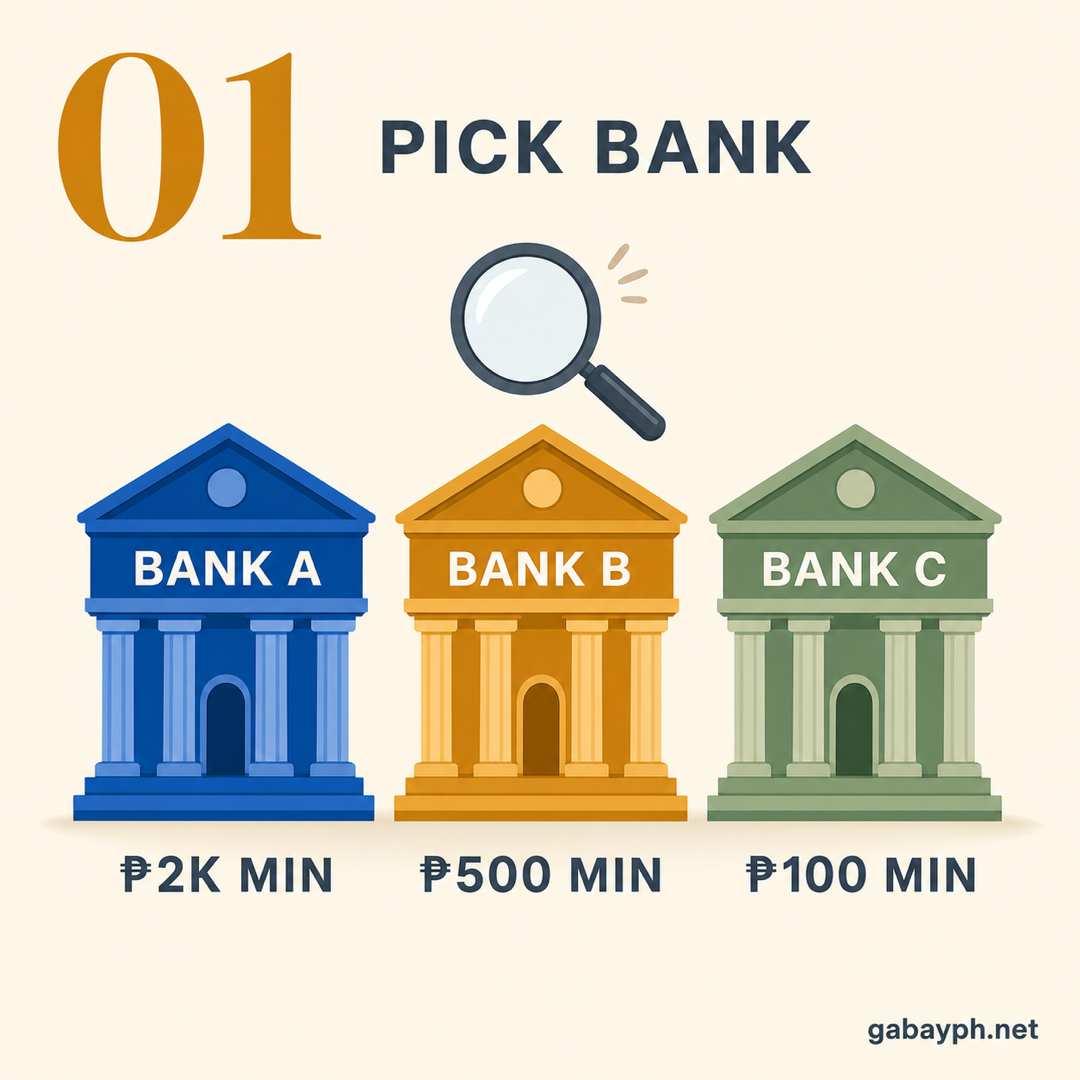
Choose Your Bank and Account Type
Before going to the branch, decide which bank and account type fits your needs. Consider these factors:
- Location: Is there a branch near your home or office? Is their ATM network convenient for you?
- Maintaining balance: Can you comfortably keep the minimum balance without dipping below it?
- Mobile app quality: Download and explore the bank's app before committing — some are much better than others
- Salary account: If your employer offers payroll through a specific bank, that's usually the easiest choice
Tip: Check the bank's website for the latest requirements and operating hours. Many banks require appointments now — call or book online before visiting.
-
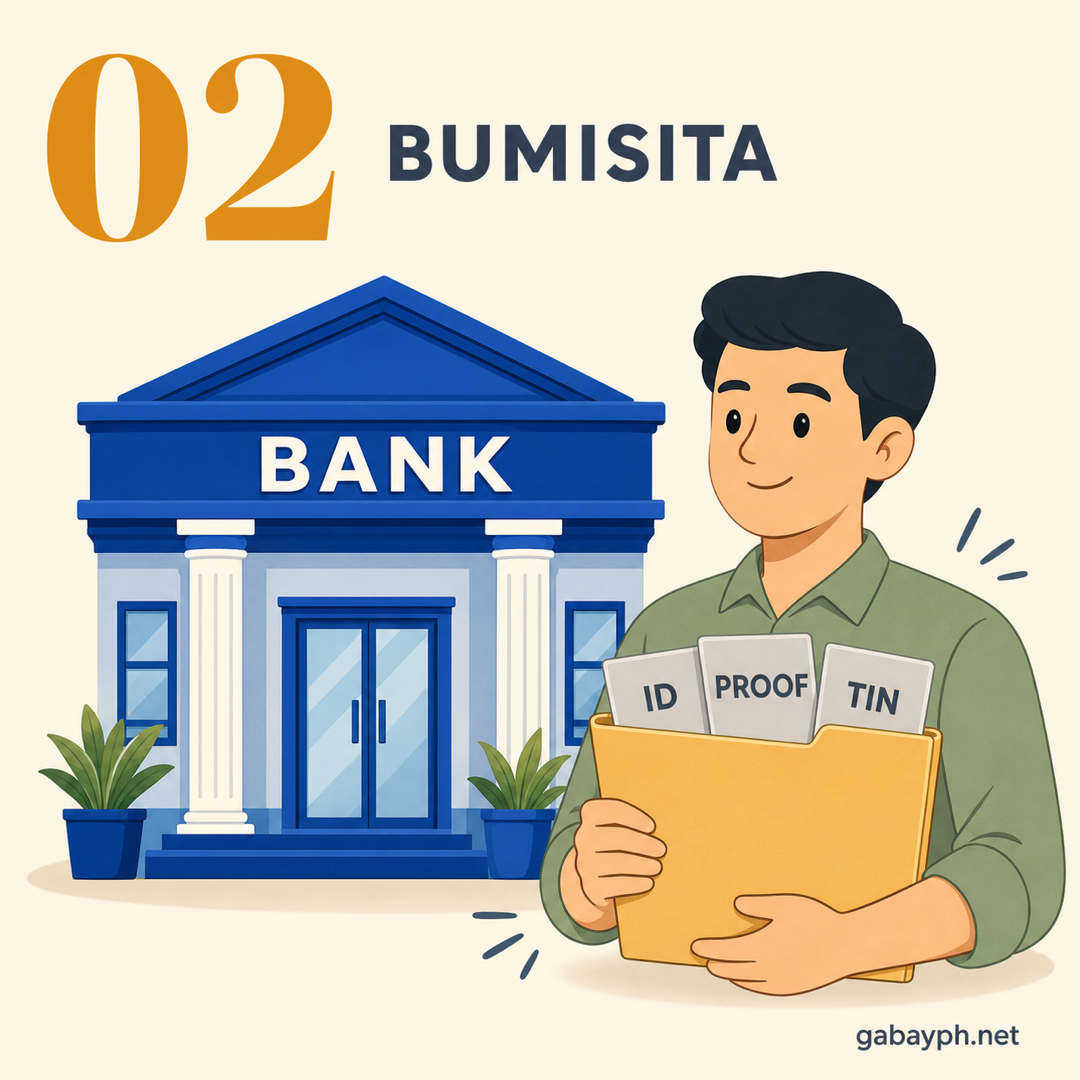
Visit the Bank Branch with Your Documents
Go to your chosen bank branch during banking hours (typically Monday to Friday, 9:00 AM to 3:00 PM; some branches in malls have extended hours until 5:00 PM or 6:00 PM, and are open on Saturdays).
Bring the following:
- Your valid government ID(s)
- Proof of address (if required)
- Cash for the initial deposit
- Your TIN or TIN ID
Tell the guard or receptionist that you want to "open a savings account." They will give you a queue number and direct you to the New Accounts section.
-
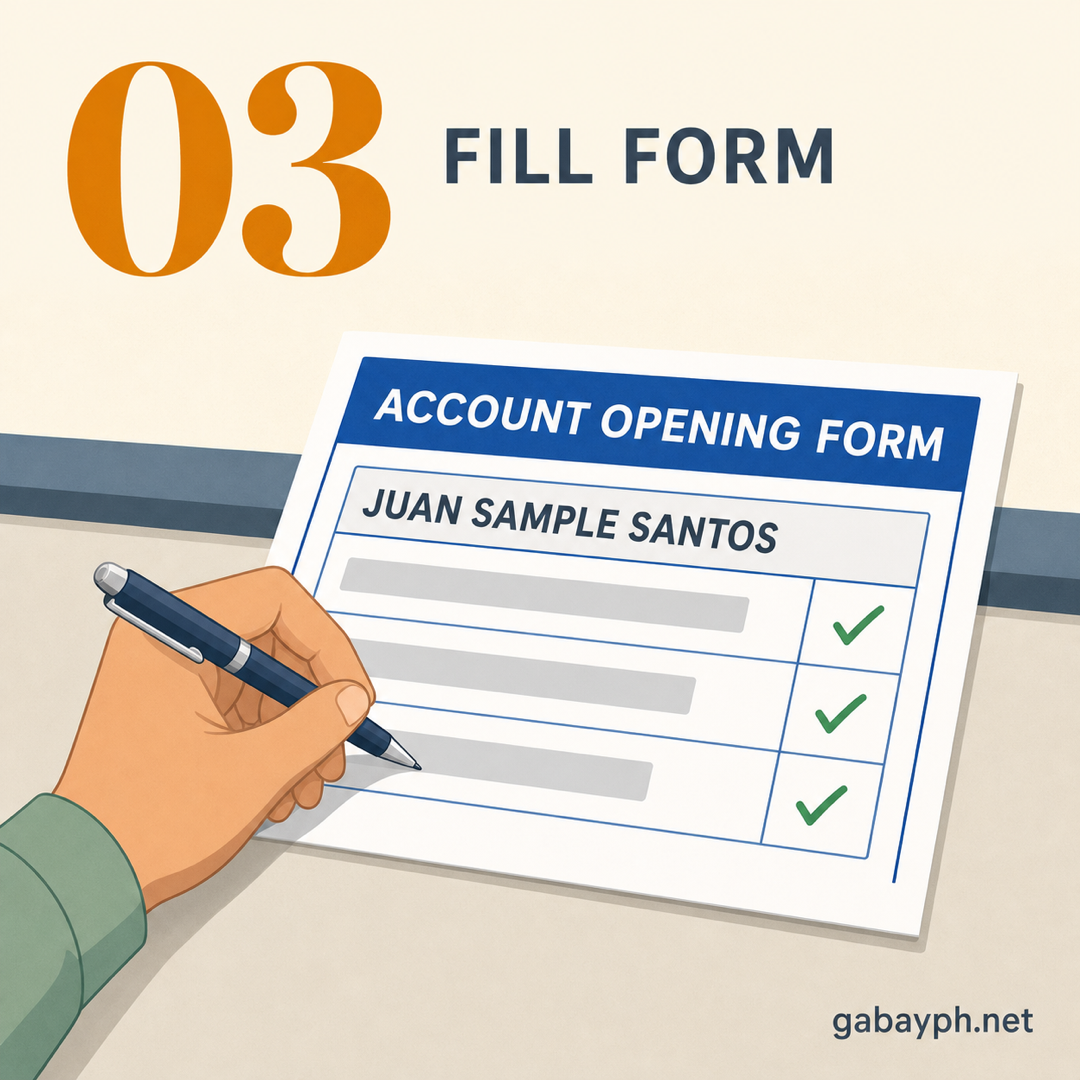
Fill Out the Application Form
The bank officer will give you an Account Opening Form. Fill it out completely and accurately:
- Full legal name (must match your ID exactly)
- Date of birth and civil status
- Present and permanent address
- Contact number and email address
- Occupation and source of income
- TIN number
- Name of beneficiary (in case of death — yes, they ask this)
You may also be asked to sign a signature card — sign it exactly the way you plan to sign all future transactions. Keep your signature consistent.
-
Piliin ang Bangko at Uri ng Account Mo
Bago pumunta sa branch, magdesisyon kung aling bangko at uri ng account ang angkop sa pangangailangan mo. Isaalang-alang ang mga ito:
- Lokasyon: May branch ba malapit sa bahay o opisina mo? Convenient ba ang ATM network nila para sa iyo?
- Maintaining balance: Kaya mo bang panatilihin ang minimum balance nang hindi bumababa?
- Kalidad ng mobile app: I-download at i-explore ang app ng bangko bago mag-commit — ang ilan ay mas maganda kaysa sa iba
- Salary account: Kung nag-o-offer ang employer mo ng payroll sa isang partikular na bangko, iyon ang karaniwang pinakamadaling pagpipilian
Tip: I-check ang website ng bangko para sa pinakabagong requirements at operating hours. Maraming bangko ngayon ang nangangailangan ng appointment — tumawag o mag-book online bago bumisita.
-
Pumunta sa Branch ng Bangko na May Mga Dokumento
Pumunta sa napili mong branch ng bangko sa banking hours (karaniwang Lunes hanggang Biyernes, 9:00 AM hanggang 3:00 PM; ang ibang branch sa mga mall ay may extended hours hanggang 5:00 PM o 6:00 PM, at bukas sa Sabado).
Dalhin ang mga sumusunod:
- Iyong valid na government ID(s)
- Proof of address (kung kinakailangan)
- Cash para sa initial deposit
- Iyong TIN o TIN ID
Sabihin sa guard o receptionist na gusto mong "magbukas ng savings account." Bibigyan ka nila ng queue number at itu-tuloy ka sa New Accounts section.
-
Punan ang Application Form
Bibigyan ka ng bank officer ng Account Opening Form. Punan ito nang kumpleto at tama:
- Buong legal na pangalan (dapat tugma sa ID mo)
- Petsa ng kapanganakan at civil status
- Kasalukuyan at permanenteng tirahan
- Contact number at email address
- Trabaho at pinagkukunan ng kita
- TIN number
- Pangalan ng beneficiary (kung sakaling mamatay — oo, tinatanong nila ito)
Maaari ring hilingin sa iyo na pumirma sa signature card — pumirma ng eksakto sa paraan na plano mong gamitin sa lahat ng susunod na transactions. Panatilihing consistent ang pirma mo.
-
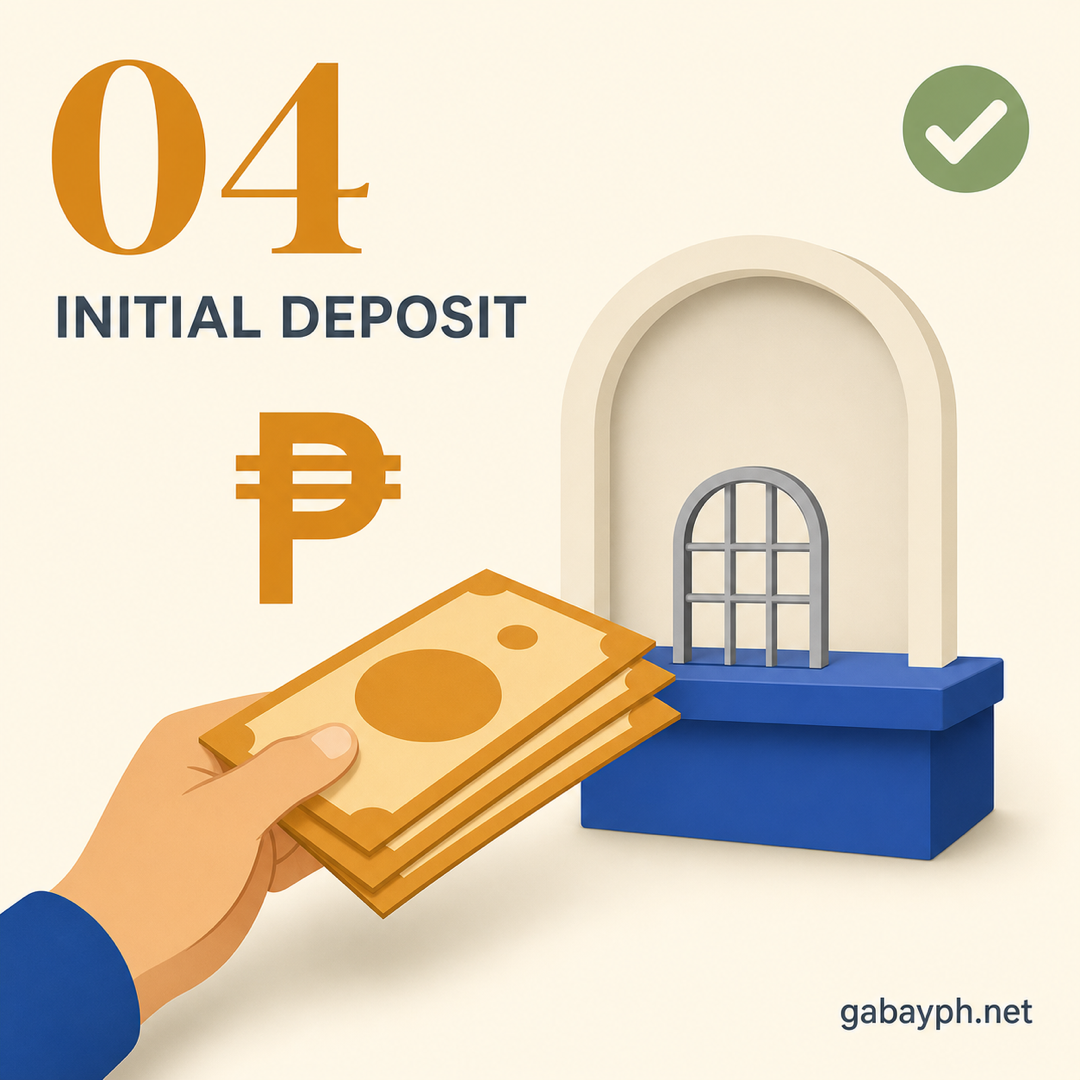
Make Your Initial Deposit
After your application is processed, the bank officer will direct you to the teller window to make your initial deposit. This is the minimum amount required to activate your account:
- Hand the teller your deposit slip (the bank officer will prepare this for you or ask you to fill one out)
- Give the cash amount for your initial deposit
- Keep the deposit receipt — this is your proof that the account was funded
Tip: Deposit a bit more than the minimum maintaining balance to give yourself a buffer. Halimbawa, if the maintaining balance is ₱3,000, deposit at least ₱5,000 para hindi ka ma-penalty agad.
-
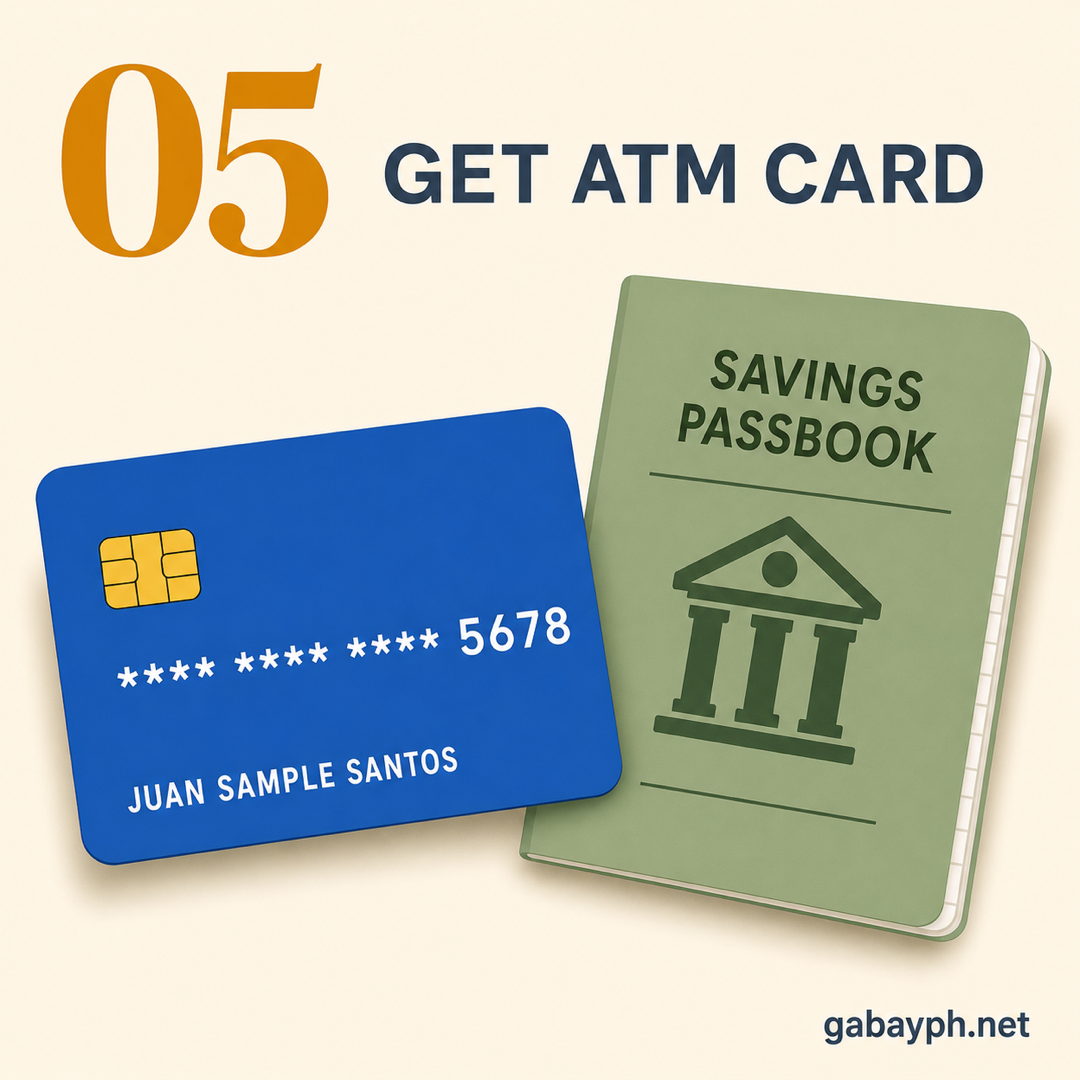
Receive Your ATM Card and Passbook
Depending on the bank and account type, you will receive:
- ATM/Debit card — Usually issued on the same day. You'll be asked to create a 6-digit PIN at a special terminal. Memorize it and never write it down where others can see it.
- Passbook — A small booklet that records your transactions. Not all account types come with a passbook (ATM savings accounts usually don't).
- Welcome kit — Includes terms and conditions, fee schedule, and instructions for online banking enrollment.
Some banks (like UnionBank and BPI) now issue numberless ATM cards for security — the card number is only visible in the app.
-
Enroll in Online and Mobile Banking
This is the most important step that many people skip. Online banking lets you check your balance, transfer money, pay bills, and more — all from your phone. Here's how to set it up:
- Download the bank's official app from Google Play Store or Apple App Store
- Register using your account number and the details you provided during account opening (email, mobile number)
- Verify via OTP sent to your registered mobile number or email
- Create your username and password — use a strong, unique password
- Enable biometric login (fingerprint or face) for convenience and security
Once enrolled, you can use InstaPay (instant transfers to other banks, ₱50,000 per transaction limit, usually ₱0-₱25 fee) and PESONet (larger transfers, no set amount limit, settled the same banking day, lower fees).
-
Gawin ang Initial Deposit Mo
Pagkatapos maproseso ang application mo, itu-tuloy ka ng bank officer sa teller window para gawin ang initial deposit mo. Ito ang minimum na halaga na kailangan para ma-activate ang account mo:
- Ibigay sa teller ang iyong deposit slip (ihahanda ito ng bank officer para sa iyo o hihilingin sa iyo na punan ito)
- Ibigay ang cash na halaga para sa initial deposit mo
- Itago ang deposit receipt — ito ang katibayan na na-fund ang account
Tip: Mag-deposit ng higit sa minimum maintaining balance para magkaroon ka ng buffer. Halimbawa, kung ₱3,000 ang maintaining balance, mag-deposit ng hindi bababa sa ₱5,000 para hindi ka ma-penalty agad.
-
Tanggapin ang ATM Card at Passbook Mo
Depende sa bangko at uri ng account, matatanggap mo ang:
- ATM/Debit card — Karaniwang ibinibigay sa parehong araw. Hihilingin sa iyo na lumikha ng 6-digit PIN sa isang espesyal na terminal. Tandaan ito at huwag isulat kung saan makikita ng iba.
- Passbook — Isang maliit na booklet na nagre-record ng mga transactions mo. Hindi lahat ng uri ng account ay may passbook (ang mga ATM savings accounts ay karaniwang wala).
- Welcome kit — Kasama ang terms and conditions, fee schedule, at mga instruksiyon para sa online banking enrollment.
Ang ibang bangko (tulad ng UnionBank at BPI) ngayon ay nag-i-issue na ng numberless ATM cards para sa seguridad — ang card number ay makikita lang sa app.
-
Mag-enroll sa Online at Mobile Banking
Ito ang pinakamahalagang hakbang na madalas nilalaktawan ng mga tao. Ang online banking ay nagbibigay-daan sa iyo na i-check ang balance, mag-transfer ng pera, magbayad ng bills, at marami pa — lahat mula sa phone mo. Narito kung paano i-set up:
- I-download ang opisyal na app ng bangko mula sa Google Play Store o Apple App Store
- Mag-register gamit ang account number mo at mga detalyeng ibinigay mo sa pagbubukas ng account (email, mobile number)
- I-verify via OTP na ipapadala sa registered mobile number o email mo
- Lumikha ng username at password mo — gumamit ng strong at unique na password
- I-enable ang biometric login (fingerprint o face) para sa kaginhawaan at seguridad
Kapag enrolled ka na, pwede mo nang gamitin ang InstaPay (instant transfers sa ibang bangko, ₱50,000 per transaction limit, karaniwang ₱0-₱25 na bayarin) at PESONet (mas malalaking transfers, walang set na limit sa halaga, napoproseso sa parehong banking day, mas mababang bayarin).
How to Open a Bank Account Online
Paano Magbukas ng Bank Account Online
Several banks now let you open an account 100% online — no need to visit a branch. This is perfect for busy professionals, freelancers, or those who don't live near a bank branch.
Banks That Offer Full Online Account Opening
- UnionBank — Download the UnionBank app, follow the registration flow, scan your ID, take a selfie, and your account is ready in minutes. No initial deposit required for online savings.
- BPI (via BPI Direct) — Open a BPI Direct savings account online with just ₱200. No maintaining balance. Full-service banking through the BPI app.
- RCBC (via DiskarTech) — Accessible even on basic smartphones. Low minimum balance, designed for unbanked Filipinos.
- Digital banks (Maya Bank, GoTyme, Tonik, CIMB) — All fully online, ₱0 maintaining balance, higher interest rates. Ideal for savings goals.
General Steps for Online Account Opening
- Download the bank's official app from Play Store or App Store
- Tap "Open Account" or "Sign Up"
- Enter your personal details (name, birthday, address, email, mobile number)
- Scan or photograph your valid government ID (front and back)
- Take a selfie for identity verification (liveness check — you may be asked to blink or turn your head)
- Create your login credentials (username, password, PIN)
- Wait for verification (usually instant to 24 hours)
- Fund your account via InstaPay, GCash, or over-the-counter
Important: Even with online accounts, you're fully protected by the PDIC (Philippine Deposit Insurance Corporation) up to ₱1,000,000 per depositor per bank. Digital banks and online accounts are just as regulated as traditional bank accounts.
Maraming bangko na ngayon ang nagbibigay-daan sa iyo na magbukas ng account na 100% online — hindi na kailangan pumunta sa branch. Perpekto ito para sa mga busy na professionals, freelancers, o mga hindi nakatira malapit sa branch ng bangko.
Mga Bangko na Nag-o-offer ng Full Online Account Opening
- UnionBank — I-download ang UnionBank app, sundin ang registration flow, i-scan ang ID, kumuha ng selfie, at handa na ang account mo sa ilang minuto. Walang initial deposit na kailangan para sa online savings.
- BPI (via BPI Direct) — Magbukas ng BPI Direct savings account online na may ₱200 lang. Walang maintaining balance. Full-service banking sa BPI app.
- RCBC (via DiskarTech) — Accessible kahit sa basic smartphones. Mababang minimum balance, dinisenyo para sa unbanked Filipinos.
- Digital banks (Maya Bank, GoTyme, Tonik, CIMB) — Lahat fully online, ₱0 maintaining balance, mas mataas na interest rates. Ideal para sa savings goals.
Mga Pangkalahatang Hakbang para sa Online Account Opening
- I-download ang opisyal na app ng bangko mula sa Play Store o App Store
- I-tap ang "Open Account" o "Sign Up"
- Ilagay ang mga personal details mo (pangalan, birthday, address, email, mobile number)
- I-scan o i-photograph ang valid na government ID mo (harap at likod)
- Kumuha ng selfie para sa identity verification (liveness check — maaaring hilingin sa iyo na mag-blink o ilihis ang ulo mo)
- Lumikha ng login credentials mo (username, password, PIN)
- Hintayin ang verification (karaniwang instant hanggang 24 oras)
- I-fund ang account mo via InstaPay, GCash, o over-the-counter
Mahalaga: Kahit sa online accounts, protektado ka ng PDIC (Philippine Deposit Insurance Corporation) hanggang ₱1,000,000 bawat depositor bawat bangko. Ang digital banks at online accounts ay pareho ring regulated gaya ng tradisyunal na bank accounts.
Online Banking & Fund Transfers (InstaPay / PESONet)
Online Banking at Fund Transfers (InstaPay / PESONet)
Once you have your account and are enrolled in online banking, you can send money to other banks instantly. The Philippines has two main electronic fund transfer systems:
InstaPay
- Speed: Real-time (instant, available 24/7 including holidays)
- Transaction limit (verify with your bank): ₱50,000 per transaction is the long-standing BSP-default cap, but BSP has been incrementally raising this and some banks now allow ₱200,000+ per transaction. Check your bank's published InstaPay limits.
- Fee: ₱0 to ₱25 depending on your bank (many banks offer free InstaPay transfers)
- Can send to: Any InstaPay-participating bank or e-wallet (GCash, Maya, etc.)
- Best for: Small to medium transfers, paying friends, sending money to e-wallets
PESONet
- Speed: Within the same business day if sent before cut-off (usually 3:00 PM), otherwise next business day
- Transaction limit: Higher than InstaPay — typically ₱200,000+ depending on the bank
- Fee: ₱0 to ₱50 depending on the bank
- Can send to: Any PESONet-participating bank
- Best for: Large transfers, business payments, payroll
How to transfer: Open your bank's app, go to "Transfer" or "Send Money", select InstaPay or PESONet, enter the recipient's bank, account number, and amount, then confirm with your password/OTP/biometrics.
Kapag may account ka na at enrolled ka sa online banking, pwede ka nang magpadala ng pera sa ibang bangko kaagad. Ang Pilipinas ay may dalawang pangunahing electronic fund transfer systems:
InstaPay
- Bilis: Real-time (instant, available 24/7 kasama ang holidays)
- Transaction limit: ₱50,000 bawat transaction
- Bayarin: ₱0 hanggang ₱25 depende sa bangko mo (maraming bangko ang nag-o-offer ng libreng InstaPay transfers)
- Pwedeng padalan: Kahit anong InstaPay-participating bank o e-wallet (GCash, Maya, atbp.)
- Pinakamainam para sa: Maliit hanggang katamtamang transfers, pagbabayad sa mga kaibigan, pagpapadala ng pera sa e-wallets
PESONet
- Bilis: Sa loob ng parehong business day kung ipinadala bago ang cut-off (karaniwang 3:00 PM), kung hindi ay susunod na business day
- Transaction limit: Mas mataas kaysa InstaPay — karaniwang ₱200,000+ depende sa bangko
- Bayarin: ₱0 hanggang ₱50 depende sa bangko
- Pwedeng padalan: Kahit anong PESONet-participating bank
- Pinakamainam para sa: Malalaking transfers, business payments, payroll
Paano mag-transfer: Buksan ang app ng bangko mo, pumunta sa "Transfer" o "Send Money", piliin ang InstaPay o PESONet, ilagay ang bangko ng tatanggap, account number, at halaga, tapos i-confirm gamit ang password/OTP/biometrics mo.
ATM Fees & Tips
ATM Fees at Mga Payo
Withdrawing at your own bank's ATM is always free. Using another bank's ATM costs ₱15-₱18 per withdrawal (balance inquiry: ₱2). To avoid fees: always use your own bank's ATM, use cashless payments (QR, debit card, online banking), and withdraw larger amounts less frequently. Card replacement if lost: ₱200-₱350.
Ang pag-withdraw sa sarili mong ATM ng bangko ay palaging libre. Ang paggamit ng ATM ng ibang bangko ay nagkakahalaga ng ₱15-₱18 bawat withdrawal (balance inquiry: ₱2). Para maiwasan ang fees: palaging gamitin ang ATM ng sarili mong bangko, gumamit ng cashless payments (QR, debit card, online banking), at mag-withdraw ng mas malaking halaga nang mas madalang. Card replacement kung nawala: ₱200-₱350.
Student Accounts
Student Accounts
Students (18 and below) can open accounts with lower requirements. Top options: BDO Junior Savers (₱500 deposit/maintaining), BPI Jumpstart (₱200 deposit/maintaining), Landbank Student Savings (very low maintaining), UnionBank Young Savers (₱0 maintaining, app-based). All require a parent/guardian's valid ID and presence for minors. Accounts convert to regular savings at age 18.
Ang mga estudyante (18 pababa) ay pwedeng magbukas ng account na may mas mababang requirements. Mga nangungunang opsyon: BDO Junior Savers (₱500 deposit/maintaining), BPI Jumpstart (₱200 deposit/maintaining), Landbank Student Savings (napakababang maintaining), UnionBank Young Savers (₱0 maintaining, app-based). Lahat ay nangangailangan ng valid ID at presensya ng magulang/guardian para sa mga menor de edad. Kino-convert ang accounts sa regular savings kapag 18 na.
Pro Tips
Mga Payo
- Open at least 2 bank accounts — one for your salary/daily expenses (traditional bank like BPI or BDO), and one for savings (digital bank with higher interest like Maya Bank or Tonik). This makes it harder to accidentally spend your savings.
- Set up auto-debit for bills — most banks let you schedule recurring payments for utilities, credit cards, and insurance so you never miss a due date.
- Never share your PIN, OTP, or password — your bank will never call or text asking for these. If someone does, it's a scam. Report to your bank immediately.
- Keep your maintaining balance above the minimum — a ₱300/month penalty means ₱3,600 per year lost to fees. That's almost enough for another initial deposit sa ibang bangko.
- Check your balance regularly via the app — monitor for unauthorized transactions and ensure your ADB stays above the maintaining balance.
- Update your contact details immediately if you change your phone number or email — you'll need these for OTPs and account recovery.
- Magbukas ng hindi bababa sa 2 bank accounts — isa para sa sweldo/pang-araw-araw na gastos (tradisyunal na bangko tulad ng BPI o BDO), at isa para sa ipon (digital bank na may mas mataas na interest tulad ng Maya Bank o Tonik). Mas mahirap na aksidenteng gastusin ang ipon mo nito.
- Mag-set up ng auto-debit para sa mga bills — karamihan ng bangko ay nagbibigay-daan sa iyo na mag-schedule ng recurring payments para sa utilities, credit cards, at insurance para hindi ka makalimot sa due date.
- Huwag ibahagi ang PIN, OTP, o password mo — hindi kailanman tatawag o magta-text ang bangko mo na hihingi ng mga ito. Kung may gumawa nito, scam iyon. Mag-report agad sa bangko mo.
- Panatilihing nasa itaas ng minimum ang maintaining balance mo — ang ₱300/buwan na penalty ay nangangahulugang ₱3,600 bawat taon na nawawala sa fees. Halos sapat na iyan para sa isa pang initial deposit sa ibang bangko.
- Regular na i-check ang balance mo sa app — subaybayan ang mga unauthorized transactions at tiyaking nananatili ang ADB mo sa itaas ng maintaining balance.
- I-update kaagad ang contact details mo kung nagpalit ka ng phone number o email — kailangan mo ang mga ito para sa OTPs at account recovery.
Frequently Asked Questions
Mga Madalas Itanong
Can I open a bank account without a TIN?
It depends on the bank. Most traditional banks require a TIN because of BSP regulations on customer identification. However, some banks (especially for basic deposit accounts) allow you to sign a TIN waiver form if you don't have one yet. Digital banks like Maya Bank, GoTyme, and Tonik typically don't require a TIN for basic accounts. If you need a TIN, you can apply at your nearest BIR Revenue District Office — it's free and usually processed within the day.
Pwede ba akong magbukas ng bank account nang walang TIN?
Depende sa bangko. Karamihan ng tradisyunal na bangko ay nangangailangan ng TIN dahil sa BSP regulations sa customer identification. Gayunpaman, ang ibang bangko (lalo na para sa basic deposit accounts) ay nagbibigay-daan sa iyo na pumirma ng TIN waiver form kung wala ka pa. Ang mga digital banks tulad ng Maya Bank, GoTyme, at Tonik ay karaniwang hindi nangangailangan ng TIN para sa basic accounts. Kung kailangan mo ng TIN, pwede kang mag-apply sa pinakamalapit na BIR Revenue District Office — libre ito at karaniwang napoproseso sa loob ng araw.
What happens if my balance falls below the maintaining balance?
The bank will charge a monthly penalty fee (typically ₱100 to ₱300 per month) that's automatically deducted from your account. This means your balance will keep going down even further. If your balance reaches zero or stays dormant (no transactions) for 2 years or more, the bank may classify your account as "dormant." You'll need to visit the branch with your ID to reactivate it. After 10 years of inactivity, your remaining balance may be escheated (turned over) to the government under the Unclaimed Balances Act.
Ano ang mangyayari kung bumaba ang balance ko sa maintaining balance?
Sisisingil ang bangko ng buwanang penalty fee (karaniwang ₱100 hanggang ₱300 bawat buwan) na awtomatikong ibabawas sa account mo. Ibig sabihin, patuloy pang bababa ang balance mo. Kung umabot sa zero ang balance mo o manatiling walang transaksyon (dormant) sa loob ng 2 taon o higit pa, maaaring i-classify ng bangko ang account mo bilang "dormant." Kailangan mong bumisita sa branch na may ID para ma-reactivate ito. Pagkatapos ng 10 taon ng walang aktibidad, ang natitirang balance mo ay maaaring ma-escheat (mailipat) sa gobyerno sa ilalim ng Unclaimed Balances Act.
How much money is insured by PDIC?
The Philippine Deposit Insurance Corporation (PDIC) insures deposits up to ₱1,000,000 per depositor per bank. This covers savings accounts, checking accounts, and time deposits. If you have more than ₱1,000,000, consider spreading your money across multiple banks so each deposit is fully insured. PDIC coverage is automatic — you don't need to sign up. All BSP-licensed banks (including digital banks) are covered.
Magkano ang insured ng PDIC?
Ang Philippine Deposit Insurance Corporation (PDIC) ay nag-i-insure ng mga deposito hanggang ₱1,000,000 bawat depositor bawat bangko. Saklaw nito ang savings accounts, checking accounts, at time deposits. Kung higit sa ₱1,000,000 ang pera mo, isaalang-alang ang pag-spread ng pera mo sa maraming bangko para fully insured ang bawat deposito. Ang PDIC coverage ay awtomatiko — hindi ka kailangang mag-sign up. Lahat ng BSP-licensed banks (kasama ang digital banks) ay saklaw.
Can I open a bank account if I'm a freelancer or self-employed?
Yes! Banks accept freelancers and self-employed individuals. You may be asked for additional documents like a BIR Certificate of Registration (Form 2303), DTI business name registration, or income tax return (ITR). For digital banks, the process is even simpler — most just need a valid ID and selfie. Freelancers benefit from having a separate business account to track income and expenses, which makes tax filing easier too.
Pwede ba akong magbukas ng bank account kung freelancer o self-employed ako?
Oo! Tinatanggap ng mga bangko ang mga freelancer at self-employed individuals. Maaaring humingi ng karagdagang mga dokumento tulad ng BIR Certificate of Registration (Form 2303), DTI business name registration, o income tax return (ITR). Para sa mga digital banks, mas simple pa ang proseso — karamihan ay kailangan lang ng valid ID at selfie. Nakikinabang ang mga freelancer sa pagkakaroon ng hiwalay na business account para ma-track ang kita at gastos, na nagpapadali rin sa tax filing.
How do I close a bank account?
To close an account, visit your bank branch with your valid ID, ATM card, and passbook (if applicable). You'll fill out an account closure form. The bank will issue a manager's check or cash for your remaining balance (minus any applicable fees). Some banks charge a pre-termination fee (₱200-₱500) if you close the account within the first year. Make sure all pending transactions and auto-debit arrangements are settled before closing. It typically takes 1-3 business days to process.
Paano mag-close ng bank account?
Para magsara ng account, bumisita sa branch ng bangko mo na may valid ID, ATM card, at passbook (kung applicable). Pupunan mo ang account closure form. Mag-i-issue ang bangko ng manager's check o cash para sa natitirang balance mo (minus ang anumang applicable fees). Ang ibang bangko ay nagcha-charge ng pre-termination fee (₱200-₱500) kung sinara mo ang account sa loob ng unang taon. Siguraduhing naka-settle na ang lahat ng pending transactions at auto-debit arrangements bago magsara. Karaniwang tumatagal ng 1-3 business days para maproseso.