

How to Apply for SSS in the Philippines (2026 Updated Guide)
Paano Mag-apply sa SSS sa Pilipinas (2026 Updated na Gabay)

The 5-Step Walkthrough
SSS membership in five steps.
Quick Summary
Mabilis na Buod
Important Disclaimer
This guide is for informational purposes only. Fees, requirements, contribution tables, and processes may change without notice. Always verify current information on the official SSS website or visit your nearest SSS branch. GabayPH is not affiliated with any government agency.
Mahalagang Disclaimer
Ang gabay na ito ay para sa layuning pang-impormasyon lamang. Ang mga bayarin, requirements, contribution tables, at proseso ay maaaring magbago nang walang abiso. Palaging i-verify ang kasalukuyang impormasyon sa opisyal na SSS website o bumisita sa pinakamalapit na SSS branch. Ang GabayPH ay hindi kaanib ng kahit anong ahensya ng gobyerno.
Table of Contents
Talaan ng Nilalaman
What is SSS?
Ano ang SSS?
The Social Security System (SSS) is the Philippines' government-run social insurance program, providing sickness, maternity, disability, retirement, death, and funeral benefits. Open to employees, self-employed, freelancers, and voluntary members. SSS loans (salary and calamity) are also among the most affordable loans available in the Philippines.
Ang Social Security System (SSS) ang government-run social insurance program ng Pilipinas, na nagbibigay ng sakit, maternity, disability, retirement, death, at funeral benefits. Bukas sa mga empleyado, self-employed, freelancers, at voluntary members. Ang mga SSS loan (salary at calamity) ay kabilang din sa pinakamurang mga loan na available sa Pilipinas.
Who Should Register for SSS?
Sino ang Dapat Mag-register sa SSS?
SSS membership is mandatory for the following:
- Employees — All workers in the private sector (your employer handles registration and deducts contributions from your salary)
- Self-employed individuals — Business owners, freelancers, professionals, farmers, fishermen with monthly income of at least ₱1,000
- Household helpers (kasambahay) — With monthly income of at least ₱1,000
Voluntary membership is available for:
- Separated (formerly employed) members who want to continue paying
- Overseas Filipino Workers (OFWs)
- Non-working spouses of SSS members
- Filipino citizens living abroad
Ang SSS membership ay mandatory para sa mga sumusunod:
- Mga empleyado — Lahat ng manggagawa sa private sector (ang employer mo ang humahawak ng registration at nagde-deduct ng contributions mula sa sahod mo)
- Self-employed na indibidwal — Mga may-ari ng negosyo, freelancers, propesyonal, magsasaka, mangingisda na may buwanang kita na hindi bababa sa ₱1,000
- Kasambahay — Na may buwanang kita na hindi bababa sa ₱1,000
Ang voluntary membership ay available para sa:
- Mga separated (dating empleyado) na miyembro na gustong magpatuloy sa pagbabayad
- Overseas Filipino Workers (OFWs)
- Non-working spouses ng mga SSS members
- Mga Filipino citizens na nakatira sa abroad
What You Need Before Starting
- Valid government ID — UMID, passport, driver's license, PRC ID, PhilSys National ID, or voter's ID
- Birth certificate — PSA-issued (original or certified true copy)
- Active email address — For online registration and MySSS account
- Mobile phone number — For OTP verification during registration
Mga Kakailanganin Mo Bago Magsimula
- Valid na government ID — UMID, passport, driver's license, PRC ID, PhilSys National ID, o voter's ID
- Birth certificate — PSA-issued (original o certified true copy)
- Active na email address — Para sa online registration at MySSS account
- Mobile phone number — Para sa OTP verification habang nag-re-register
Step-by-Step Instructions
Mga Hakbang-Hakbang na Instruksyon
-
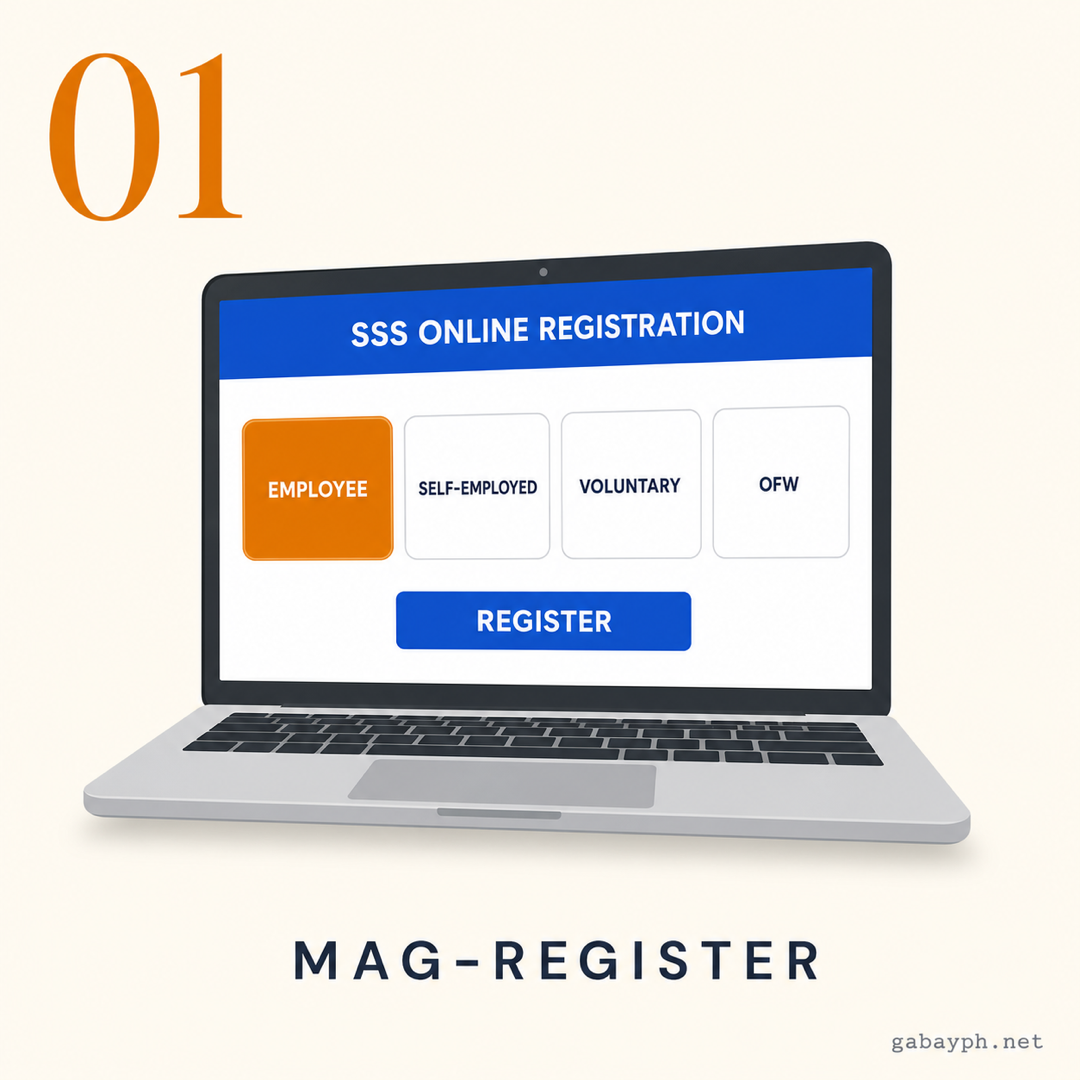
Register Online at the SSS Website
Go to www.sss.gov.ph and click "Online Registration" under the Member Services section. Choose your membership type:
- Employee — If you're currently employed (your employer usually handles this, but you can also self-register)
- Self-Employed — If you run your own business or work as a freelancer
- Voluntary Member — If you're not currently employed but want coverage
- OFW — If you're working or planning to work abroad
Fill out the online form with your personal information: full name (as it appears on your birth certificate), birthdate, birthplace, civil status, address, and contact details. Double-check everything — errors in your name or birthdate will cause problems later on.
You can also register in person at any SSS branch near you. Bring your valid ID and birth certificate. Walk-in registration usually takes 30-60 minutes depending on the queue.
-
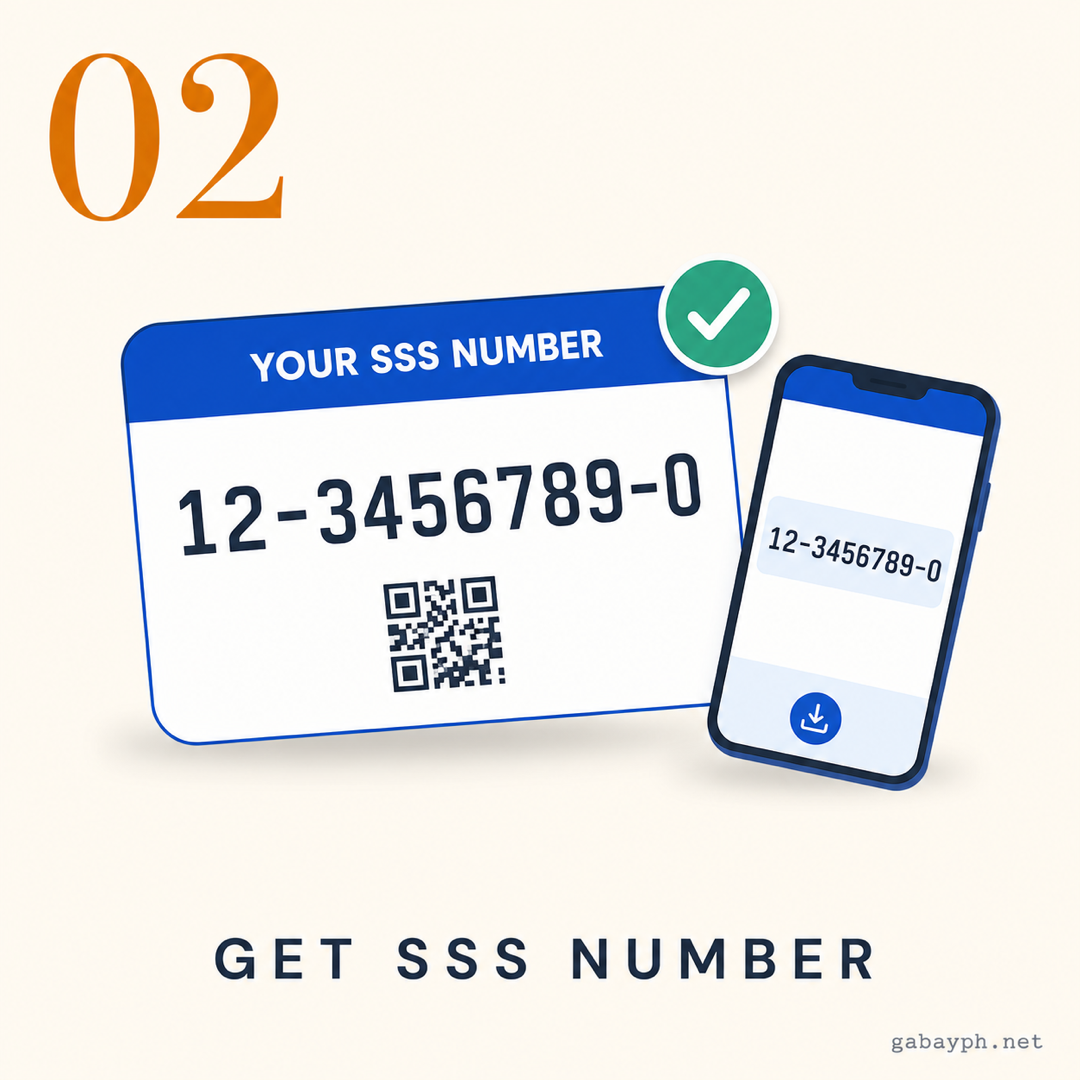
Get Your SSS Number
After completing the online registration form, you'll receive your 10-digit SSS number on screen and via email. Take a screenshot and save this number — you'll need it for everything related to SSS.
If you registered in person at an SSS branch, your SS number is printed on the confirmation slip they give you. For employees, your employer may also provide your SSS number during onboarding.
Already have an SSS number but forgot it? You can do an SSS number inquiry by:
- Visiting the SSS website and using the SS Number Inquiry feature (requires personal info verification)
- Texting SSS STATUS to 2600 (Globe/TM) or 9175 (Smart/TNT)
- Calling the SSS hotline at (02) 8920-6446
- Visiting any SSS branch with your valid ID
-
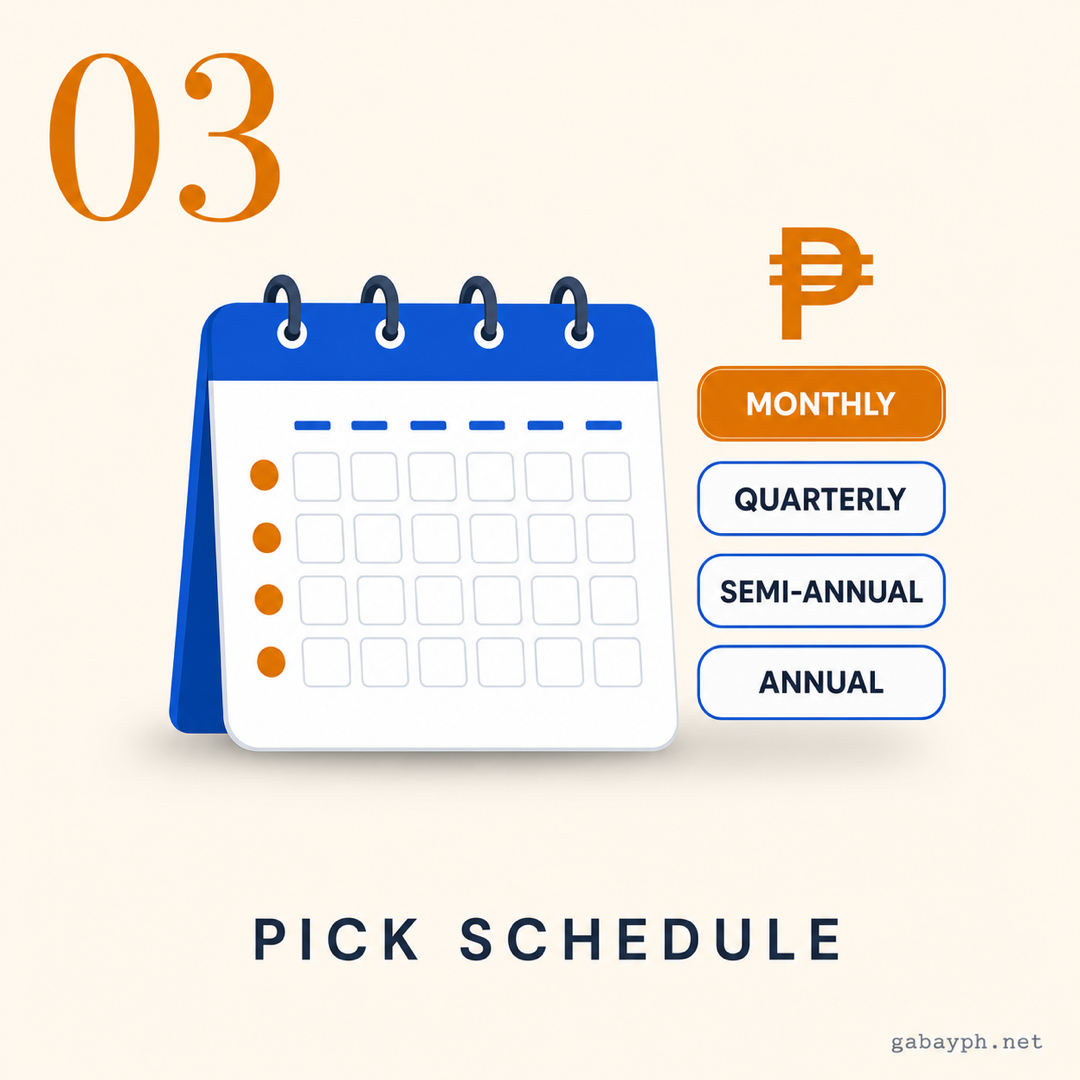
Choose Your Payment Schedule and Amount
Once you have your SSS number, decide on your contribution amount and payment schedule. For self-employed and voluntary members, you choose how much to pay based on your declared monthly income.
The 2026 SSS contribution rate is 15% of your monthly salary credit (MSC). For employees, this is split: 10% employer share, 5% employee share. For self-employed and voluntary members, you pay the full 15% yourself.
Payment schedule options:
- Monthly — Pay once a month (most common for self-employed/voluntary)
- Quarterly — Pay every 3 months
- Semi-annually — Pay every 6 months
- Annually — Pay once a year (good for those who prefer lump-sum payments)
See the full contribution table below to find the exact amount based on your income bracket.
-
Mag-register Online sa SSS Website
Pumunta sa www.sss.gov.ph at i-click ang "Online Registration" sa ilalim ng Member Services section. Piliin ang uri ng membership mo:
- Employee — Kung kasalukuyan kang empleyado (karaniwan ang employer mo ang gumagawa nito, pero pwede ka ring mag-self-register)
- Self-Employed — Kung may sarili kang negosyo o nagtatrabaho bilang freelancer
- Voluntary Member — Kung hindi ka kasalukuyang empleyado pero gusto mong magkaroon ng coverage
- OFW — Kung nagtatrabaho ka o nagpaplano kang magtrabaho sa abroad
Sagutan ang online form ng iyong personal na impormasyon: buong pangalan (kung paano nakasulat sa birth certificate mo), birthday, birthplace, civil status, address, at contact details. I-double-check ang lahat — ang mga mali sa pangalan o birthday mo ay magdudulot ng problema sa susunod.
Pwede ka ring mag-register nang personal sa kahit anong SSS branch malapit sa iyo. Dalhin ang valid ID at birth certificate mo. Ang walk-in registration ay karaniwang tumatagal ng 30-60 minuto depende sa pila.
-
Kunin ang SSS Number Mo
Pagkatapos kumpletuhin ang online registration form, matatanggap mo ang iyong 10-digit SSS number sa screen at sa email. Mag-screenshot at i-save ang numerong ito — kakailanganin mo ito sa lahat ng may kinalaman sa SSS.
Kung nag-register ka nang personal sa SSS branch, ang SS number mo ay naka-print sa confirmation slip na ibibigay sa iyo. Para sa mga empleyado, posibleng ibigay din ng employer mo ang SSS number mo sa onboarding.
May SSS number ka na pero nakalimutan? Pwede kang mag-SSS number inquiry sa pamamagitan ng:
- Pagbisita sa SSS website at paggamit ng SS Number Inquiry feature (kailangan mag-verify ng personal info)
- Pag-text ng SSS STATUS sa 2600 (Globe/TM) o 9175 (Smart/TNT)
- Pagtawag sa SSS hotline sa (02) 8920-6446
- Pagbisita sa kahit anong SSS branch na may dalang valid ID
-
Piliin ang Schedule at Halaga ng Bayad Mo
Kapag may SSS number ka na, magdesisyon sa halaga ng contribution at schedule ng pagbabayad. Para sa self-employed at voluntary members, ikaw ang pipili kung magkano ang ibabayad batay sa declared monthly income mo.
Ang 2026 SSS contribution rate ay 15% ng iyong monthly salary credit (MSC). Para sa mga empleyado, ito ay nahahati: 10% employer share, 5% employee share. Para sa self-employed at voluntary members, ikaw ang magbabayad ng buong 15%.
Mga opsyon sa schedule ng pagbabayad:
- Buwanan — Magbayad isang beses sa isang buwan (pinakakaraniwan para sa self-employed/voluntary)
- Quarterly — Magbayad kada 3 buwan
- Semi-annually — Magbayad kada 6 na buwan
- Annually — Magbayad isang beses sa isang taon (maganda para sa mga gustong lump-sum ang bayad)
Tingnan ang buong contribution table sa ibaba para malaman ang eksaktong halaga batay sa income bracket mo.
-
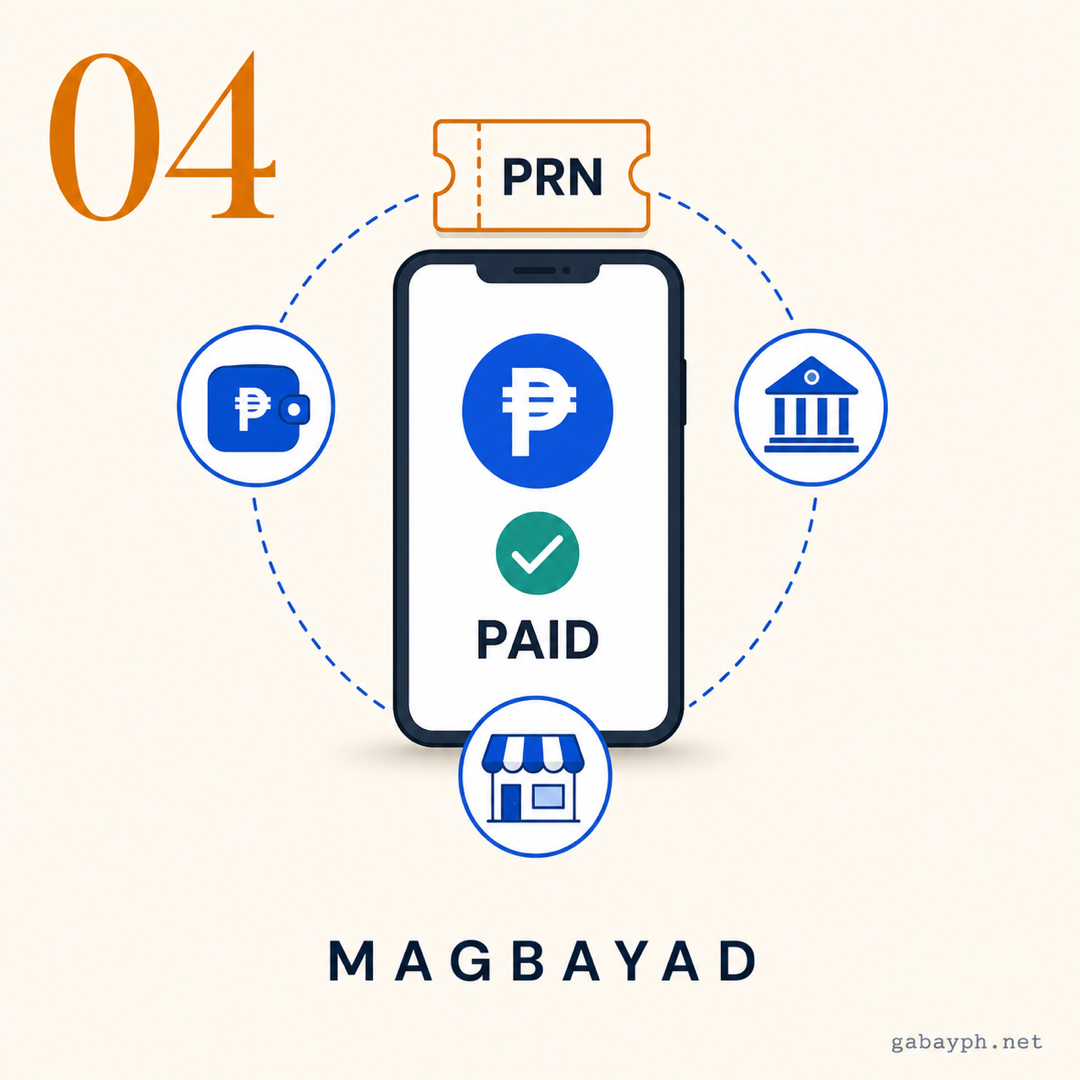
Pay Your Contributions
Now it's time to start paying. SSS accepts payments through multiple channels — you don't need to go to an SSS branch. The most popular options are:
- GCash — Tap "Pay Bills" > "Government" > "SSS Contribution." Enter your SSS number and amount. Free and instant.
- Maya (PayMaya) — Similar process through the "Pay Bills" section
- Online banking — BPI, BDO, UnionBank, Metrobank, and others have SSS as a biller
- Over-the-counter — Bayad Center, SM Business Center, 7-Eleven, Cebuana, Palawan Express
- SSS branch — Pay directly at any SSS branch (bring your payment reference number)
For provincial areas: If you don't have a 7-Eleven or SM nearby, Cebuana Lhuillier, Palawan Express, and MLhuillier branches are widely available even in rural towns. GCash is also a great option since it only requires a phone and internet. Call your nearest SSS branch first to confirm office hours — provincial branches may have different schedules.
Important: Generate your Payment Reference Number (PRN) first through the MySSS portal before paying. This ensures your payment is correctly posted to your account. Without a PRN, there's a risk your payment gets delayed or misposted.
-
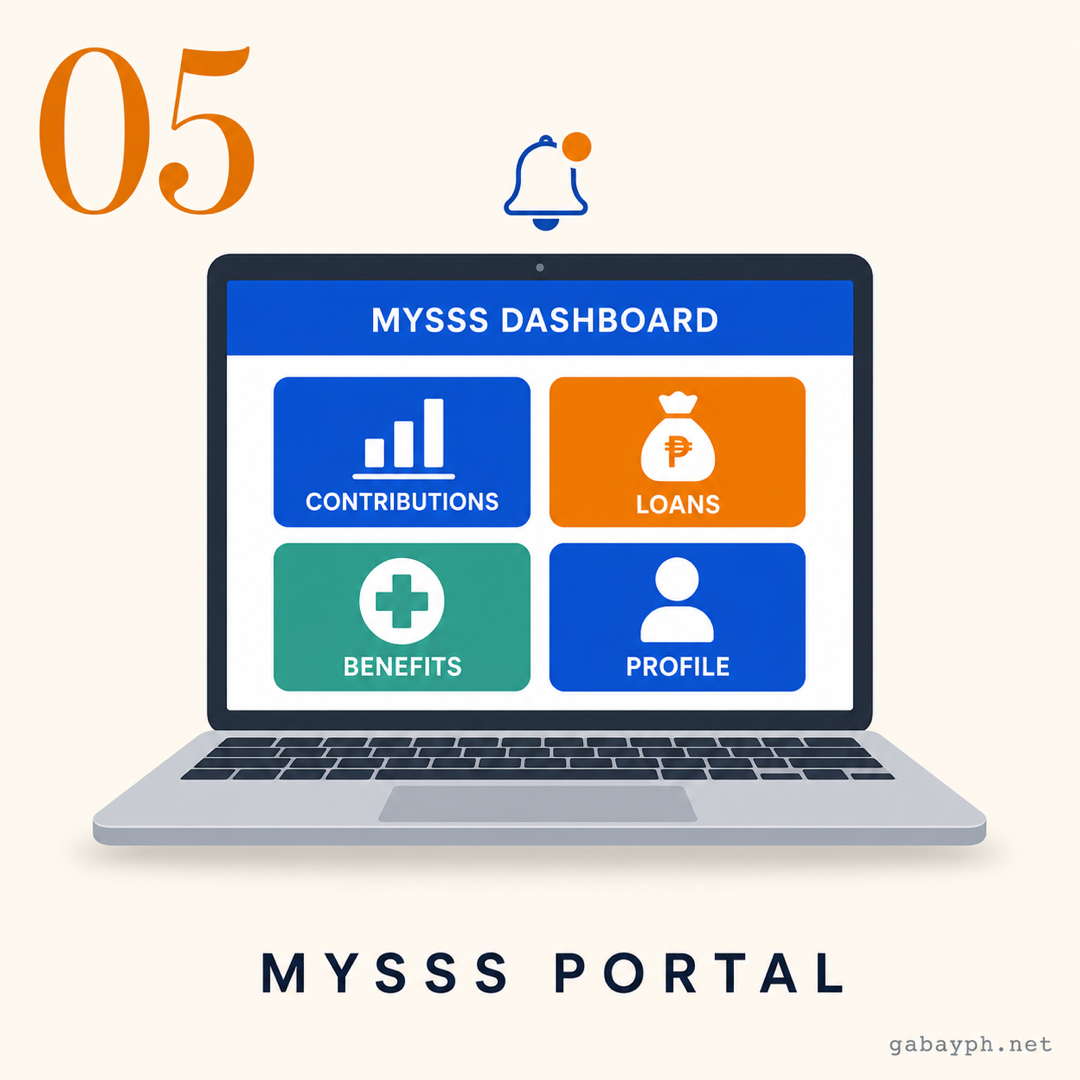
Access MySSS Portal
The MySSS portal is your online dashboard for everything SSS-related. To set it up:
- Go to member.sss.gov.ph
- Click "Register" and enter your SSS number, date of birth, and email
- Create your username and password
- Verify your email through the confirmation link sent to your inbox
Through MySSS, you can:
- Check contribution history — See all your posted payments by month and year
- Generate PRN — Get your payment reference number for contributions
- Apply for loans — Salary loan and calamity loan applications are done online
- View benefit status — Track sickness, maternity, or other benefit claims
- Update personal info — Change address, contact number, and beneficiaries
- Print documents — Download your contribution record (SSS form RS-5)
-
Magbayad ng Contributions Mo
Oras na para magsimulang magbayad. Tumatanggap ang SSS ng bayad sa iba't ibang paraan — hindi mo na kailangang pumunta sa SSS branch. Ang pinakapopular na options ay:
- GCash — I-tap ang "Pay Bills" > "Government" > "SSS Contribution." Ilagay ang SSS number at halaga mo. Libre at instant.
- Maya (PayMaya) — Kaparehong proseso sa "Pay Bills" section
- Online banking — Ang BPI, BDO, UnionBank, Metrobank, at iba pa ay may SSS bilang biller
- Over-the-counter — Bayad Center, SM Business Center, 7-Eleven, Cebuana, Palawan Express
- SSS branch — Magbayad nang direkta sa kahit anong SSS branch (dalhin ang payment reference number mo)
Para sa probinsya: Kung walang 7-Eleven o SM malapit sa inyo, ang Cebuana Lhuillier, Palawan Express, at MLhuillier ay may branches kahit sa mga rural towns. Ang GCash ay magandang option din dahil telepono at internet lang ang kailangan. Tawagan muna ang pinakamalapit na SSS branch para i-confirm ang office hours — iba ang schedule ng mga provincial branches.
Mahalaga: I-generate muna ang iyong Payment Reference Number (PRN) sa MySSS portal bago magbayad. Tinitiyak nito na tama ang pagka-post ng bayad mo sa account mo. Kung walang PRN, may panganib na ma-delay o ma-mispost ang bayad mo.
-
I-access ang MySSS Portal
Ang MySSS portal ang online dashboard mo para sa lahat ng may kinalaman sa SSS. Para ma-set up ito:
- Pumunta sa member.sss.gov.ph
- I-click ang "Register" at ilagay ang SSS number, birthday, at email mo
- Gumawa ng username at password
- I-verify ang email mo sa pamamagitan ng confirmation link na ipapadala sa inbox mo
Sa MySSS, pwede mong:
- I-check ang contribution history — Tingnan ang lahat ng na-post na bayad ayon sa buwan at taon
- I-generate ang PRN — Kunin ang payment reference number para sa contributions
- Mag-apply ng loans — Ang salary loan at calamity loan applications ay ginagawa online
- Tingnan ang benefit status — I-track ang sickness, maternity, o iba pang benefit claims
- I-update ang personal info — Palitan ang address, contact number, at beneficiaries
- Mag-print ng documents — I-download ang contribution record mo (SSS form RS-5)
SSS Contribution Table (2026)
The SSS contribution rate for 2026 is 15% of your Monthly Salary Credit (MSC). Here are the key brackets:
- Minimum: MSC ₱5,000 — Monthly contribution of ₱750 (self-employed/voluntary) or ₱250 employee share + ₱500 employer share
- ₱5,000 MSC — Total contribution: ₱750
- ₱10,000 MSC — Total contribution: ₱1,500
- ₱15,000 MSC — Total contribution: ₱2,250
- Maximum: MSC ₱35,000 — Monthly contribution of ₱5,250 (this is the cap for 2026)
Tip for voluntary and self-employed members: You can choose to pay at a higher bracket than your actual income. Higher contributions = higher benefits sa retirement, loans, and claims. Kung kaya mo, it's smart to pay at least the mid-range bracket (₱10,000-₱15,000 MSC) para mas malaki ang magiging pension and loan eligibility mo.
The government has been gradually increasing the MSC cap over the years. By 2026, the maximum MSC reached ₱35,000 and may increase further. Check the official SSS website for the latest schedule.
Ang SSS contribution rate para sa 2026 ay 15% ng iyong Monthly Salary Credit (MSC). Narito ang mga pangunahing bracket:
- Minimum: MSC ₱5,000 — Buwanang contribution na ₱750 (self-employed/voluntary) o ₱250 employee share + ₱500 employer share
- ₱5,000 MSC — Kabuuang contribution: ₱750
- ₱10,000 MSC — Kabuuang contribution: ₱1,500
- ₱15,000 MSC — Kabuuang contribution: ₱2,250
- Maximum: MSC ₱35,000 — Buwanang contribution na ₱5,250 (ito ang cap para sa 2026)
Tip para sa voluntary at self-employed members: Pwede kang pumili na magbayad sa mas mataas na bracket kaysa sa totoong kita mo. Mas mataas na contributions = mas mataas na benepisyo sa retirement, loans, at claims. Kung kaya mo, matalino na magbayad kahit man lang sa mid-range bracket (₱10,000-₱15,000 MSC) para mas malaki ang magiging pension at loan eligibility mo.
Patuloy na pinataas ng gobyerno ang MSC cap sa mga nakaraang taon. Noong 2026, umabot sa ₱35,000 ang maximum MSC at posibleng tumaas pa. I-check ang opisyal na SSS website para sa pinakabagong schedule.
How to Pay SSS Contributions
Paano Magbayad ng SSS Contributions
Via GCash (Most Popular)
Open GCash > Pay Bills > Government > SSS Contribution. Enter your SSS PRN (Payment Reference Number), the payment amount, and confirm. The payment is free and posts within 1-3 business days. Make sure your PRN is correct — double check the amount shown on your MySSS-generated PRN.
Via Banks (Online or Over-the-Counter)
Most major banks accept SSS payments as a bills payment option. You can pay through BDO, BPI, Metrobank, UnionBank, RCBC, Landbank, and others. Through online banking, select SSS as a biller and enter your PRN. Over-the-counter, bring your PRN printout to any branch.
Via Payment Centers
Visit any Bayad Center, SM Business Center, Robinsons Business Center, 7-Eleven, Cebuana Lhuillier, or Palawan Express. Present your PRN and pay in cash. Fees vary: most are free to ₱25 per transaction. This is ideal for those without bank accounts or e-wallets.
Via GCash (Pinakapopular)
Buksan ang GCash > Pay Bills > Government > SSS Contribution. Ilagay ang iyong SSS PRN (Payment Reference Number), ang halaga ng bayad, at i-confirm. Ang bayad ay libre at napo-post sa loob ng 1-3 business days. Siguraduhing tama ang PRN mo — i-double check ang halaga na makikita sa MySSS-generated PRN mo.
Via Banks (Online o Over-the-Counter)
Karamihan ng malalaking bangko ay tumatanggap ng SSS payments bilang bills payment option. Pwede kang magbayad sa BDO, BPI, Metrobank, UnionBank, RCBC, Landbank, at iba pa. Sa online banking, piliin ang SSS bilang biller at ilagay ang PRN mo. Over-the-counter, dalhin ang PRN printout mo sa kahit anong branch.
Via Payment Centers
Pumunta sa kahit anong Bayad Center, SM Business Center, Robinsons Business Center, 7-Eleven, Cebuana Lhuillier, o Palawan Express. Ipakita ang PRN mo at magbayad ng cash. Iba-iba ang bayarin: karamihan ay libre hanggang ₱25 bawat transaction. Ito ay mainam para sa mga walang bank account o e-wallet.
MySSS Portal Features
Mga Feature ng MySSS Portal
The MySSS portal (member.sss.gov.ph) is your one-stop online hub. Here's what you can do:
- Contribution Inquiry — Check if your payments have been posted. It usually takes 3-7 business days for contributions to reflect after payment.
- Loan Application — Apply for salary loans and calamity loans directly online. No need to visit a branch.
- Benefits Application — File for sickness, maternity, disability, or death benefits online.
- PRN Generation — Generate your unique Payment Reference Number for each contribution period.
- Static Information Update — Update your address, phone number, email, and designated beneficiaries.
Common issue: Kung hindi ma-access ang MySSS or may error sa login, try clearing your browser cache, use a different browser (Chrome or Firefox work best), or access it during off-peak hours (early morning or late evening). The portal tends to slow down on deadlines.
Ang MySSS portal (member.sss.gov.ph) ang iyong one-stop online hub. Narito ang pwede mong gawin:
- Contribution Inquiry — I-check kung na-post na ang mga bayad mo. Karaniwang 3-7 business days bago mag-reflect ang contributions pagkatapos magbayad.
- Loan Application — Mag-apply ng salary loans at calamity loans nang direkta online. Hindi na kailangang pumunta sa branch.
- Benefits Application — Mag-file ng sickness, maternity, disability, o death benefits online.
- PRN Generation — I-generate ang unique Payment Reference Number mo para sa bawat contribution period.
- Static Information Update — I-update ang address, phone number, email, at mga itinalagang beneficiaries.
Karaniwang problema: Kung hindi ma-access ang MySSS o may error sa login, subukang i-clear ang browser cache mo, gumamit ng ibang browser (pinakamaganda ang Chrome o Firefox), o i-access ito kapag off-peak hours (maaga ng umaga o gabi). Mabagal ang portal kapag malapit na ang deadline.
SSS Loan Types
Mga Uri ng SSS Loan
Salary Loan
The SSS Salary Loan lets members borrow up to two months' worth of their average monthly salary credit. Requirements: at least 36 months of posted contributions (with 6 contributions in the last 12 months). The interest rate is 8% per annum, and the loan is payable in 24 monthly installments. This is one of the lowest-interest loans available in the Philippines. You can apply online through MySSS — no need to visit a branch.
Calamity Loan
Available when the government declares a state of calamity in your area. Borrowing amount: up to one month's average MSC. Requirements: at least 36 months of posted contributions (with 6 contributions in the last 12 months) and you must reside or work in the calamity-affected area. Interest rate is 7% per annum, payable in 24 monthly installments. Applications are processed online through MySSS during the calamity loan window.
Salary Loan
Ang SSS Salary Loan ay nagbibigay-daan sa mga miyembro na umutang ng hanggang dalawang buwan na halaga ng average monthly salary credit nila. Mga kinakailangan: kahit 36 buwan ng na-post na contributions (na may 6 na contributions sa nakaraang 12 buwan). Ang interest rate ay 8% kada taon, at ang loan ay mababayaran sa 24 na buwanang installments. Isa ito sa pinakamurang loan na available sa Pilipinas. Pwede kang mag-apply online sa MySSS — hindi na kailangang pumunta sa branch.
Calamity Loan
Available kapag nagdeklara ang gobyerno ng state of calamity sa lugar mo. Halaga ng utang: hanggang isang buwan na average MSC. Mga kinakailangan: kahit 36 buwan ng na-post na contributions (na may 6 na contributions sa nakaraang 12 buwan) at kailangan mong nakatira o nagtatrabaho sa lugar na apektado ng kalamidad. Ang interest rate ay 7% kada taon, mababayaran sa 24 na buwanang installments. Ang mga application ay napoproseso online sa MySSS habang bukas ang calamity loan window.
Try our free tool: Loan Calculator — compute your SSS salary loan monthly amortization and total interest before you apply.
Subukan ang aming libreng tool: Loan Calculator — i-compute ang buwanang amortization at kabuuang interest ng SSS salary loan mo bago mag-apply.
Pro Tips
Mga Payo
- Pay contributions consistently — Gaps in your payment history can reduce your benefit amounts and disqualify you from loans. Set a monthly reminder or use auto-debit through your bank.
- Generate your PRN before every payment — This is the number one mistake people make. Paying without a PRN can result in unposted or misposted contributions that take months to fix.
- Check your contributions online quarterly — Don't wait until you need a loan to discover that months of payments were not posted. Regular checking = early problem detection.
- Voluntary members: pay at a higher bracket if you can — Your retirement pension is based on your average monthly salary credit. Higher contributions now = bigger pension later.
- Update your beneficiaries — Especially after major life events (marriage, birth of a child, death of a beneficiary). Outdated beneficiary info can delay death and funeral benefit claims.
- Keep a record of all payments — Screenshot or save your payment confirmations from GCash, banks, or payment centers. You'll need these as proof if there are posting issues.
- Magbayad ng contributions nang tuloy-tuloy — Ang mga gaps sa payment history mo ay pwedeng magbawas sa halaga ng benepisyo mo at mag-disqualify sa iyo sa mga loans. Mag-set ng buwanang reminder o gumamit ng auto-debit sa bangko mo.
- I-generate ang PRN mo bago ang bawat bayad — Ito ang number one mistake na ginagawa ng mga tao. Ang pagbabayad nang walang PRN ay pwedeng magresulta sa hindi na-post o maling na-post na contributions na ilang buwan bago maayos.
- I-check ang contributions mo online kada quarter — Huwag hintayin na kailangan mo na ng loan bago mo madiskubre na ilang buwan na pala ng bayad ang hindi na-post. Regular na pag-check = maaga mong madediskubre ang problema.
- Voluntary members: magbayad sa mas mataas na bracket kung kaya — Ang retirement pension mo ay base sa average monthly salary credit mo. Mas mataas na contributions ngayon = mas malaking pension mamaya.
- I-update ang mga beneficiaries mo — Lalo na pagkatapos ng mahahalagang pangyayari sa buhay (kasal, kapanganakan, pagkamatay ng beneficiary). Ang luma na beneficiary info ay pwedeng mag-delay sa death at funeral benefit claims.
- Mag-keep ng record ng lahat ng bayad — Mag-screenshot o i-save ang payment confirmations mula sa GCash, bangko, o payment centers. Kakailanganin mo ang mga ito bilang proof kung may posting issues.
Frequently Asked Questions
Mga Madalas Itanong
What benefits do SSS members get?
SSS provides a comprehensive range of benefits:
- Sickness benefit — Daily cash allowance for members who are unable to work due to illness or injury (up to 120 days per year)
- Maternity benefit — 105 days of paid leave for female members (120 days for solo parents), plus 15 days transferable to the father
- Disability benefit — Monthly pension or lump sum for members who become permanently disabled
- Retirement benefit — Monthly pension starting at age 60 (optional) or 65 (mandatory), based on contributions and years of membership
- Death benefit — Monthly pension or lump sum paid to beneficiaries
- Funeral benefit — ₱20,000–₱60,000 to help cover burial expenses
- Unemployment benefit (Involuntary Separation) — Cash benefit for members who lose their jobs due to retrenchment, closure, or redundancy
Ano ang mga benepisyo ng SSS members?
Nagbibigay ang SSS ng komprehensibong hanay ng mga benepisyo:
- Sickness benefit — Araw-araw na cash allowance para sa mga miyembrong hindi makapagtrabaho dahil sa sakit o injury (hanggang 120 araw kada taon)
- Maternity benefit — 105 araw na may bayad na leave para sa mga babaeng miyembro (120 araw para sa solo parents), dagdag ang 15 araw na pwedeng ilipat sa ama
- Disability benefit — Buwanang pension o lump sum para sa mga miyembrong permanenteng may kapansanan
- Retirement benefit — Buwanang pension simula sa edad 60 (opsyonal) o 65 (mandatory), batay sa contributions at taon ng membership
- Death benefit — Buwanang pension o lump sum na ibinabayad sa mga beneficiaries
- Funeral benefit — ₱20,000–₱60,000 para tumulong sa gastusin sa libing
- Unemployment benefit (Involuntary Separation) — Cash benefit para sa mga miyembrong nawalan ng trabaho dahil sa retrenchment, pagsasara, o redundancy
How to check SSS contribution?
There are several ways to check your SSS contribution history:
- MySSS portal: Log in at member.sss.gov.ph > "Inquiry" > "Contribution" — this shows your complete payment history by month and year
- SSS Mobile App: Download the SSS Mobile app and check contributions under "My Contributions"
- Text inquiry: Text SSS CONTRIB [SS Number] to 2600 (Globe/TM) or 9175 (Smart/TNT)
- Visit an SSS branch: Bring a valid ID and request a contribution printout
- Call the SSS hotline: (02) 8920-6446 or 1455
Contributions typically take 3-7 business days to post after payment. If a payment hasn't posted after 2 weeks, contact SSS with your proof of payment.
Paano i-check ang SSS contribution?
Maraming paraan para i-check ang SSS contribution history mo:
- MySSS portal: Mag-log in sa member.sss.gov.ph > "Inquiry" > "Contribution" — makikita dito ang kumpletong payment history mo ayon sa buwan at taon
- SSS Mobile App: I-download ang SSS Mobile app at i-check ang contributions sa ilalim ng "My Contributions"
- Text inquiry: Mag-text ng SSS CONTRIB [SS Number] sa 2600 (Globe/TM) o 9175 (Smart/TNT)
- Pumunta sa SSS branch: Magdala ng valid ID at hilingin ang contribution printout
- Tumawag sa SSS hotline: (02) 8920-6446 o 1455
Karaniwang 3-7 business days bago mag-post ang contributions pagkatapos magbayad. Kung hindi pa rin na-post pagkatapos ng 2 linggo, makipag-ugnayan sa SSS na may dalang proof of payment.
Can I pay SSS through GCash?
Yes! GCash is one of the most convenient ways to pay SSS contributions. Here's how:
- Generate your PRN (Payment Reference Number) on the MySSS portal first
- Open GCash and tap "Pay Bills"
- Go to "Government" > "SSS Contribution"
- Enter your PRN, payment amount, and confirm
The payment is free (no service fee) and usually posts to your SSS account within 1-3 business days. You can also pay via Maya, online banking, or over-the-counter at 7-Eleven and Bayad Centers.
Pwede ba akong magbayad ng SSS sa GCash?
Oo! Ang GCash ay isa sa pinakamaginhawang paraan para magbayad ng SSS contributions. Narito kung paano:
- I-generate muna ang iyong PRN (Payment Reference Number) sa MySSS portal
- Buksan ang GCash at i-tap ang "Pay Bills"
- Pumunta sa "Government" > "SSS Contribution"
- Ilagay ang iyong PRN, halaga ng bayad, at i-confirm
Ang bayad ay libre (walang service fee) at karaniwang napo-post sa SSS account mo sa loob ng 1-3 business days. Pwede ka ring magbayad sa Maya, online banking, o over-the-counter sa 7-Eleven at Bayad Centers.
What is the minimum SSS contribution?
For 2026, the minimum SSS contribution is ₱750 per month, which corresponds to a Monthly Salary Credit (MSC) of ₱5,000. This is the lowest bracket available for self-employed and voluntary members.
For employed members, the minimum employee share is ₱250/month (with the employer paying ₱500), for a combined total of ₱750.
While ₱750 is the minimum, paying at a higher bracket is advisable if you can afford it. Your retirement pension, loan eligibility, and benefit amounts are all based on your average MSC. A member paying at the minimum bracket will receive a significantly smaller pension than one paying at the ₱15,000 or ₱35,000 MSC level.
Magkano ang minimum na SSS contribution?
Para sa 2026, ang minimum na SSS contribution ay ₱750 bawat buwan, na katumbas ng Monthly Salary Credit (MSC) na ₱5,000. Ito ang pinakamababang bracket na available para sa self-employed at voluntary members.
Para sa mga empleyadong miyembro, ang minimum employee share ay ₱250/buwan (habang ₱500 ang ibabayad ng employer), para sa combined total na ₱750.
Bagamat ₱750 ang minimum, inirerekumenda ang pagbabayad sa mas mataas na bracket kung kaya mo. Ang retirement pension mo, loan eligibility, at halaga ng benepisyo ay lahat base sa average MSC mo. Ang isang miyembrong nagbabayad sa minimum bracket ay makakatanggap ng mas maliit na pension kumpara sa nagbabayad sa ₱15,000 o ₱35,000 MSC level.
 Quick Check: Take the Retirement Readiness Quiz to see how prepared you are.
Quick Check: I-take ang Retirement Readiness Quiz para malaman kung gaano ka ka-preparado.
Quick Check: Take the Retirement Readiness Quiz to see how prepared you are.
Quick Check: I-take ang Retirement Readiness Quiz para malaman kung gaano ka ka-preparado.