

How to Spot and Avoid Scams in the Philippines (2026 Guide)
Paano Maiwasan ang Scam sa Pilipinas (2026 Gabay)
5 Scam Patterns
Common scams in five facts.
Quick Summary
Mabilis na Buod
Table of Contents
Talaan ng Nilalaman
Common Scam Types in the Philippines
Mga Karaniwang Uri ng Scam sa Pilipinas
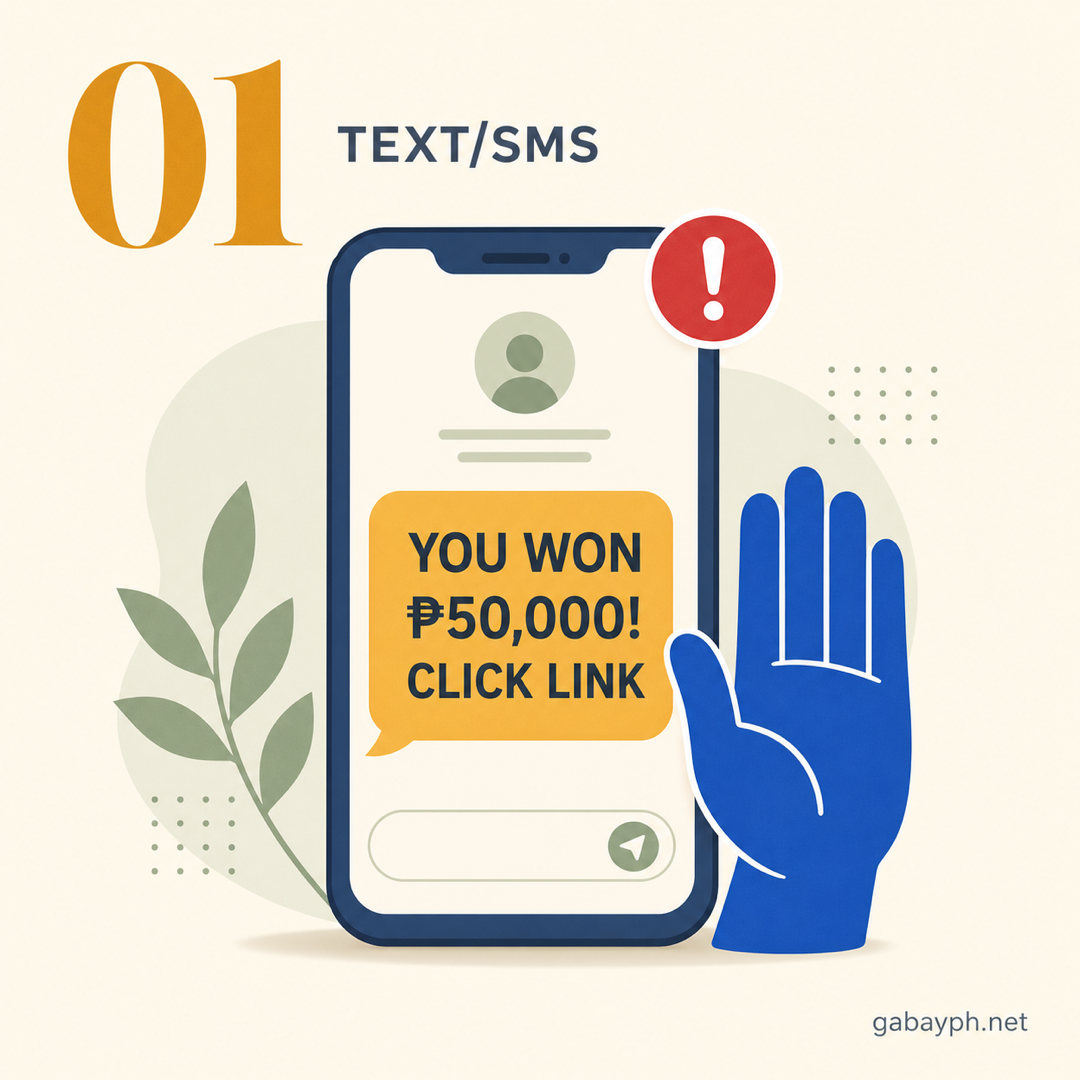
1. Text Scams ("You Won!" / Prize Scams)
The most common scam in the Philippines. You receive a text message claiming you've won a prize, a raffle, or cash from a telco, government agency, or company. The message asks you to click a link, reply with personal info, or call a number to "claim your prize." Sometimes it comes with a sender name that looks official, like "GLOBE-PROMO" or "SMART-REWARD."
How it works: The scammer wants you to send money (for "processing fees" or "taxes"), give personal information, or click a phishing link that steals your data. No legitimate company will ever text you about a prize you didn't enter for.
2. Love Scams (Romance Scams)
Scammers create fake profiles on dating apps (Tinder, Bumble), Facebook, or messaging apps. They build a romantic relationship over weeks or months, then start asking for money — for "emergencies," "hospital bills," or "plane tickets to visit you." They refuse video calls and always have excuses not to meet in person.
3. Investment Scams (Ponzi / Pyramid / Crypto)
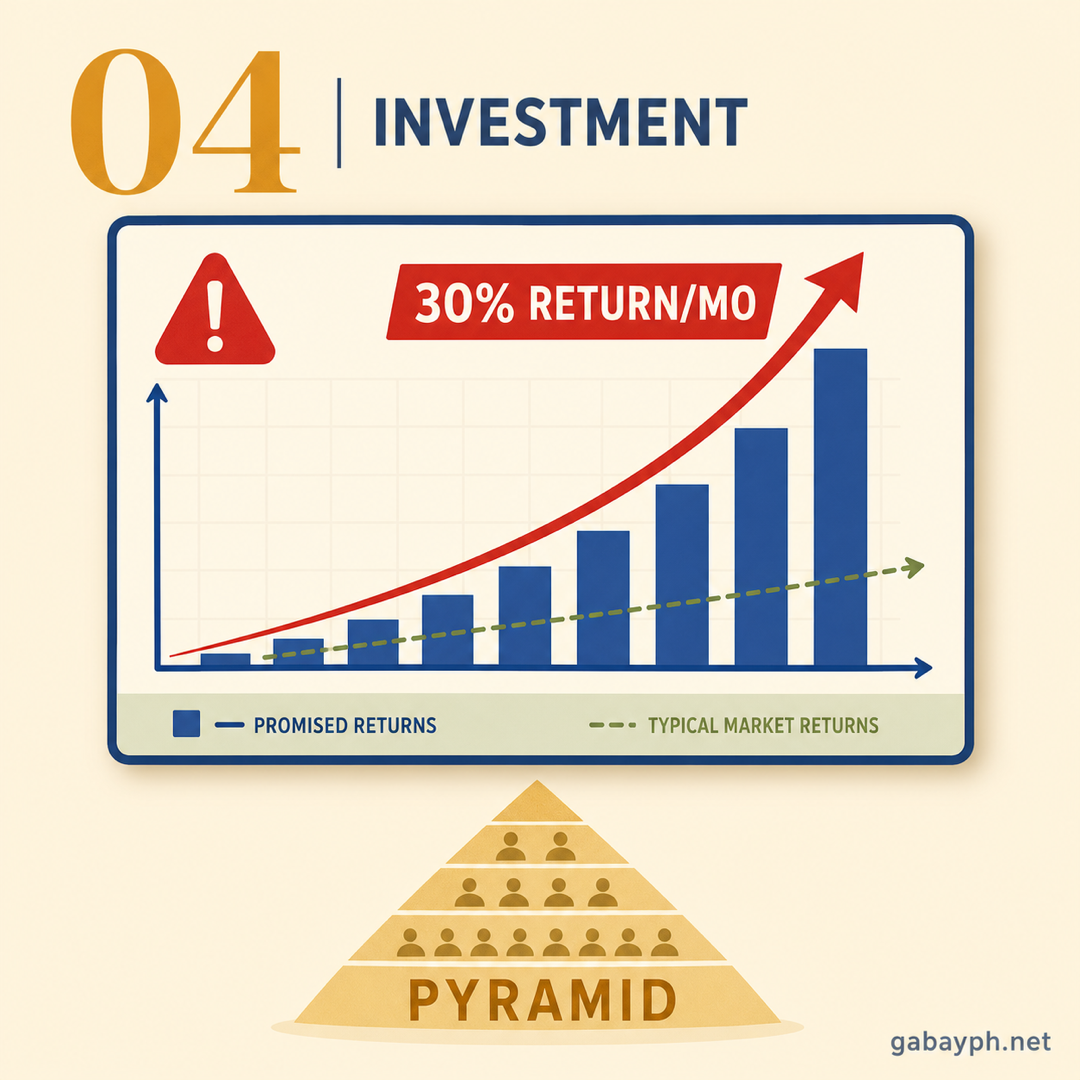
These promise guaranteed high returns (e.g., "double your money in 30 days," "earn 30% monthly"). They often involve cryptocurrency, forex trading, or vague "investment platforms." Early investors get paid using money from new investors (Ponzi scheme). When recruitment slows, the scheme collapses and most people lose everything.
Notable examples in the PH: Kapa Ministry (2019), numerous Facebook-based crypto groups, and various "networking" schemes disguised as legitimate businesses.
4. Job Scams (Fake Overseas/Online Jobs)
These target Filipinos looking for work abroad or online work-from-home jobs. The scam involves fake recruitment agencies, fake job postings promising high salaries (especially for "easy" online jobs), and requests for "placement fees," "training fees," or "visa processing fees" upfront. Some lead to human trafficking situations, particularly those promising jobs in Cambodia, Myanmar, or other Southeast Asian countries.
Warning: Legitimate POEA-accredited agencies never charge placement fees to workers for certain countries. Always verify agencies through the DMW (Department of Migrant Workers) website.
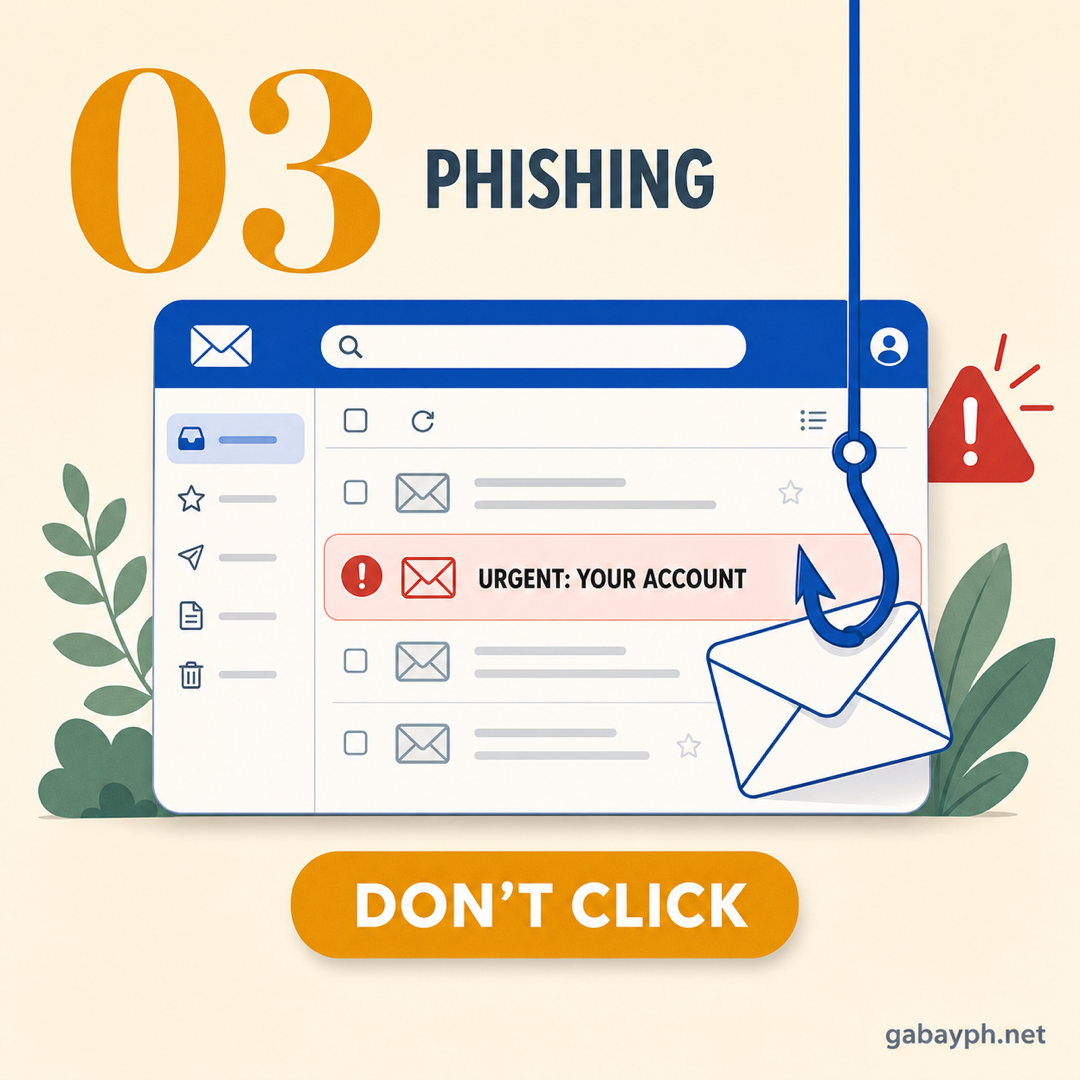
5. Phishing Emails and Fake Websites
You receive an email that looks like it's from your bank, GCash, Maya, Lazada, or Shopee, saying your "account has been locked" or "verify your identity." The link leads to a fake website where you enter your login credentials — which the scammer steals. Always check the sender's email address and never click links in suspicious messages.
6. Vishing (Voice Phishing — Fake Bank Calls)
You receive a phone call from someone claiming to be from your bank's "fraud department" or "security team." They say suspicious activity was detected on your account and ask you to "verify" your account number, card number, CVV, PIN, or OTP. The caller ID may even show a number that looks like the bank's official hotline (spoofed numbers).
Remember: Your bank will NEVER call you and ask for your PIN, OTP, CVV, or full card number. If you get such a call, hang up immediately and call your bank's official hotline yourself.
7. SIM Swap Scams
The scammer convinces your mobile network (by posing as you with stolen personal info) to transfer your phone number to a new SIM card they control. Once they have your number, they can receive your OTPs and gain access to your bank accounts, GCash, Maya, and other services linked to that number.
Signs you've been SIM swapped: Your phone suddenly loses signal for no reason, you stop receiving calls and texts, and you get notifications about account changes you didn't make.
1. Text Scams ("Nanalo Ka!" / Prize Scams)
Ang pinakakaraniwang scam sa Pilipinas. Tatanggap ka ng text message na nagsasabing nanalo ka sa isang premyo, raffle, o cash mula sa isang telco, ahensya ng gobyerno, o kumpanya. Hihingi ang mensahe na mag-click ka ng link, mag-reply ng personal info, o tumawag sa isang numero para "kunin ang premyo mo." Minsan ang pangalan ng nagpadala ay mukhang opisyal, tulad ng "GLOBE-PROMO" o "SMART-REWARD."
Paano ito gumagana: Gusto ng scammer na magpadala ka ng pera (para sa "processing fees" o "taxes"), magbigay ng personal na impormasyon, o mag-click ng phishing link na magnakaw ng data mo. Walang lehitimong kumpanya na magtetext sa iyo tungkol sa premyo na hindi mo sinali.
2. Love Scams (Romance Scams)
Gumagawa ang mga scammer ng mga pekeng profile sa dating apps (Tinder, Bumble), Facebook, o messaging apps. Nagtatayo sila ng romantic na relasyon sa loob ng mga linggo o buwan, tapos magsisimulang humingi ng pera — para sa "emergencies," "hospital bills," o "plane tickets para puntahan ka." Tumatanggi sa video calls at laging may dahilan para hindi magkita nang personal.
3. Investment Scams (Ponzi / Pyramid / Crypto)
Nangangako ang mga ito ng garantisadong mataas na kita (hal., "doblehin ang pera mo sa 30 araw," "kumita ng 30% kada buwan"). Kadalasang may kinalaman sa cryptocurrency, forex trading, o malabong "investment platforms." Ang mga unang investor ay binabayaran gamit ang pera ng mga bagong investor (Ponzi scheme). Kapag bumagal ang recruitment, bumabagsak ang scheme at karamihan ay nawawalan ng lahat.
Mga kilalang halimbawa sa PH: Kapa Ministry (2019), maraming Facebook-based na crypto groups, at iba't ibang "networking" schemes na nagpapanggap na lehitimong negosyo.
4. Job Scams (Pekeng Trabaho sa Abroad/Online)
Tina-target nito ang mga Pilipinong naghahanap ng trabaho sa abroad o online work-from-home jobs. Kasama sa scam ang pekeng recruitment agencies, pekeng job postings na nangangako ng mataas na sahod (lalo na para sa "madaling" online jobs), at mga hinihingi na "placement fees," "training fees," o "visa processing fees" nang pauna. Ang ilan ay humahantong sa mga sitwasyon ng human trafficking, lalo na ang mga nangangako ng trabaho sa Cambodia, Myanmar, o ibang bansa sa Southeast Asia.
Babala: Ang mga lehitimong POEA-accredited na ahensya ay hindi kailanman naniningil ng placement fees sa mga manggagawa para sa ilang bansa. Palaging i-verify ang mga ahensya sa website ng DMW (Department of Migrant Workers).
5. Phishing Emails at Pekeng Websites
Tatanggap ka ng email na mukhang galing sa iyong bangko, GCash, Maya, Lazada, o Shopee, na nagsasabing "na-lock ang account mo" o "i-verify ang identity mo." Ang link ay patungo sa isang pekeng website kung saan mo ilalagay ang login credentials mo — na nanakaw ng scammer. Palaging suriin ang email address ng nagpadala at huwag mag-click ng links sa kahina-hinalang mensahe.
6. Vishing (Voice Phishing — Pekeng Tawag mula sa Bangko)
Tatanggap ka ng tawag mula sa isang taong nagpapanggap na galing sa "fraud department" o "security team" ng bangko mo. Sinasabi nilang may napansing kahina-hinalang aktibidad sa account mo at hinihingi nilang "i-verify" ang account number, card number, CVV, PIN, o OTP mo. Ang caller ID ay maaari pang magpakita ng numero na mukhang opisyal na hotline ng bangko (spoofed numbers).
Tandaan: Ang bangko mo ay HINDI KAILANMAN tatawag sa iyo at hihingi ng iyong PIN, OTP, CVV, o buong card number. Kung nakatanggap ka ng ganyang tawag, ibaba kaagad at ikaw mismo ang tumawag sa opisyal na hotline ng bangko mo.
7. SIM Swap Scams
Kinokombinsi ng scammer ang iyong mobile network (sa pamamagitan ng pagpapanggap na ikaw gamit ang ninakaw na personal info) na ilipat ang phone number mo sa bagong SIM card na kontrolado nila. Kapag nakuha na nila ang number mo, matatanggap nila ang mga OTP mo at magkaroon ng access sa iyong bank accounts, GCash, Maya, at iba pang mga serbisyong nakakonekta sa number na iyon.
Mga senyales na na-SIM swap ka: Biglang nawalan ng signal ang phone mo nang walang dahilan, hindi ka na nakakatanggap ng mga tawag at text, at nakakatanggap ka ng mga notification tungkol sa mga pagbabago sa account na hindi mo ginawa.
Red Flags Checklist: How to Spot a Scam
If you encounter any of these signs, you are very likely dealing with a scam:
- Unknown numbers or sender names — The message comes from an unrecognized number, or the sender name doesn't match any company you deal with
- Urgency and pressure tactics — "Act NOW or lose your account!" / "Claim within 24 hours!" / "Your account will be closed!" — scammers always create panic
- Asking for your OTP — No legitimate bank, app, or company will EVER ask for your OTP (One-Time Password). OTPs are for YOUR eyes only
- Too good to be true — "Guaranteed 50% returns!" / "You won P500,000!" / "Earn P50K/month from home with no experience!" — if it sounds too good, it is
- Asking you to click suspicious links — Short URLs (bit.ly), misspelled domains (gcash-promo.xyz), or links that don't match the official website
- Asking for money upfront — Legitimate jobs, prizes, and government services do NOT require you to pay before receiving what was promised
- Requesting personal/financial information — Full card number, CVV, PIN, mother's maiden name, or login credentials via text, call, or chat
- Poor grammar and generic greetings — "Dear valued customer" instead of your actual name, obvious typos, or machine-translated Filipino
- Refusing to provide verifiable identity — The caller won't give their employee ID, branch, or any information you can independently verify
- Pressuring you to keep it secret — "Don't tell anyone about this opportunity" or "This is a confidential offer" — legitimate transactions are never secret
Red Flags Checklist: Paano Makilala ang Scam
Kung nakatagpo ka ng kahit isa sa mga senyales na ito, malamang na scam ang kausap mo:
- Hindi kilalang numero o pangalan ng nagpadala — Galing ang mensahe sa hindi kilalang numero, o hindi tugma ang pangalan ng nagpadala sa anumang kumpanyang kinakausap mo
- Pagmamadali at pressure tactics — "Kumilos NGAYON o mawawala ang account mo!" / "I-claim sa loob ng 24 oras!" / "Isasara ang account mo!" — palaging gumagawa ng panic ang mga scammer
- Humihingi ng OTP mo — Walang lehitimong bangko, app, o kumpanya ang KAILANMAN hihingi ng OTP (One-Time Password) mo. Ang OTP ay para lang sa IYONG mata
- Sobrang ganda para maging totoo — "Garantisadong 50% returns!" / "Nanalo ka ng P500,000!" / "Kumita ng P50K/buwan mula sa bahay walang experience!" — kung sobrang ganda, scam iyan
- Pinapag-click ka ng kahina-hinalang mga link — Mga short URL (bit.ly), maling spelling ng domain (gcash-promo.xyz), o mga link na hindi tugma sa opisyal na website
- Humihingi ng pera nang pauna — Ang mga lehitimong trabaho, premyo, at serbisyo ng gobyerno ay HINDI nangangailangan na magbayad ka bago matanggap ang ipinangako
- Humihingi ng personal/financial na impormasyon — Buong card number, CVV, PIN, maiden name ng nanay, o login credentials sa text, tawag, o chat
- Maling grammar at generic na pagbati — "Dear valued customer" imbes na totoong pangalan mo, halatang mga typo, o machine-translated na Filipino
- Tumatanggi magbigay ng mapapatunayan na pagkakakilanlan — Hindi ibibigay ng tumatawag ang employee ID, branch, o anumang impormasyon na maaari mong i-verify nang mag-isa
- Pinipilit kang ilihim ito — "Huwag mong sabihin kaninuman ang pagkakataong ito" o "Isa itong confidential offer" — ang mga lehitimong transaksyon ay hindi kailanman lihim
What to Do When You Receive a Suspicious Call, Text, or Email
Ano ang Gagawin Kapag May Natanggap na Kahina-hinalang Tawag, Text, o Email
-
Don't Panic — Pause and Think
Scammers rely on your emotional reaction. Whether the message says "your account has been compromised" or "you just won a million pesos," the first thing to do is stop and breathe. Do NOT click any links, reply to the message, or call back the number. The moment you feel rushed or pressured, that's your biggest sign it's a scam.
-
Do NOT Share Any Personal Information
Never provide your OTP, PIN, password, bank account number, credit card details, or any personal information — regardless of who the caller or sender claims to be. Remember: your bank already has your information. They will never need to ask for your OTP or PIN over the phone. If someone says "I need your OTP to verify your identity," that is 100% a scam.
-
Verify Independently
If the message claims to be from your bank, GCash, or a government agency, do not use any contact information provided in the suspicious message. Instead:
- Open a new browser tab and go to the official website yourself
- Call the official customer service hotline printed on the back of your card or on the official website
- Visit the nearest branch in person if possible
- Check the company's official social media pages for announcements about known scams
-
Huwag Mag-panic — Huminto at Mag-isip
Umaasa ang mga scammer sa emosyonal na reaksyon mo. Kahit sinasabi ng mensahe na "nakompromiso ang account mo" o "nanalo ka ng isang milyong piso," ang unang gagawin ay huminto at huminga. HUWAG mag-click ng anumang link, mag-reply sa mensahe, o tumawag pabalik sa numero. Sa sandaling maramdaman mong minamadali ka o pinipilit, iyan ang pinakamalaking senyales na scam ito.
-
HUWAG Ibigay ang Anumang Personal na Impormasyon
Huwag kailanman magbigay ng iyong OTP, PIN, password, bank account number, credit card details, o anumang personal na impormasyon — kahit sino pa ang sinasabi ng tumatawag o nagpadala. Tandaan: alam na ng bangko mo ang impormasyon mo. Hindi nila kailanman kailangang hingin ang OTP o PIN mo sa telepono. Kung may nagsabi na "Kailangan ko ang OTP mo para i-verify ang identity mo," 100% scam iyan.
-
I-verify nang Mag-isa
Kung sinasabi ng mensahe na galing ito sa bangko mo, GCash, o isang ahensya ng gobyerno, huwag gamitin ang anumang contact information na ibinigay sa kahina-hinalang mensahe. Sa halip:
- Magbukas ng bagong browser tab at pumunta sa opisyal na website nang ikaw mismo
- Tumawag sa opisyal na customer service hotline na naka-print sa likod ng card mo o sa opisyal na website
- Bumisita sa pinakamalapit na branch nang personal kung posible
- I-check ang mga opisyal na social media pages ng kumpanya para sa mga anunsyo tungkol sa mga kilalang scam
-
Block the Number or Email
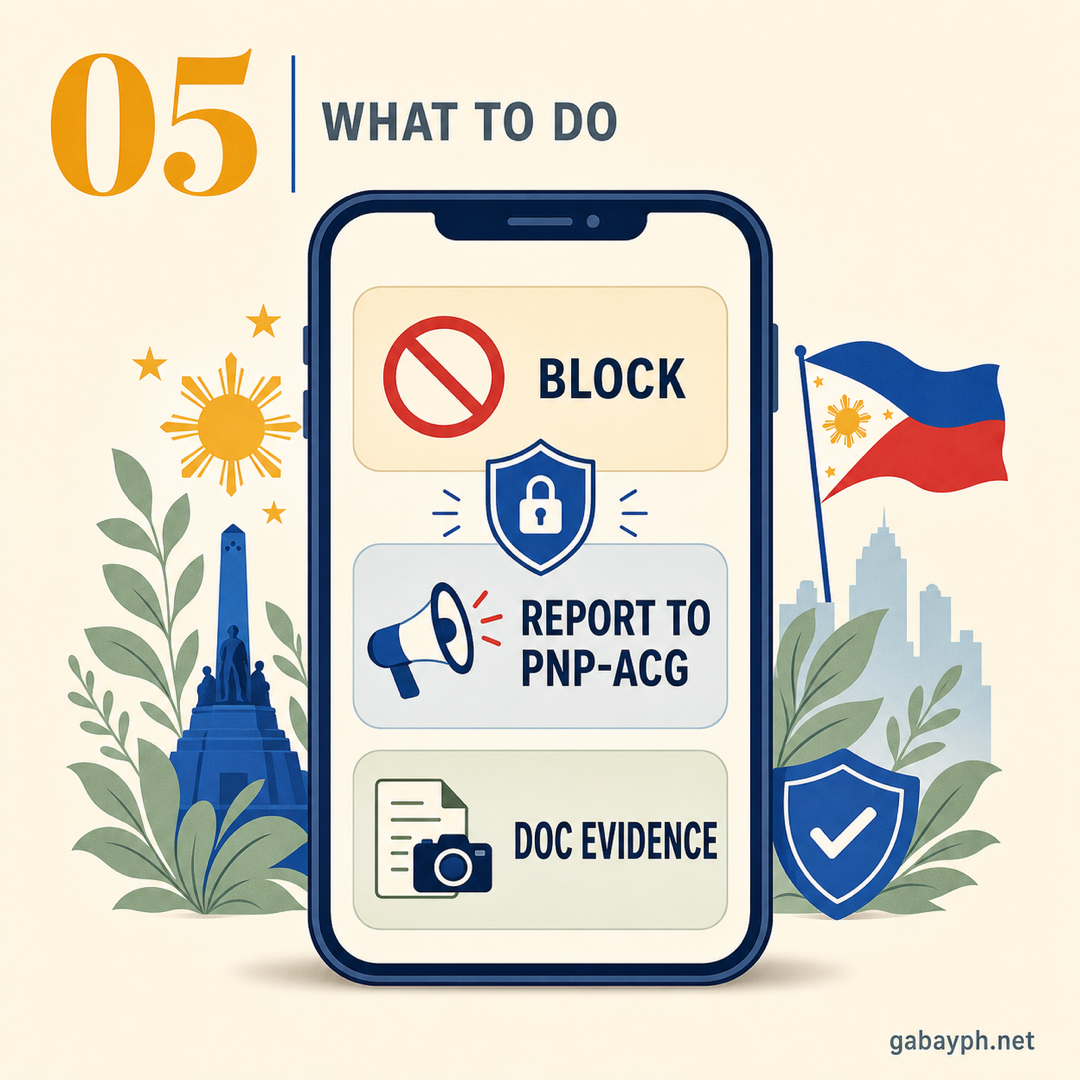
On your phone, long-press the suspicious text message and select "Block number" or "Report spam." For emails, mark it as spam/phishing in your email client. On iPhones, go to the message, tap the sender's number, tap "Info," then "Block this Caller." On Android, open the message, tap the three-dot menu, and select "Block."
-
Report the Scam
Reporting helps authorities track and shut down scam operations. See the full reporting guide below for all the agencies and hotlines. At minimum:
- Forward scam texts to your network: Globe: 7726, Smart: 7726, DITO: report via app
- Call the CICC Hotline: 1326
- File a report online at the PNP Anti-Cybercrime Group or NBI Cybercrime Division
-
Warn Your Family and Friends
Share the scam details with people you know — especially elderly relatives who are common targets. Screenshot the scam message (with the number visible) and share it in family group chats. Many scams succeed because victims feel embarrassed and stay quiet. Breaking the silence protects everyone.
-
I-block ang Numero o Email
Sa phone mo, pindutin nang matagal ang kahina-hinalang text message at piliin ang "Block number" o "Report spam." Para sa mga email, markahan ito bilang spam/phishing sa email client mo. Sa iPhone, pumunta sa mensahe, i-tap ang numero ng nagpadala, i-tap ang "Info," tapos "Block this Caller." Sa Android, buksan ang mensahe, i-tap ang three-dot menu, at piliin ang "Block."
-
I-report ang Scam
Ang pag-report ay tumutulong sa mga awtoridad na subaybayan at isara ang mga scam operations. Tingnan ang buong gabay sa pag-report sa ibaba para sa lahat ng mga ahensya at hotline. Sa minimum:
- I-forward ang scam texts sa iyong network: Globe: 7726, Smart: 7726, DITO: i-report sa app
- Tumawag sa CICC Hotline: 1326
- Mag-file ng report online sa PNP Anti-Cybercrime Group o NBI Cybercrime Division
-
Balaan ang Pamilya at mga Kaibigan Mo
Ibahagi ang mga detalye ng scam sa mga taong kilala mo — lalo na ang mga matatandang kamag-anak na karaniwang target. I-screenshot ang scam message (na nakikita ang numero) at ibahagi ito sa mga family group chat. Maraming scam ang nagtatagumpay dahil nahihiya ang mga biktima at nananahimik. Ang pagsira sa katahimikan ay nagpoprotekta sa lahat.
How to Verify If Something Is Legit
Paano I-verify Kung Legit ang Isang Bagay
Before investing money, accepting a job offer, or trusting a message, verify it through official government registries:
For Investment Opportunities
- Securities and Exchange Commission (SEC) — Check if the company or investment scheme is registered at sec.gov.ph. The SEC also publishes an Advisories page listing known investment scams and unauthorized entities.
- Bangko Sentral ng Pilipinas (BSP) — Verify if a lending company or bank is BSP-regulated at bsp.gov.ph. Check the list of BSP-supervised financial institutions.
For Businesses and Online Sellers
- Department of Trade and Industry (DTI) — Verify business name registration at bnrs.dti.gov.ph. Legitimate businesses should have a DTI or SEC registration.
- Bureau of Internal Revenue (BIR) — Legitimate businesses have a TIN and issue official receipts. Ask for an OR if a service seems suspicious.
For Job Offers (Especially Overseas)
- Department of Migrant Workers (DMW) — Verify licensed recruitment agencies at dmw.gov.ph. Use the "Agency Verification" tool.
- POLO (Philippine Overseas Labor Office) — Contact the POLO in the destination country to verify the job order.
For Websites and Links
- Check the URL carefully: Official PH government sites end in .gov.ph. Banks use their official domains (e.g., bpi.com.ph, bdo.com.ph). Look for HTTPS (the padlock icon).
- Use WHOIS lookup: Check when a domain was registered at whois.domaintools.com. Scam sites are usually newly registered (days or weeks old).
- Google the company + "scam": A quick search often reveals warnings from other victims.
Bago mag-invest ng pera, tumanggap ng job offer, o magtiwala sa isang mensahe, i-verify ito sa mga opisyal na government registry:
Para sa Mga Investment Opportunity
- Securities and Exchange Commission (SEC) — I-check kung naka-register ang kumpanya o investment scheme sa sec.gov.ph. Naglalathala rin ang SEC ng Advisories page na naglilista ng mga kilalang investment scam at unauthorized na entities.
- Bangko Sentral ng Pilipinas (BSP) — I-verify kung ang isang lending company o bangko ay BSP-regulated sa bsp.gov.ph. I-check ang listahan ng BSP-supervised na financial institutions.
Para sa Mga Negosyo at Online Sellers
- Department of Trade and Industry (DTI) — I-verify ang business name registration sa bnrs.dti.gov.ph. Ang mga lehitimong negosyo ay dapat may DTI o SEC registration.
- Bureau of Internal Revenue (BIR) — Ang mga lehitimong negosyo ay may TIN at nag-iissue ng mga opisyal na resibo. Humingi ng OR kung kahina-hinala ang isang serbisyo.
Para sa Mga Job Offer (Lalo na sa Abroad)
- Department of Migrant Workers (DMW) — I-verify ang mga lisensyadong recruitment agency sa dmw.gov.ph. Gamitin ang "Agency Verification" tool.
- POLO (Philippine Overseas Labor Office) — Kontakin ang POLO sa destination country para i-verify ang job order.
Para sa Mga Website at Link
- Suriin nang mabuti ang URL: Ang mga opisyal na PH government sites ay nagtatapos sa .gov.ph. Ginagamit ng mga bangko ang kanilang opisyal na domain (hal., bpi.com.ph, bdo.com.ph). Hanapin ang HTTPS (ang padlock icon).
- Gumamit ng WHOIS lookup: I-check kung kailan naka-register ang domain sa whois.domaintools.com. Ang mga scam site ay karaniwang bagong naka-register (mga araw o linggo lang ang edad).
- I-Google ang kumpanya + "scam": Ang isang mabilis na paghahanap ay madalas na naglalantad ng mga babala mula sa ibang mga biktima.
How to Report Scams
Paano Mag-report ng Scam
Reporting scams is crucial — it helps authorities build cases, shut down operations, and warn others. Here are all the agencies you can report to:
CICC (Cybercrime Investigation and Coordinating Center)
- Hotline: 1326 (24/7, toll-free)
- Website: cicc.gov.ph
- What they handle: All types of cybercrime including scams, phishing, identity theft, and online fraud
NBI Cybercrime Division
- Hotline: (02) 8523-8231 to 38
- Email: cybercrime@nbi.gov.ph
- Walk-in: NBI Main Office, Taft Avenue, Manila
- What to bring: Screenshots of scam messages/emails, transaction records, the scammer's number/email/profile, any receipts of money sent
PNP Anti-Cybercrime Group (ACG)
- Hotline: (02) 8723-0401 local 7491
- Facebook: PNP Anti-Cybercrime Group (official page)
- Walk-in: Camp Crame, Quezon City
National Privacy Commission (NPC)
- Website: privacy.gov.ph
- What to report: If your personal data was leaked, sold, or used without consent (e.g., after a data breach that led to targeted scams)
DICT (Department of Information and Communications Technology)
- Website: dict.gov.ph
- What to report: Fake government websites, phishing sites impersonating PH government portals
Your Bank's Fraud Department
- BPI: (02) 889-10000
- BDO: (02) 8631-8000
- Metrobank: (02) 8700-0700
- GCash: 2882 (Globe/TM) or (02) 2882-2882
- Maya: (02) 8845-7788
- Call the number on the back of your card — not a number given by the scammer
Your Mobile Network (for Scam Texts)
- Globe/TM: Forward scam texts to 7726 (SPAM)
- Smart/TNT/Sun: Forward scam texts to 7726 (SPAM)
- DITO: Report via the DITO app or customer service
Napakahalaga ng pag-report ng mga scam — tumutulong ito sa mga awtoridad na bumuo ng mga kaso, isara ang mga operasyon, at balaan ang iba. Narito ang lahat ng ahensyang pwede mong i-report:
CICC (Cybercrime Investigation and Coordinating Center)
- Hotline: 1326 (24/7, toll-free)
- Website: cicc.gov.ph
- Ano ang hina-handle nila: Lahat ng uri ng cybercrime kabilang ang mga scam, phishing, identity theft, at online fraud
NBI Cybercrime Division
- Hotline: (02) 8523-8231 hanggang 38
- Email: cybercrime@nbi.gov.ph
- Walk-in: NBI Main Office, Taft Avenue, Manila
- Ano ang dalhin: Mga screenshot ng scam messages/emails, mga transaction records, numero/email/profile ng scammer, anumang mga resibo ng pinadala na pera
PNP Anti-Cybercrime Group (ACG)
- Hotline: (02) 8723-0401 local 7491
- Facebook: PNP Anti-Cybercrime Group (opisyal na page)
- Walk-in: Camp Crame, Quezon City
National Privacy Commission (NPC)
- Website: privacy.gov.ph
- Ano ang ire-report: Kung ang personal data mo ay na-leak, naibenta, o ginamit nang walang pahintulot (hal., pagkatapos ng data breach na humantong sa targeted scams)
DICT (Department of Information and Communications Technology)
- Website: dict.gov.ph
- Ano ang ire-report: Mga pekeng government website, phishing sites na nagpapanggap na PH government portals
Fraud Department ng Bangko Mo
- BPI: (02) 889-10000
- BDO: (02) 8631-8000
- Metrobank: (02) 8700-0700
- GCash: 2882 (Globe/TM) o (02) 2882-2882
- Maya: (02) 8845-7788
- Tumawag sa numero sa likod ng card mo — hindi sa numerong ibinigay ng scammer
Ang Mobile Network Mo (para sa Scam Texts)
- Globe/TM: I-forward ang scam texts sa 7726 (SPAM)
- Smart/TNT/Sun: I-forward ang scam texts sa 7726 (SPAM)
- DITO: Mag-report sa DITO app o customer service
Best Practices to Protect Yourself
Mga Pinakamahusay na Paraan para Protektahan ang Sarili
Enable Two-Factor Authentication (2FA) on Everything
Turn on 2FA for all important accounts — bank apps, GCash, Maya, email (Gmail, Yahoo), Facebook, and Shopee/Lazada. Use authenticator apps (Google Authenticator, Microsoft Authenticator) instead of SMS-based OTP when possible, since SMS can be intercepted through SIM swap attacks.
Use Call Filter and Spam Blocking Apps
Install apps that identify and block scam callers:
- Truecaller — Free, identifies unknown callers, blocks known scam numbers. Available for Android and iOS.
- Built-in phone features: iPhone has "Silence Unknown Callers" (Settings > Phone). Samsung has "Caller ID and spam protection" (Phone app > Settings).
- Network spam filters: Globe and Smart have built-in SMS spam filters activated after SIM registration.
Keep Your Personal Information Private
- Don't post your full name + birthday + address on public social media — scammers use this for identity theft
- Be careful with Facebook quizzes and games that ask for personal details
- Shred physical documents containing personal info before throwing them away
- Don't give copies of your ID to untrusted parties
I-enable ang Two-Factor Authentication (2FA) sa Lahat
I-on ang 2FA para sa lahat ng mahahalagang account — bank apps, GCash, Maya, email (Gmail, Yahoo), Facebook, at Shopee/Lazada. Gumamit ng authenticator apps (Google Authenticator, Microsoft Authenticator) imbes na SMS-based OTP kung maaari, dahil ang SMS ay maaaring ma-intercept sa pamamagitan ng SIM swap attacks.
Gumamit ng Call Filter at Spam Blocking Apps
Mag-install ng mga app na nagki-kilala at nagba-block ng mga scam callers:
- Truecaller — Libre, nakikilala ang hindi kilalang mga tumatawag, bina-block ang mga kilalang scam numbers. Available para sa Android at iOS.
- Built-in na phone features: Ang iPhone ay may "Silence Unknown Callers" (Settings > Phone). Ang Samsung ay may "Caller ID and spam protection" (Phone app > Settings).
- Network spam filters: Ang Globe at Smart ay may built-in na SMS spam filters na na-activate pagkatapos ng SIM registration.
Panatilihing Pribado ang Personal na Impormasyon Mo
- Huwag i-post ang buong pangalan + birthday + address sa pampublikong social media — ginagamit ito ng mga scammer para sa identity theft
- Mag-ingat sa mga Facebook quiz at games na humihingi ng personal na detalye
- I-shred ang mga physical na dokumento na naglalaman ng personal info bago itapon
- Huwag magbigay ng mga kopya ng ID mo sa mga hindi pinagkakatiwalaang partido
Pro Tips
Mga Payo
- Create a "scam alert" group chat with your family (especially elderly parents and grandparents). When anyone receives a suspicious message, share it immediately so everyone is warned.
- Set your GCash/Maya transaction limits lower than the maximum — this limits potential damage if your account is compromised. You can always increase it temporarily when needed.
- Google any phone number that calls you before calling back. Websites like "Who Called Me Philippines" often have reports from other victims about known scam numbers.
- If you're selling on Facebook Marketplace, never ship items before receiving payment, and always verify GCash/Maya transfer confirmations directly in the app (screenshots can be faked).
- Enable login notifications on Facebook, Gmail, and banking apps — you'll get alerted immediately if someone accesses your account from an unfamiliar device.
- For elderly relatives, set up their phones with Truecaller, enable spam filtering, and put a note near their phone: "NEVER give your OTP to anyone who calls."
- Use a separate email for financial accounts (banks, GCash, Maya) and a different one for social media and online shopping. This limits exposure if one email is compromised.
- Gumawa ng "scam alert" group chat kasama ang pamilya mo (lalo na ang mga matatandang magulang at lolo't lola). Kapag may nakatanggap ng kahina-hinalang mensahe, ibahagi ito kaagad para mababalaan ang lahat.
- I-set ang GCash/Maya transaction limits mo nang mas mababa kaysa sa maximum — nililimitahan nito ang posibleng pinsala kung makompromiso ang account mo. Pwede mo naman itong itaas pansamantala kapag kailangan.
- I-Google ang anumang phone number na tumatawag sa iyo bago tumawag pabalik. Mga website tulad ng "Who Called Me Philippines" ay madalas may mga report mula sa ibang mga biktima tungkol sa mga kilalang scam numbers.
- Kung nagbebenta ka sa Facebook Marketplace, huwag mag-ship ng mga item bago makatanggap ng bayad, at palaging i-verify ang GCash/Maya transfer confirmations direkta sa app (ang mga screenshot ay pwedeng i-fake).
- I-enable ang login notifications sa Facebook, Gmail, at banking apps — mababalaan ka kaagad kung may nag-access ng account mo mula sa hindi pamilyar na device.
- Para sa mga matatandang kamag-anak, i-set up ang kanilang mga phone na may Truecaller, i-enable ang spam filtering, at maglagay ng note malapit sa phone nila: "HUWAG KAILANMAN ibigay ang OTP mo sa sinumang tumawag."
- Gumamit ng hiwalay na email para sa mga financial account (bangko, GCash, Maya) at iba naman para sa social media at online shopping. Nililimitahan nito ang exposure kung makompromiso ang isang email.
Frequently Asked Questions
Mga Madalas Itanong
I already sent money to a scammer. Can I get it back?
Act immediately. The faster you act, the higher the chance of recovering your money. Call your bank or e-wallet provider's fraud department right away and request to freeze the recipient's account. File a police report (PNP or NBI Cybercrime) — you'll need this for any formal dispute. If you sent money via GCash, call 2882 or (02) 2882-2882 immediately and report unauthorized transaction. For bank transfers, call the hotline on the back of your card. Unfortunately, recovery is not guaranteed, especially if the scammer has already withdrawn the funds. This is why prevention is critical.
Nakapagpadala na ako ng pera sa scammer. Mababalik ko pa ba?
Kumilos kaagad. Mas mabilis kang kumilos, mas mataas ang tsansang mabawi ang pera mo. Tumawag kaagad sa fraud department ng bangko o e-wallet provider mo at hilingin na i-freeze ang account ng nakatanggap. Mag-file ng police report (PNP o NBI Cybercrime) — kakailanganin mo ito para sa anumang pormal na dispute. Kung nagpadala ka ng pera sa GCash, tumawag sa 2882 o (02) 2882-2882 kaagad at i-report ang unauthorized transaction. Para sa bank transfer, tumawag sa hotline sa likod ng card mo. Sa kasamaang-palad, hindi garantisado ang pagbawi, lalo na kung nawithdraw na ng scammer ang pera. Kaya ang pag-iwas ang pinakamahalagang proteksyon.
How do scammers get my phone number?
Scammers get phone numbers through multiple channels: data breaches from companies that stored your number (online shopping sites, apps, loyalty programs), random number generation (they send millions of texts to sequential numbers), social media (if your number is visible on your Facebook profile or in buy-and-sell groups), SIM registration databases that may have been compromised, and physical forms you've filled out (raffle entries, store loyalty cards). This is why minimizing where you share your phone number is important.
Paano nakukuha ng mga scammer ang phone number ko?
Nakukuha ng mga scammer ang mga phone number sa maraming paraan: data breaches mula sa mga kumpanyang nag-store ng number mo (online shopping sites, apps, loyalty programs), random number generation (nagpapadala sila ng milyun-milyong texts sa magkakasunod na mga numero), social media (kung nakikita ang number mo sa Facebook profile mo o sa buy-and-sell groups), SIM registration databases na maaaring nakompromiso, at mga physical form na pinunan mo (raffle entries, store loyalty cards). Kaya mahalaga ang pag-minimize kung saan mo ibinabahagi ang phone number mo.
Is it safe to click a link in a text from my bank?
As a general rule, don't click links in text messages — even from your bank. Legitimate banks rarely send links via SMS. If BPI, BDO, or any bank texts you with a link, it's safer to open the bank's app directly or type the official website address into your browser manually. Scammers can spoof sender names to make texts appear to come from "BPI" or "BDO." If you're unsure, call your bank's hotline (from the number on your card, not from the text) and ask if they sent the message.
Ligtas bang i-click ang link sa text mula sa bangko ko?
Bilang pangkalahatang patakaran, huwag mag-click ng mga link sa text messages — kahit galing sa bangko mo. Ang mga lehitimong bangko ay bihirang magpadala ng mga link sa SMS. Kung nag-text sa iyo ang BPI, BDO, o anumang bangko na may link, mas ligtas na buksan ang app ng bangko nang direkta o i-type ang opisyal na website address sa browser mo nang manu-mano. Maaaring i-spoof ng mga scammer ang mga pangalan ng nagpadala para lumitaw na galing sa "BPI" o "BDO" ang mga text. Kung hindi ka sigurado, tumawag sa hotline ng bangko mo (mula sa numero sa card mo, hindi mula sa text) at itanong kung sila ba ang nagpadala ng mensahe.
What is the penalty for scamming in the Philippines?
Under the Cybercrime Prevention Act of 2012 (RA 10175), online fraud and identity theft carry penalties of imprisonment of 6 years and 1 day to 12 years, plus fines of at least P200,000. For estafa (swindling) under the Revised Penal Code, penalties can go up to 20 years depending on the amount stolen. The SIM Registration Act (RA 11934) also penalizes the use of unregistered or fraudulently registered SIMs for scams. Additionally, the Anti-Financial Account Scamming Act (RA 12010) specifically targets money mule accounts and imposes penalties of up to 14 years imprisonment + up to ₱10 million fine.
Ano ang parusa sa panloloko sa Pilipinas?
Sa ilalim ng Cybercrime Prevention Act of 2012 (RA 10175), ang online fraud at identity theft ay may parusa na pagkakakulong ng 6 na taon at 1 araw hanggang 12 taon, dagdag pa ang multa na hindi bababa sa P200,000. Para sa estafa (panloloko) sa ilalim ng Revised Penal Code, ang mga parusa ay maaaring umabot ng hanggang 20 taon depende sa halaga ng ninakaw. Ang SIM Registration Act (RA 11934) ay nagpaparusa rin sa paggamit ng hindi rehistrado o mapanlokong narehistrong SIM para sa mga scam. Dagdag pa, ang Anti-Financial Account Scamming Act (RA 12010) ay partikular na nagta-target sa mga money mule accounts at nagpapataw ng parusa na up to 14 years imprisonment + up to ₱10 million fine.
Can scammers hack my account just by knowing my phone number?
Your phone number alone usually isn't enough, but it enables SIM swap attacks, phishing texts, and password resets on linked accounts. Enable 2FA using authenticator apps (not just SMS) and set a PIN with your mobile carrier to prevent unauthorized SIM changes.
Maaari bang ma-hack ng mga scammer ang account ko sa pagkaalam lang ng phone number ko?
Ang phone number mo lang ay karaniwang hindi sapat, pero nag-e-enable ito ng SIM swap attacks, phishing texts, at password resets sa mga nakakonektang account. I-enable ang 2FA gamit ang authenticator apps (hindi lang SMS) at mag-set ng PIN sa mobile carrier mo para pigilan ang unauthorized na pagbabago ng SIM.
My elderly parent fell for a scam. What should I do?
First, don't blame them — shame prevents reporting, which helps scammers. Then act quickly: (1) Call the bank/GCash/Maya immediately to freeze accounts. (2) Change all their passwords (email, banking, social media). (3) File a report with PNP ACG or NBI Cybercrime. (4) Set up protections: install Truecaller, enable 2FA, lower transaction limits, and have a gentle conversation about common scam tactics.
Na-scam ang matatanda kong magulang. Ano ang dapat kong gawin?
Una, huwag silang sisihin — ang kahihiyan ay pumipigil sa pag-report, na tumutulong sa mga scammer. Pagkatapos ay kumilos nang mabilis: (1) Tumawag kaagad sa bangko/GCash/Maya para i-freeze ang mga account. (2) Palitan ang lahat ng password nila (email, banking, social media). (3) Mag-file ng report sa PNP ACG o NBI Cybercrime. (4) Mag-set up ng mga proteksyon: mag-install ng Truecaller, i-enable ang 2FA, ibaba ang transaction limits, at magkaroon ng malumanay na pag-uusap tungkol sa mga karaniwang scam tactics.
 Quick Check: Take the Financial Health Score to see how prepared you are.
Quick Check: I-take ang Financial Health Score para malaman kung gaano ka ka-preparado.
Quick Check: Take the Financial Health Score to see how prepared you are.
Quick Check: I-take ang Financial Health Score para malaman kung gaano ka ka-preparado.